Best Blogging Platforms for Beginners: Which One Should You Actually Use?

Looking for the best blogging platforms for beginners? This guide breaks down every major option honestly, compares free vs paid, and tells you which platform actually fits your goal and budget right now.

Choosing a blogging platform sounds simple until you actually have to pick one.
Before I started my first blog in 2022, I spent days comparing different platforms. I tried both free and paid options because I didn’t want to make the wrong choice. The more articles I read and YouTube videos I watched, the more confusing the decision became.
One guide claimed WordPress was the only serious option. Another recommended Medium for beginners. Others suggested Wix, Substack, or platforms I’d never even heard of. Instead of getting clarity, I ended up with more questions.
Now, after creating several websites, testing different blogging platforms, and seeing where other beginners struggle, I have a much clearer view of what actually works.
In this guide, I’ll walk you through the best blogging platforms for beginners in 2026. You’ll learn the strengths and weaknesses of each option, who it’s best suited for, and which platform makes the most sense based on your goals.
Quick Answer
The best blogging platform for beginners who want to make money and turn it into an online business is WordPress.org with affordable hosting like Hostinger. It gives you full control, SEO freedom, and the ability to monetize through ads, affiliates, and products. For beginners who just want to write and build an audience without any setup, Medium or Beehiiv are the easiest starting points. The right choice depends entirely on your goal.
TL;DR
- WordPress.org is the best platform for long-term income and SEO, but it needs hosting.
- Free platforms like Medium, Blogger, and Substack are fine for writing practice but limit your monetization options.
- Most successful bloggers who earn full-time income use self-hosted WordPress.
- The platform you start on matters more than most beginners realise. Switching later costs time and traffic.
Recommended: How to Start a Blog and Make Money for Beginners: A Complete Step-by-Step Guide
Is Your Blog Still Not Growing?
If your website isn’t generating the traffic or online income you expected, my Blog Growth Audit provides personalized feedback with practical recommendations you can actually implement. I’ll review your website, identify what’s holding it back, and show you where to focus your efforts next.
Best Blogging Platforms for Beginners: A Quick Comparison Table
| Platform | Best For | Cost to Start | SEO | Monetization | Ease of Use | My Rating |
|---|---|---|---|---|---|---|
| WordPress.org | Bloggers building long term traffic and income | Low (Hosting required) | ⭐⭐⭐⭐⭐ | ⭐⭐⭐⭐⭐ | ⭐⭐⭐⭐☆ | ⭐⭐⭐⭐⭐ |
| WordPress.com | Beginners practicing blogging | Free / Paid | ⭐⭐⭐☆☆ | ⭐⭐⭐☆☆ | ⭐⭐⭐⭐⭐ | ⭐⭐⭐⭐☆ |
| Blogger | Casual blogging | Free | ⭐⭐☆☆☆ | ⭐⭐☆☆☆ | ⭐⭐⭐⭐⭐ | ⭐⭐⭐☆☆ |
| Medium | Writers who want immediate exposure | Free | ⭐⭐⭐☆☆ | ⭐⭐⭐☆☆ | ⭐⭐⭐⭐⭐ | ⭐⭐⭐☆☆ |
| Beehiiv | Newsletter creators | Free / Paid | ⭐⭐⭐☆☆ | ⭐⭐⭐⭐☆ | ⭐⭐⭐⭐⭐ | ⭐⭐⭐⭐☆ |
| Substack | Paid newsletters | Free | ⭐⭐⭐☆☆ | ⭐⭐⭐⭐☆ | ⭐⭐⭐⭐⭐ | ⭐⭐⭐⭐☆ |
| Wix | Small business websites | Paid | ⭐⭐⭐☆☆ | ⭐⭐⭐☆☆ | ⭐⭐⭐⭐⭐ | ⭐⭐⭐⭐☆ |
| Squarespace | Creative portfolios and business sites | Paid | ⭐⭐⭐☆☆ | ⭐⭐⭐☆☆ | ⭐⭐⭐⭐☆ | ⭐⭐⭐⭐☆ |
| Ghost | Professional publishers and newsletters | Paid | ⭐⭐⭐⭐☆ | ⭐⭐⭐⭐☆ | ⭐⭐⭐☆☆ | ⭐⭐⭐⭐☆ |
Quick Recommendation
| Goal | Recommended Platform |
|---|---|
| Build a blog that earns money | WordPress.org |
| Start for free | WordPress.com or Blogger |
| Build a newsletter | Beehiiv |
| Launch a paid newsletter | Substack |
| Create a business website with a blog | Wix or Squarespace |
| Publish professionally with newsletters | Ghost |
What Makes a Good Blogging Platform for Beginners?
A blogging platform isn’t automatically the best choice just because it’s popular.
The right platform depends on what you want your blog to do. Someone writing as a hobby won’t need the same tools as someone planning to grow traffic, earn affiliate income, or build a business.
Before you choose one, focus on these four things.
Ease of setup
A beginner should be able to get a blog up and running without spending hours figuring out technical settings. If getting started feels too complicated, it’s easy to lose motivation before publishing your first post.
SEO features
If you want people to find your blog through Google and AI search, your platform should give you control over things like page titles, meta descriptions, URLs, and image alt text. Some free platforms limit these features, which can make it harder to grow organic traffic later.
Monetization options
Think about how you want to make money from your blog. Some platforms let you add affiliate links, display ads, or sell digital products without restrictions. Others have rules that limit what you can promote or how you earn.
Ownership
This is one of the biggest differences between free and self-hosted platforms.
With a free platform, the company controls the platform and can change its rules at any time. With a self-hosted blog, you own your website and have much more control over your content, design, and income. That becomes more important as your blog grows.
The Best Blogging Platforms for Beginners Ranked and Reviewed
There isn’t one blogging platform that’s perfect for everyone. The best choice depends on what you want your blog to become over the next few years.
As I had already mentioned above, some platforms are great for writing as a hobby. Others are built for people who want to grow traffic, earn affiliate income, sell digital products, or build a full online business.
Below are the platforms I think every beginner should consider, starting with the one I’d personally recommend.
1. WordPress.org
If you spend any time researching blogging, you’ll come across WordPress.org again and again. There’s a good reason for that. According to W3Techs, it powers more than 43% of all websites on the internet.
Unlike free blogging platforms, WordPress.org gives you complete control over your website. You install it on your own hosting account, which means your content belongs to you, not the platform.
One of its biggest strengths is flexibility. You can start with a simple blog and gradually turn it into an affiliate website, an online store, a membership site, or almost anything else without moving to another platform. It also gives you full control over SEO, making it much easier to grow your traffic through Google.
Another thing I like is the huge collection of themes and plugins. You don’t need to know how to code to customize your website or add new features. As your blog grows, WordPress grows with you.
Of course, it isn’t perfect.
You’ll need to buy web hosting before you can launch your blog, and the first setup takes a little longer than signing up for a free platform. The dashboard can also feel unfamiliar during your first few days. The good news is that most beginners become comfortable with it surprisingly quickly.
If I were starting a brand new blog today, I’d still choose WordPress.org without hesitation. The small learning curve at the beginning gives you much more freedom later. You won’t have to worry about moving your website when you decide to monetize or grow your traffic.
For beginners, I usually recommend Hostinger because it keeps the setup simple. Its managed WordPress hosting includes one-click installation, guided setup, and beginner-friendly pricing, so you can focus on creating content instead of dealing with technical issues.
Best for: Bloggers who want to grow through SEO, earn money from their content, and build a website they fully own.
2. WordPress.com
Many beginners confuse WordPress.com with WordPress.org, but they are two different platforms.
WordPress.com is a hosted blogging service. You simply create an account and start writing without buying hosting or installing any software. On the free plan, your blog gets a web address like yourname.wordpress.com. If you upgrade, you can use your own domain and unlock more features.
The biggest advantage is how easy it is to get started. You can have a blog online in minutes, which makes it a good option if your main goal is to practice writing or see if blogging is something you’ll enjoy.
The downside is that you don’t have the same freedom as WordPress.org. The free plan has limited SEO features, you can’t install most plugins, and many monetization options are only available on higher-paid plans. Since WordPress.com hosts your blog, you’re also working within its rules and pricing structure.
I think WordPress.com works well as a learning platform, but I wouldn’t choose it if your goal is to build a blog that earns money or grows through Google search. If you eventually decide to switch to WordPress.org, moving your website takes extra time that you could have avoided by starting there in the first place.
Best for: Beginners who want to start blogging quickly, practice writing, and aren’t focused on SEO or making money yet.
3. Blogger
Blogger is one of the oldest blogging platforms still available today. It was launched in 1999 and is now owned by Google.
The biggest reason people still choose Blogger is that it’s completely free. You don’t have to pay for hosting, and setting up a blog only takes a few minutes. Since it’s backed by Google, the platform is stable and unlikely to disappear anytime soon.
That said, Blogger hasn’t changed much over the years.
The design templates feel outdated, customization is limited, and the built in SEO features are basic compared to newer platforms. While you can earn money through Google AdSense and even add affiliate links, you’ll quickly notice its limitations if your goal is to build a serious content website.

Personally, I think Blogger has fallen behind. It still works, but there are better platforms for beginners today. If you’re planning to invest time into blogging, I’d rather see you start on a platform that can grow with you instead of one you’ll probably outgrow within a year or two.
Best for: Complete beginners who want to start a blog without spending money and are mainly interested in writing rather than building a long-term online business.
4. Medium
Medium is different from most blogging platforms because you’re not creating your own website. Instead, you’re publishing articles on Medium’s platform alongside millions of other writers.
One of its biggest advantages is the built-in audience. Unlike a brand new blog that starts with zero visitors, your articles have a chance to be discovered by Medium readers through recommendations, searches, and publications. It’s also one of the easiest platforms to use. You simply create an account and start writing.
The trade-off is control.
Your content lives on Medium, not on a website you own. If Medium changes its algorithm or policies, your traffic can change overnight. You’re also limited in how you make money. While the Medium Partner Program pays writers based on member reading time, earnings vary widely and aren’t something most beginners should rely on. Building an email list or promoting affiliate offers is also much more limited than on your own website.
In my opinion, Medium is a good place to improve your writing, build confidence, or reach new readers. But if your goal is to create a blog that becomes a long-term online asset, I wouldn’t rely on it as your main platform.
Best for: Writers who want to improve their writing, build a portfolio, or test blogging before launching their own website.
5. Beehiiv
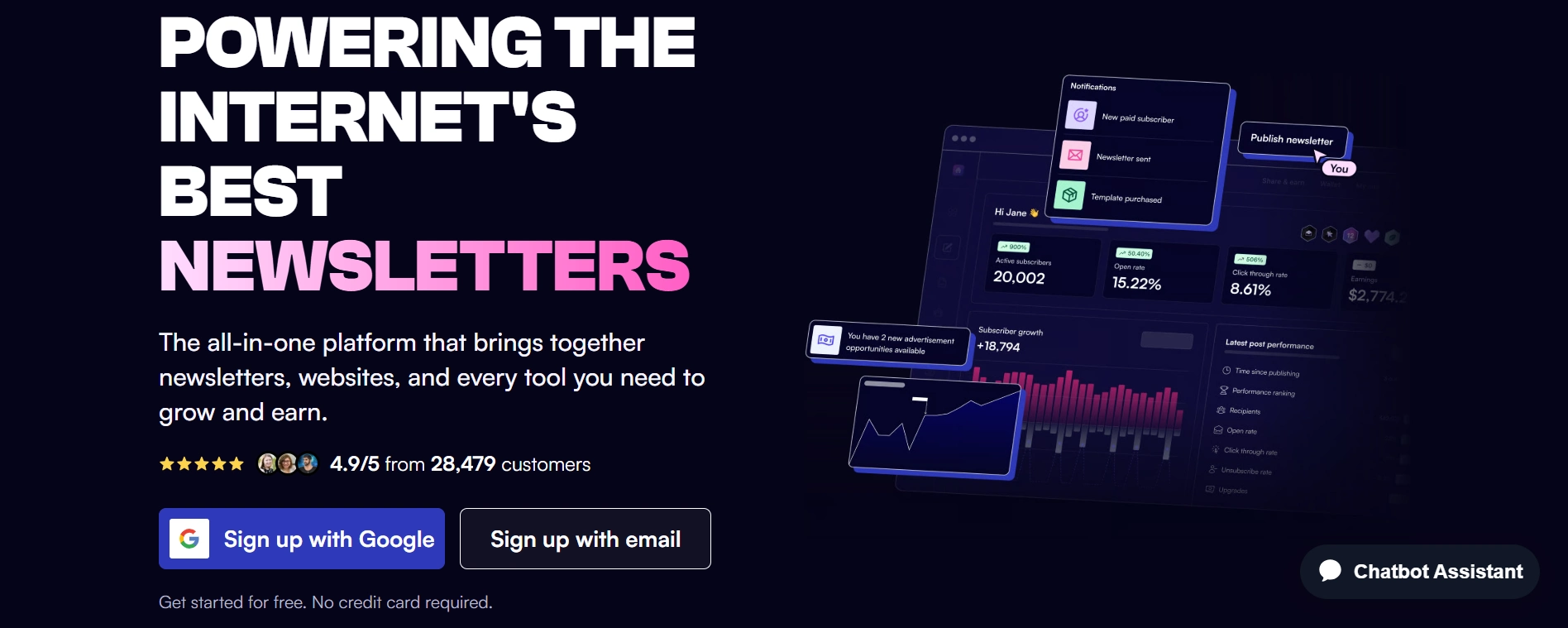
Beehiiv is primarily an email newsletter platform, but it also lets you publish your newsletters as blog posts. Every time you send an email to your subscribers, the same content is automatically published on your Beehiiv website.
What makes Beehiiv stand out is its focus on growing an audience. It includes built-in tools for collecting subscribers, sending newsletters, and managing email campaigns without needing extra plugins or complicated setup. The interface is clean, beginner-friendly, and the free plan is generous enough for most people getting started.
The main limitation is that Beehiiv isn’t designed to replace a traditional blog. While its pages can appear in search results, it doesn’t offer the same level of SEO control and flexibility as a self-hosted WordPress website. If your long-term strategy depends on ranking articles in Google and building organic traffic, WordPress remains the better choice.
I use Beehiiv alongside my WordPress blog rather than instead of it. WordPress handles my long-form content and search traffic, while Beehiiv helps me build an email list and stay connected with readers. Together, they complement each other really well.
Best for: Bloggers and creators who want to build an email list from day one or anyone planning to grow a newsletter alongside their website.
6. Substack
Substack is another platform built around email newsletters rather than traditional blogging. Like Beehiiv, every newsletter you send is also published on your own Substack page, giving readers a place to browse your previous posts.
One of Substack’s biggest strengths is how easy it makes earning from your writing. You can offer paid subscriptions from the start without setting up payment systems or extra tools. That’s one reason many writers, journalists, and creators have adopted it.
The downside is that you’re still building your business on someone else’s platform. Substack takes a percentage of paid subscription revenue, and you have far less control over your website, SEO, and customization than you would with a self-hosted blog. If your goal is to grow through Google search or build a content website that you fully own, Substack isn’t the best long-term choice.
I would say Substack works best once you already have people who enjoy your writing and are willing to subscribe. For complete beginners with no audience, I’d focus on building a website first and consider a newsletter as your audience grows.
Best for: Writers and creators with an existing audience who want to monetize through paid newsletters rather than search traffic.
7. Wix
Wix is a website builder that lets you create a complete website using a simple drag-and-drop editor. It also includes a blogging feature, so you can publish articles without installing extra software.
One of Wix’s biggest strengths is how easy it is to use. You can build a professional-looking website without any coding experience, and the templates make it easy to create something that looks polished from the start. For many beginners, that’s a big advantage.
The trade-off is flexibility. While Wix has improved its SEO over the years, it still doesn’t offer the same level of control as WordPress. Its blogging features also feel like an extra feature rather than the main focus of the platform. If your blog grows and you decide to move to another platform later, the migration process can be frustrating.
I think Wix is a good option if your website is mainly there to support a business, portfolio, or local service and the blog is only one small part of it. If your goal is to build a content website, rank in Google, and earn through affiliate marketing or display ads, I’d still choose WordPress.org.
Best for: Small businesses, freelancers, and portfolio websites that need a simple blog alongside their main website.
8. Squarespace
Squarespace is an all-in-one website builder known for its modern templates and clean design. Like Wix, it includes blogging tools alongside features for building business websites, portfolios, and online stores.
Its biggest strength is presentation. If you want a website that looks polished without spending time on design, Squarespace makes that easy. The editor is beginner-friendly, hosting is included, and everything works together without much technical setup.
The limitation is that blogging isn’t its main focus. While you can publish articles and optimize basic SEO settings, you don’t get the same flexibility, plugin ecosystem, or customization that comes with WordPress. As your blog grows, you may find yourself wanting features that Squarespace simply doesn’t offer.
In my opinion, Squarespace is a good choice if design is your top priority or you’re building a website for a business where the blog plays a supporting role. If your main goal is to grow organic traffic, publish lots of content, and build long-term online income, WordPress.org is still the stronger option.
Best for: Creatives, freelancers, small businesses, and anyone who wants a beautiful website with a simple blog attached.
9. Ghost
Ghost is a publishing platform built for writers, bloggers, and newsletter creators. It combines blogging and email marketing in one platform, making it an interesting alternative to WordPress for content-focused websites.
One thing Ghost does really well is speed. Websites built on Ghost are fast, clean, and designed with publishing in mind. It also includes built in newsletter features and paid memberships, so you don’t need lots of extra plugins to start building an audience.
The disadvantage is that Ghost isn’t as beginner-friendly as it first appears. If you choose the self-hosted version, you’ll need some technical knowledge to set it up and maintain it. Even the hosted version is more expensive than many beginner WordPress hosting plans. It also has a much smaller collection of themes, integrations, and learning resources compared to WordPress.
I like Ghost, but I don’t usually recommend it as a first blogging platform. It’s a great choice for experienced publishers who know exactly what they want. For most beginners, WordPress offers more flexibility, lower costs, and a much larger community to learn from.
Best for: Writers, publishers, and creators who want a fast publishing platform with built-in newsletters and membership features.
Free vs Paid Blogging Platforms: What Is the Real Difference?
Free blogging platforms cost you nothing upfront. But they charge you in other ways that most beginners don’t see until later.
On a free platform, you typically give up control over your monetization options. You accept restrictions on the plugins and tools you can use. You operate under someone else’s terms of service, which can change. And you often publish on a subdomain rather than a real domain, which affects how professional your blog looks and how well it performs in search.
Paid platforms, meaning self-hosted WordPress with hosting, cost around $3 to $8 per month. That’s the price of two coffees. What you get in return is complete ownership, full SEO control, and the freedom to monetize however you choose.
The real cost of starting on a free platform is usually not the money you save upfront. It is the months of work that need to be migrated later when you realise the free platform can’t support the blog you’re actually trying to build.
I’ve watched bloggers spend weeks migrating from Blogger or WordPress.com to self-hosted WordPress because they didn’t want to pay $4 a month at the start. The migration costs more in time than the hosting would have cost in a year.
Which Blogging Platform Is Best for Making Money?
WordPress.org is the best blogging platform for making money as a beginner. This is not a controversial opinion among bloggers who actually earn from their content.
Here’s the reason. Earning money from a blog almost always involves some combination of affiliate marketing, display advertising, digital products, or sponsored content. All of these require three things:
- Traffic from Google search
- The freedom to add links and ads wherever you want, and
- An email list you own
WordPress.org gives you all three without restriction. You can install any SEO plugin, any ad network, any affiliate link tool like ThirstyAffiliates, and any email capture system you choose. Nothing is blocked. Nothing requires an upgrade.
Free platforms restrict at least one of these in a way that matters. Medium doesn’t let you use affiliate links freely. WordPress.com’s free plan blocks most monetization until you pay for higher tiers. Blogger supports AdSense but little else. Substack takes 10% of every paid subscription.
The blogging income model that works long-term is one where you control your content, your traffic source, and your audience relationship. That combination only exists on a self-hosted platform.
For keyword research and understanding which topics will actually bring Google traffic to your blog, Semrush is the tool I’d point any beginner toward. Knowing what people are searching for before you write is the difference between content that finds readers and content that sits unseen.
Recommended: How Bloggers Make Money Online (And What the Real Income Numbers Actually Look Like)
WordPress.org vs WordPress.com: Why Beginners Get These Mixed Up
This is the specific confusion that trips more beginners up than almost anything else in the blogging world.
WordPress.org is free software. You download it, install it on your own hosting account, and run your blog independently. You own everything. No monthly platform fee. You pay only for hosting.
WordPress.com is a hosted service run by a company called Automattic. You create an account on their site and blog within their system. They host your blog. You follow their rules. The free plan is limited. The paid plans unlock more.
For example, think of it this way. WordPress.org is like buying a house. You own it. You can paint it any colour, knock down walls, and do whatever you want. WordPress.com is like renting an apartment. You live there, but someone else owns the building and makes the rules.
For any beginner who wants to earn money from blogging, the answer is WordPress.org with your own hosting. Hostinger is where I’d start for hosting because the price is accessible, the WordPress installation takes about five minutes with their setup wizard, and they include a free domain name on most plans. That combination makes the technical barrier almost disappear.
| Platform | Best For | Starting Cost | Ownership |
|---|---|---|---|
| WordPress.org | Long-term growth, full control | ~$3-10/month hosting | Full |
| WordPress.com | Simplicity with WordPress features | Free, or $4/month+ | Partial (paid plans) |
What Blogging Platform Do Most Successful Bloggers Actually Use?
If you look at blogs that earn through affiliate marketing, display ads, digital products, or services, you’ll notice the same platform comes up again and again: WordPress.org.
That’s not because it’s the newest platform or the easiest to use. It’s because it gives bloggers room to grow.
As a blog grows, so do its needs. You might want better SEO tools, faster hosting, email marketing, affiliate plugins, or more control over how your website works. WordPress lets you add those things without having to rebuild your website from scratch.
Many well known bloggers, including Pat Flynn and Adam Enfroy, built their websites on self-hosted WordPress. The same is true for thousands of smaller bloggers quietly earning a full-time income online. They didn’t all choose WordPress by accident. They chose it because it could support their blogs as they grew.
One thing many beginners don’t think about is how difficult it can be to switch platforms later. Moving hundreds of articles, fixing broken links, checking redirects, and protecting your Google rankings takes time and effort. It’s much easier to start with a platform that can grow with you than to move everything after your blog becomes successful.
If your goal is simply to write for fun, almost any platform will do the job.
But if you’re hoping to grow traffic, earn online income, and build a blog that lasts for years, I think starting with WordPress.org is one of the best decisions you can make. The monthly cost is relatively small. The flexibility you get in return is much harder to replace later.
How to Start a Blog on the Right Platform Today
If you’ve decided on WordPress.org, here is the simple version of what starting actually looks like.
Step one: Pick your niche. Know what your blog is about and who it’s for before you set up anything technical. A vague niche produces vague content that ranks for nothing.
Step two: Get hosting and a domain. Go to Hostinger and choose a beginner WordPress hosting plan. The setup wizard walks you through choosing a domain name, installing WordPress, and configuring your site. The entire process from payment to live blog takes under an hour on your first try.
Step three: Set up your basic SEO. Install the free Yoast SEO or Rank Math plugin inside WordPress. These tools guide you through optimising every article you publish without needing any technical SEO knowledge.
Step four: Start writing. Your first ten articles matter more than your template, your logo, or your colour scheme. Get content published. Start building the library that compounds into traffic over time.
Step five: Build your email list from day one. Add a signup form to your blog immediately. Beehiiv handles your newsletter and gives you a subscriber page before your first email list member joins. Every reader you publish content for without an email capture in place is a reader who leaves and may never return.
For writing content faster without losing your voice, GravityWrite is worth exploring. It helps you structure and draft blog posts more efficiently, which matters when you’re trying to publish consistently while managing everything else that comes with building a blog.
Check out: How to Start a Blog and Make Money for Beginners: A Complete Step-by-Step Guide
Common Beginner Mistakes When Choosing a Blogging Platform
These are the patterns that cost beginners months of progress. Most of them are avoidable with a little honest information upfront.
Starting on a free platform because it feels safer. Free feels like low risk. But the risk of starting on a platform that can’t support your goals is just as real as financial risk. You spend months building on a platform and then face the decision to migrate or stay stuck.
Choosing a platform based on design alone. Wix looks beautiful. Medium looks clean. Neither is the right choice if you want Google search traffic and monetization freedom. Pretty doesn’t pay the bills.
Overthinking the choice for weeks instead of starting. I’ve seen beginners spend three weeks comparing platforms and never publish anything. The best platform is the one that’s live and being used. Perfect research doesn’t earn money. Published content does.
Not starting an email list from day one. This applies regardless of which platform you choose. The email list is the most valuable asset a blogger builds. A reader who lands on your blog and leaves without subscribing is, for income purposes, essentially gone. Check out How to Start Building an Email List From Zero
Choosing a platform based on what feels familiar. Using Medium because you’ve read articles there, or using Blogger because a friend recommended it years ago, is not a strategy. Match the platform to your goal, not your comfort zone.
See also: Beginner Mistakes That Stop You From Making Money Online
Key Takeaways
WordPress.org is the right platform for most beginners who want to make money from blogging. It gives you full control over SEO, monetization, and your audience. The cost is low and the ceiling is high.
Free platforms are fine for writing practice but genuinely limit your long-term income options. Switching later is possible but expensive in time and traffic. Starting correctly costs less than most people expect.
The blogging platform you choose is less important than the consistency you show up with. A beginner publishing two articles per week on WordPress will outperform someone who spends two months choosing the perfect platform and never publishes anything.
Start your email list on the same day you publish your first article. Every reader who leaves without subscribing is a relationship that disappears. Beehiiv makes this easy from day one.
Recommended: Best Tools to Start Earning Online for Beginners (Personally Used and Tested)
Conclusion
The best blogging platform for beginners is the one that supports where you’re actually going, not just where you are today.
For most beginners who want to earn income from their blog, that platform is WordPress.org with affordable hosting like Hostinger. It takes an afternoon to set up. It costs less per month than a streaming subscription. And it gives you the foundation that a real blogging business is built on.
For beginners who want to write without spending anything and aren’t focused on income yet, Medium or Beehiiv are clean, honest starting points that let you build a writing habit without technical friction.
The decision doesn’t need to take three weeks. Pick the one that matches your goal. Set it up. Write your first article. The blog that earns is the one that exists.
Frequently Asked Questions
What is the best blogging platform for beginners?
WordPress.org with affordable hosting is the best blogging platform for most beginners. It gives you full SEO control, unrestricted monetization, and complete ownership of your content. Hosting costs around $3 to $5 a month. For beginners who want a completely free option with no setup, Medium or Beehiiv work well for writing practice and audience building, though they limit your income options long-term.
Can I start a blog for free and still make money?
You can start a blog for free on platforms like Medium, Blogger, or WordPress.com. Making meaningful money is harder because these platforms restrict affiliate links, limit your SEO tools, and don’t give you full control over ads or monetization. Most bloggers who earn consistent income eventually move to a self-hosted WordPress blog. Starting there from the beginning saves you from a costly and time-consuming migration later.
What blogging platform do most successful bloggers use?
Most bloggers earning significant income use self-hosted WordPress. It powers over 43% of all websites on the internet and is the dominant choice among affiliate marketers, SEO bloggers, and professional content creators. The reason is consistent: it offers the most SEO flexibility, the most monetization freedom, and the most growth potential without hitting a platform ceiling at any stage of growth.
Is WordPress difficult for a complete beginner?
WordPress has a learning curve, but it’s not steep. Most beginners can set up a basic WordPress blog in a couple of hours using a guided hosting setup like Hostinger’s. Installing a free SEO plugin like Yoast handles the technical optimization for you. Writing and publishing a post on WordPress feels similar to using a standard text editor. The first few days involve learning. After that, it becomes routine.
What is the difference between WordPress.org and WordPress.com?
WordPress.org is free software you install on your own hosting account. You own everything, control everything, and pay only for hosting. WordPress.com is a hosted service where you create an account and blog within their system. The free plan is limited. Paid plans unlock more features. For anyone serious about blogging income and SEO traffic, WordPress.org on your own hosting is the correct choice. WordPress.com is better for casual blogging without a monetization goal.
How much does it cost to start a blog as a beginner?
A self-hosted WordPress blog costs around $3 to $8 per month for hosting, depending on the provider and plan. Hostinger’s entry plans include a free domain name, which removes that cost for the first year. There are no other mandatory costs to start. A free SEO plugin, a free WordPress theme, and free analytics tools from Google cover everything you need to run a functional, professional blog without additional spending.