Best Tools to Start Earning Online for Beginners (Personally Used and Tested)

Looking for the best tools to start earning online for beginners? This honest guide reviews exactly which tools matter, which ones to skip, and what you should get first before spending a single cent.

In my first six months of trying to build online income, I spent money on twelve different tools.
Not twelve tools I was using well. Twelve tools I signed up for because they appeared in guides, YouTube tutorials, and “here’s everything I use” blog posts from creators whose income I was trying to replicate. Some of them I used once. Some I never opened properly. One I paid for four months before I realised I had a free alternative already installed.
The cost wasn’t catastrophic. But the time I spent researching, signing up for, and half-learning tools I didn’t actually need yet was time I could have spent building something that earned.
The best tools to start earning online for beginners are not the tools with the best features. They are the tools that solve the specific problem you have right now, at the stage you’re actually at, and that don’t require three weeks of learning before you can use them for a genuine purpose.
This guide tells you exactly which tools those are, in what order, and which ones you can safely ignore until you have actually started earning.
Quick Answer
The essential tools for earning online as a beginner are: an email platform to start building your list from day one, a website or blog hosting platform for your content, a design tool for graphics, a writing assistance tool for faster content production, and an SEO tool for understanding what your audience is searching for. Most of these have free plans that are sufficient for your first six to twelve months. You do not need all of them at once. You need the right ones in the right order.
TL;DR
- The best tools to start earning online for beginners are the ones that match your current stage, not the ones with the most features or the largest following among established creators.
- Most essential tools have free plans that are sufficient for the first six to twelve months of building online income.
- The most important single tool a beginner can set up is an email platform, and it should go live before any content is published, not after.
- Tool collecting before earning is the specific pattern that wastes the most time and money for beginners who are genuinely motivated to start.
Recommended: How to Start Earning Online in 7 Days: A Step-by-Step Guide for Beginners
Tools Only Help When You Put Them to Work
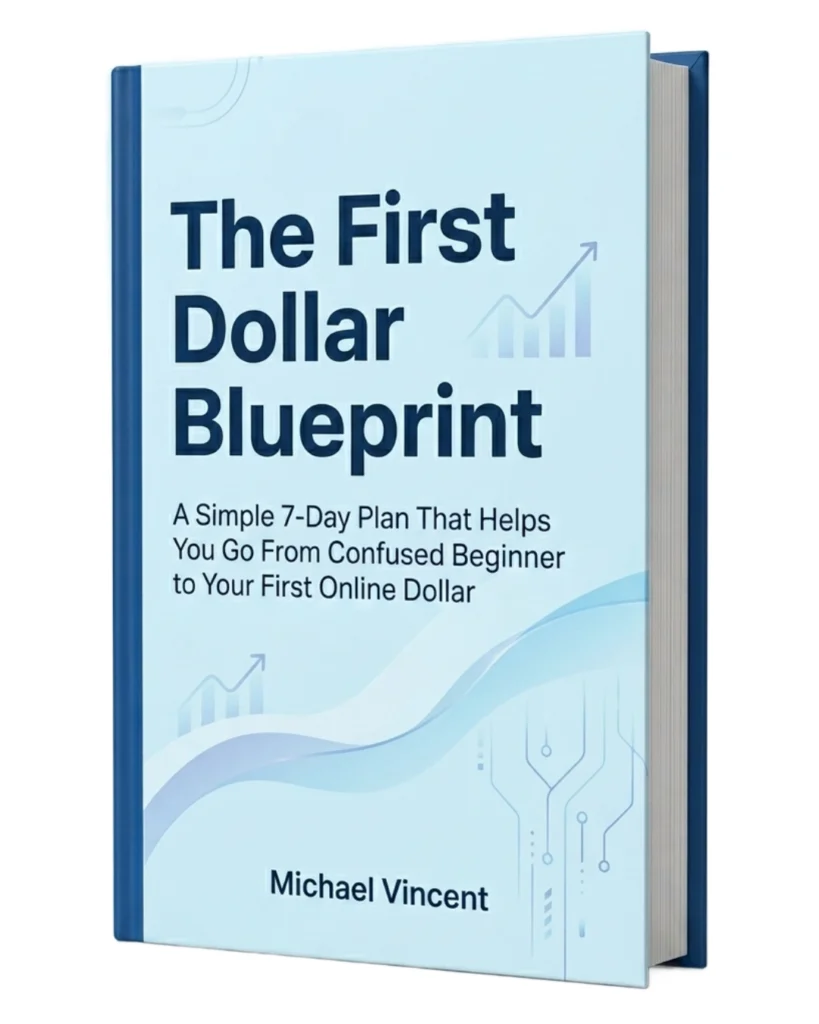
Downloading the right tools is easy. Knowing what to do with them is where real progress begins. The First Dollar Blueprint gives you a simple 7 day action plan that turns those tools into daily action, helping you move from setting things up to building your first real online income.
The Best Tools to Start Earning Online for Beginners: A Quick Summary
| Category | Tool | Free Plan? | What It Does | When to Add It |
|---|---|---|---|---|
| Email platform | Beehiiv | Yes (up to 2,500 subscribers) | Captures readers so you can reach them again without algorithms | Week 1 (before any content goes live) |
| Website / hosting | Hostinger | No ($5/month) | Professional domain and hosting for your content | Month 2 (when content needs a permanent home) |
| Writing assistance | GravityWrite | Yes | Drafts blog posts, emails, and content faster | Weeks 2–4 (when publishing pace needs to increase) |
| Design | Canva | Yes | Social graphics, email headers, Pinterest pins | Weeks 2–4 (when creating visual content) |
| Video editing | CapCut | Yes | Auto-captioning and editing for short-form video | Months 3–6 (if video becomes part of your strategy) |
| Video creation | Invideo | Yes (limited) | Turns text prompts into professional videos with AI scripts and voiceovers | Months 3–6 (if you want to create faceless YouTube or social videos) |
| SEO research | Semrush | Yes (limited daily queries) | Shows what your audience is actually searching for | Month 2–3 (when content needs to attract the right visitors) |
| Social media scheduling | Buffer | Yes (3 channels, 10 posts each) | Schedules posts so you don’t have to log in daily | Months 3–6 (when manual posting becomes unsustainable) |
| Pinterest scheduling | Tailwind | Yes (limited) | Schedules pins for consistent Pinterest traffic | Months 3–6 (if Pinterest is part of your strategy) |
| Digital products | Payhip | Yes (free plan, per-transaction fee) | Sells ebooks, templates, and downloadable products | Month 6+ (when you have something to sell) |
| Digital products | Gumroad | Yes (free plan, per-transaction fee) | Sells digital products, memberships, and subscriptions | Month 6+ (alternative to Payhip, especially for creators) |
| Funnels & automation | Systeme.io | Yes | Email automation, sales funnels, course hosting | Month 6+ (when you need to automate your marketing) |
| Freelancing platforms | Upwork / Fiverr | Yes | Finds clients for freelance work | Week 1 (if freelancing is your primary model) |
The Tool Mistake That Costs Most Beginners Time and Money
Before we get into the tools, I want to name the specific trap this article is designed to help you avoid.
It is called tool collecting, and it is the pattern where a motivated beginner spends their first weeks researching and signing up for tools rather than building anything that earns.
Here is how it happens. You read a guide about blogging. The guide recommends a writing tool, an SEO tool, a design tool, a grammar checker, and a social media scheduler. You sign up for three of them. In signing up for those three, you encounter recommendations for a keyword research tool and a landing page builder. You sign up for those too.
Each tool has a learning curve. Each learning curve justifies more research before you start using the tool properly.
By week three, you have five accounts, two paid subscriptions, and zero published pieces of content.
The tools were all fine individually. The sequence was backwards. You gathered tools before you had a clear task to use them on, which means you were learning tools in the abstract rather than using them for a real purpose.
The sequence that works is the opposite. Identify the first specific thing you need to do to build your online income. Choose the simplest tool that helps you do that specific thing. Use it. When that task produces a new constraint, choose the tool that solves that constraint.
This guide is organised around that sequencing principle rather than around which tools are most popular.
The One Tool That Matters More Than Any Other for Online Income
I have tested most of the tools I have listed here, and many that did not make it here. After all of it, my opinion is unchanged: the most important single tool a beginner can set up before anything else is an email platform.
Not a website. Not an SEO tool. Not a design tool. An email platform.
Here is why I feel this strongly and why it changes the math for every other income-building activity you do.
Every piece of content you publish has two types of readers. Readers who visit and leave, and readers who visit and subscribe to your email list. The first group is valuable for traffic data.
The second group is your actual audience, the people you can reach again, the people who build the kind of relationship with your content that eventually converts into affiliate commissions, digital product sales, and client trust.
A reader who visits your blog post through a Google search and leaves without subscribing is, for income purposes, essentially gone. They might come back. They might not. You have no way to reach them. A reader who visits the same post and subscribes to your email list is now someone you can communicate with directly, without an algorithm deciding whether they see your next piece of content.
I built content for five months before I properly set up email capture. During those five months, hundreds of people visited my content and left without any way for me to reach them. I think about that every time someone asks me what I would do differently at the beginning.
Beehiiv is the platform I recommend for beginners specifically, and I want to explain why rather than just asserting it.
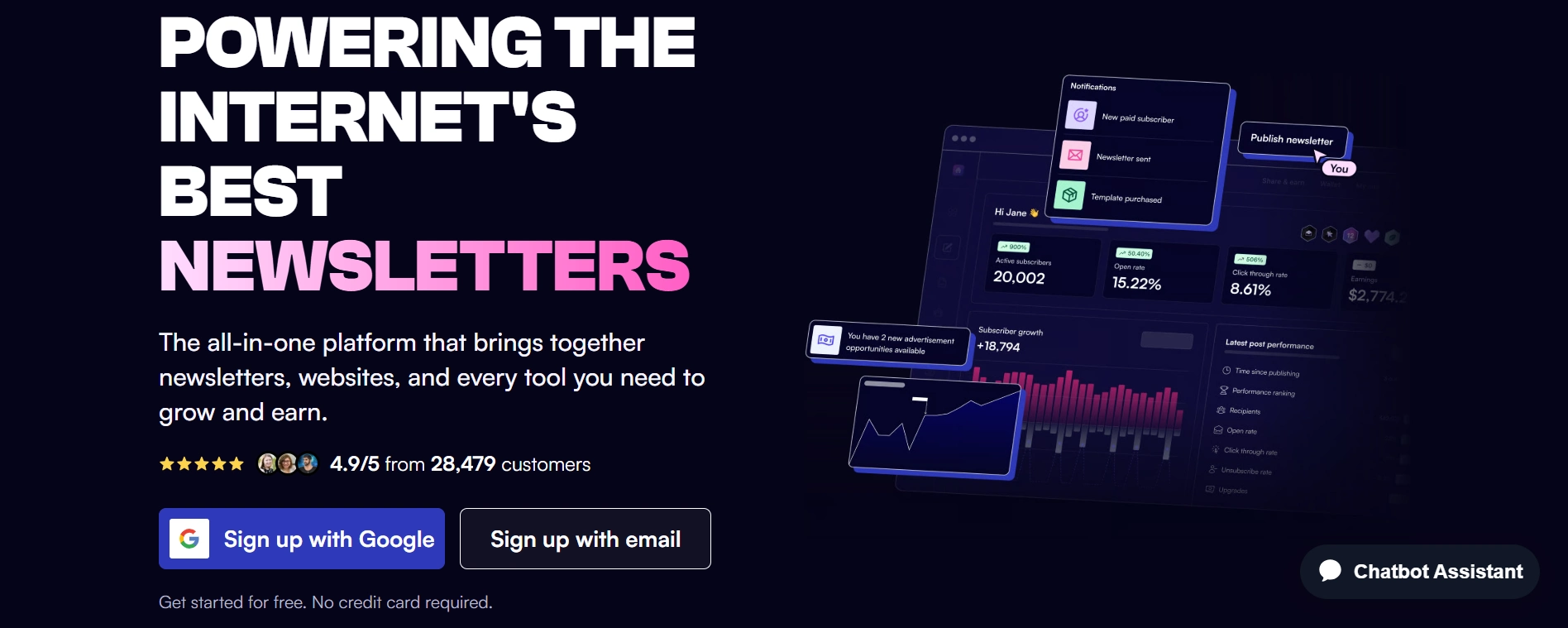
Beehiiv was built by the team that grew the Morning Brew newsletter to millions of subscribers, which means the platform is designed around the specific problem of growing a newsletter from zero to a meaningful audience.
The free plan is genuinely capable for the entire first year of building an email list. It gives you a hosted subscriber page the moment you create an account, which means you have a live URL to collect subscribers before you have a website, a domain, or a single published article.
The interface is clean enough that writing and sending a weekly newsletter does not feel like a technical task. The built-in referral and recommendation tools grow your list through word of mouth alongside your own promotion. And the analytics tell you exactly which emails your subscribers are actually reading, which helps you learn what your audience cares about faster than almost any other feedback mechanism.
Set up your Beehiiv account before you do anything else in this guide. Add the subscriber link to every profile you own. Send your first email within seven days of signing up, even if it’s just an introduction and one useful piece of information.
The list you build from day one will be worth more to your income than any other tool in this guide.
See also: How to Start Building an Email List From Zero (And Why You Should Start Today)
Tools for Building and Publishing Content
Once the email platform is live, the next priority is a home for your content. Here are the specific tools worth knowing about.
Hostinger
Hostinger is the web hosting platform I recommend to most beginner content creators, and the reason is not that it has the most features. It’s that the combination of price, reliability, and beginner-accessible setup makes it the right fit for someone who needs a professional content home without the complexity of an enterprise hosting platform.
A proper domain name and hosting plan changes how seriously you treat your content and how seriously search engines and potential readers treat it. A free subdomain on a third-party platform works in the early weeks.
A real domain like mycashsense.com signals credibility in a way that a free alternative does not, both to Google and to the first-time visitors who are deciding whether to read further or click away.
Hostinger’s setup process is guided enough that someone without web development experience can have a WordPress site live within an afternoon. The pricing is genuinely competitive at under $5 per month for entry plans, which is low enough that a few affiliate commissions or freelance hours cover the annual cost entirely.
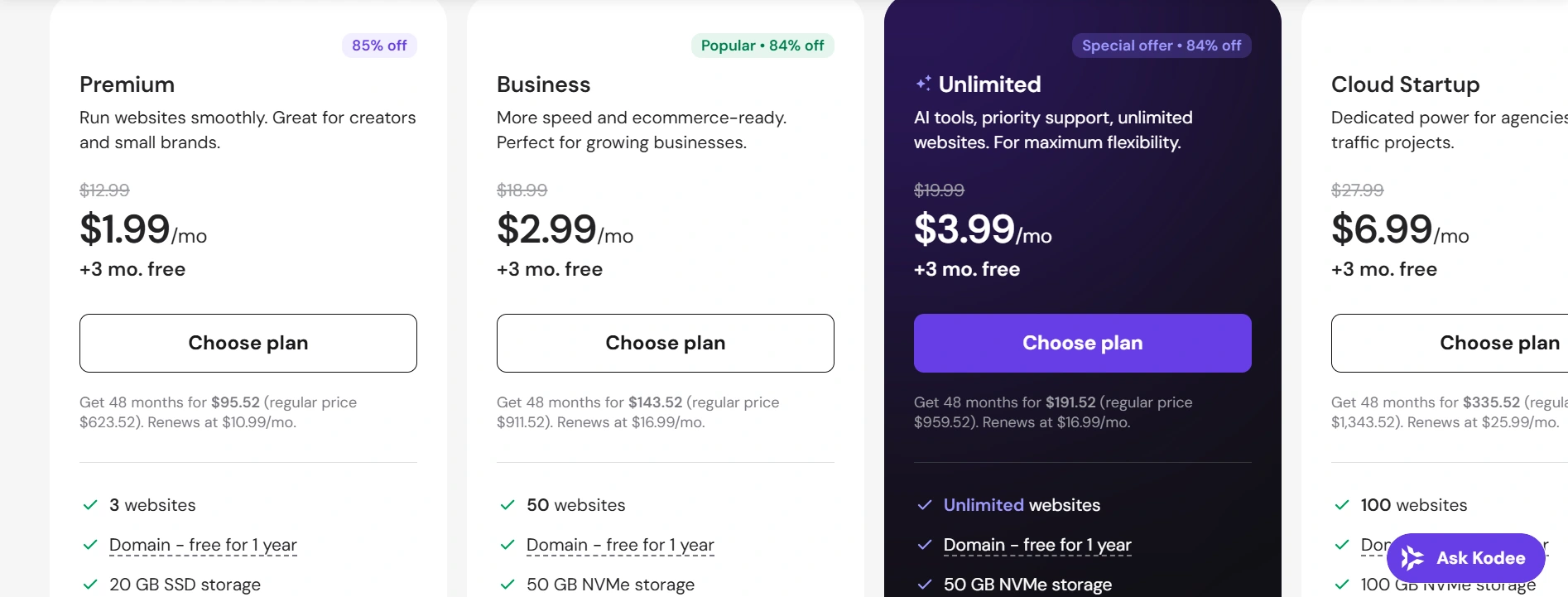
I recommend getting your hosting in month one or two, not on your very first day. Spend those first days creating content and building your email list. Your website will become the permanent home for everything you create. It doesn’t need to be live before you write your first article, but it should be in place before you’ve built a library of content on a platform you don’t own.
Recommended: How to Start a Blog and Make Money for Beginners: A Complete Step-by-Step Guide
GravityWrite
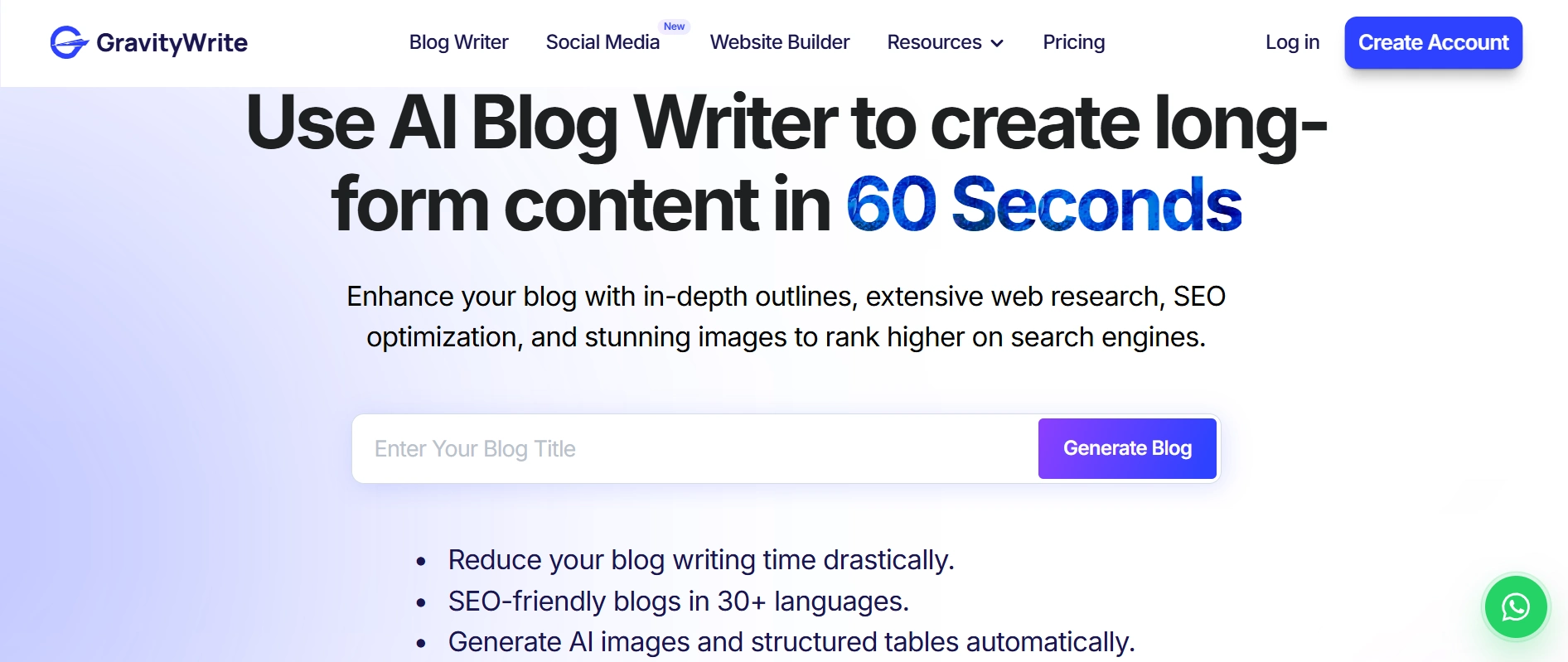
GravityWrite is the content writing tool I use specifically for writing affiliate content, and the distinction between GravityWrite and plain ChatGPT is worth explaining because most beginners treat AI writing tools as interchangeable.
ChatGPT is a general-purpose language model. It can write about almost anything, but it doesn’t automatically understand that your goal is to create content that ranks in search, attracts buyers, and includes the structure and depth needed to perform well in search results. See → How to Use ChatGPT to Make Money as a Beginner
GravityWrite is built specifically for the type of content that earns. Blog posts, email sequences, product descriptions, social media captions, and affiliate marketing content all have specific structural templates in GravityWrite that produce better first drafts for this specific use case than a general prompt to ChatGPT.
The practical difference shows up most clearly when you’re trying to publish two or three articles per week consistently.
Using GravityWrite for the drafting and structure phase and then adding your personal voice, specific examples, and honest opinions in the editing phase takes roughly half the time of writing from scratch. That time difference is the difference between staying consistent and falling behind.
A free plan is available. The free tier covers enough for a beginner to evaluate whether the tool serves their specific workflow before committing to any paid plan.
Canva
Canva deserves its place in this list because it solves a specific problem that almost every beginner faces: needing professional-looking visual content without having professional design skills or the budget to hire someone who does.
The free version of Canva covers almost everything a beginner needs. Social media graphics, Pinterest pins, email newsletter headers, ebook covers, presentation slides, YouTube thumbnails, and brand kits are all accessible in the free plan with a template library large enough that design paralysis is the only real barrier to producing usable output.
The skill that makes Canva actually useful is selecting and modifying templates rather than building from a blank canvas. A beginner who learns to find a template close to what they need and adjust the colors, fonts, and text to match their brand can produce professional-looking graphics within minutes of opening the tool.
Canva AI features, specifically Magic Write for copy and Magic Design for layout suggestions, reduce the time required to produce multiple variations of a graphic, which is useful for anyone testing what performs best on Pinterest or Instagram.
Tools for Video and Visual Content Creation
Short-form video has become one of the most accessible content formats for online income building, and two tools make it genuinely manageable for beginners with no video production background.
CapCut
CapCut is the video editing tool I recommend most for beginners creating content on TikTok, Instagram Reels, and YouTube Shorts. It was built for short-form video, so features like vertical editing, automatic captions, trending audio, and quick transitions are part of the workflow from the start.
One feature that stands out is automatic captioning. Since many people watch videos with the sound off, captions can improve watch time and engagement. CapCut generates them in seconds and lets you edit the style to match your brand.
For anyone filming videos on a phone, CapCut makes it easy to edit and publish on the same day without spending weeks learning professional editing software. The free version includes everything most beginners need to get started.
InVideo
If CapCut is the tool for editing videos you’ve already recorded, InVideo is the tool for creating videos much faster from scratch.
InVideo uses AI to turn a simple prompt, script, or blog post into a complete video with stock footage, transitions, subtitles, background music, and AI voiceovers. That makes it especially useful for beginners who want to create YouTube videos, faceless content, or social media clips without spending hours editing.
One feature I particularly like is its ability to repurpose written content. If you’ve already published a blog post, you can use InVideo to transform it into a video in minutes instead of starting over. That’s a practical way to get more value from the content you’ve already created.
For beginners who want to publish consistently but feel overwhelmed by video production, InVideo removes much of the technical work and lets you focus on your ideas instead.
Free plan available, with paid plans unlocking longer videos, premium assets, and additional AI features.
Tools for SEO and Keyword Research
Publishing content without keyword research is like opening a shop on a street with no foot traffic and hoping the right customers find it anyway. SEO tools tell you which streets have the most people walking past and what those people are specifically looking for.
Semrush
Semrush is the SEO and keyword research tool I trust most for the specific type of online income content this blog covers. Here is my honest experience with it.
When I was writing content based on topics I found interesting rather than topics I researched, my articles attracted modest traffic that did not convert. When I started using Semrush to identify the specific keywords people search when they are close to a buying decision, the conversion rate on the same traffic changed significantly.
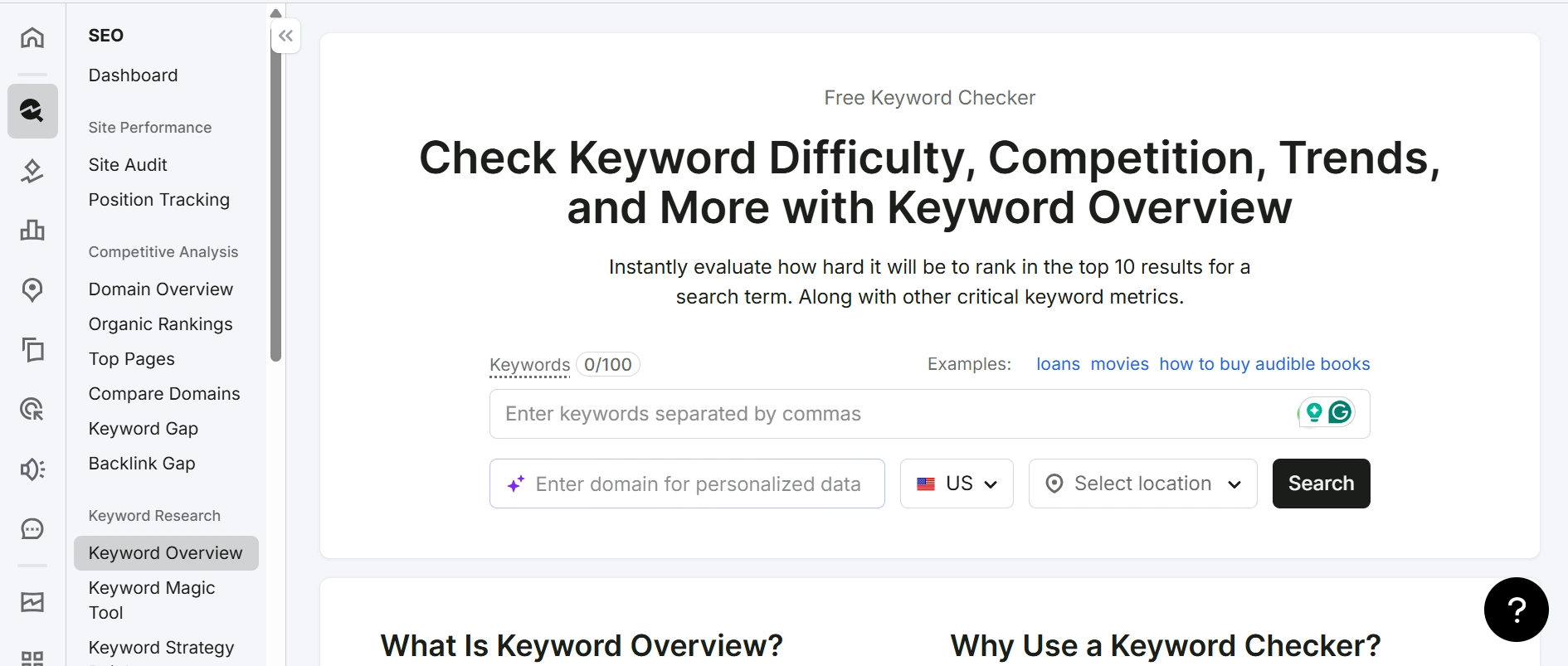
Semrush shows you search volume, keyword difficulty, the specific questions people are asking around a topic, and what the top-ranking content covers that your article needs to include to be considered comprehensive. This research layer is what separates content that finds its audience from content that gets published and disappears.
The free plan on Semrush offers a limited number of daily queries, which is enough for a beginner doing research for two or three articles per week. The paid plans unlock everything including competitor analysis, content auditing, and the full keyword database and AI search visibility.
I recommend using the free plan to understand whether keyword research changes your content quality and your results. Upgrade to a paid plan when the query limit becomes a genuine constraint on your research pace, rather than upgrading based on FOMO or because another creator recommended it.
Free alternatives worth knowing: Google’s own tools, specifically Google Search Console for tracking how your content is performing and Google’s free keyword planner for basic search volume data, provide a genuine starting point for keyword research with zero cost. They have less depth than Semrush but they are not nothing.
Recommended: How to Write Blog Posts That Rank on Google: A Step-by-Step Guide for Beginners
Tools for Social Media and Content Scheduling
Posting consistently to social media is one of the most practically difficult parts of building online income content, not because the content is hard to create, but because the act of logging into platforms individually and posting manually each day consumes more time and mental energy than most people budget for it.
Scheduling tools solve this by letting you create content in batches and distribute it automatically across days and weeks.
Buffer
Buffer is the scheduling tool I use for general social media content, and the reason I recommend it for beginners is the simplicity of its interface rather than the breadth of its features.
Buffer connects to most major social platforms and lets you queue content for automatic publishing at your chosen times. The analytics tell you which times and content types produce the most engagement on each platform.
The free plan covers three social channels with ten scheduled posts per channel, which is enough for a beginner managing one or two platforms without stretching into complexity they don’t need yet.
Tailwind
Tailwind is the Pinterest and Instagram scheduling tool that I consider separate from general social media schedulers because it is built around Pinterest’s specific algorithm in ways that general schedulers are not.
For beginners using Pinterest as an affiliate marketing channel, which I consider one of the most underrated traffic strategies for income content, Tailwind provides scheduling, performance analytics, and SmartSchedule suggestions that identify the times your specific audience is most active on Pinterest.
Pinterest rewards consistent pinning frequency more directly than most platforms. A creator who pins fifteen to twenty times per day across relevant boards consistently outperforms someone who pins fifty times one day and nothing for the next week. Tailwind automates the consistency that manual pinning makes unsustainable.
If Pinterest is in your content strategy, Tailwind is the tool that makes that strategy practically executable rather than theoretically appealing but operationally exhausting.
Social Pilot
Social Pilot is the option worth knowing if you are managing social media for clients as a freelance service alongside your own channels. Its bulk scheduling feature and client management dashboard are specifically designed for someone handling multiple accounts simultaneously.
For a beginner managing only their own content, Buffer is simpler and more than sufficient. Social Pilot becomes relevant when client work is part of your income model.
Tools for Selling Digital Products and Running Funnels
At some point in the online income journey, most creators move from earning only through affiliate commissions to earning from products or services they own directly. These tools make that transition possible without requiring technical expertise.
Systeme.io
Systeme.io is the tool I recommend most strongly for beginners who want to build a funnel, sell a digital product, or set up email automation without paying for multiple separate tools.
The reason Systeme.io is genuinely impressive for beginners is the scope of what the free plan covers. Email marketing automation, simple sales funnels, course hosting, digital product delivery, and basic affiliate program management are all available without spending a cent until you reach scale that justifies upgrading.
Most beginner online income builders patch together multiple tools to cover these functions. An email tool here, a landing page builder there, a course hosting platform somewhere else. Systeme.io handles all of this in one interface, which means less time switching between platforms and less risk of technical issues at the connection points between separate tools.
In my own experience, Systeme.io offers one of the best starting points for beginners.
Its interface isn’t the most polished in every category. The email features are simpler than a dedicated email platform, and the course hosting isn’t as advanced as Teachable. Even so, the free plan covers so much that it’s hard to beat if you’re launching your first digital product or online business before you’re ready to invest in specialized tools.
Payhip
Payhip is the simplest tool available for selling a digital product, and simple is the right choice when you are selling your first ebook, template pack, or downloadable guide.
Payhip’s free plan charges no monthly fee. It takes a small percentage per transaction. You upload your product file, create a product page with a description and price, and share the link anywhere you want to drive buyers. Payment processing, file delivery, and VAT management for digital products sold in the European Union are all handled automatically.
For a beginner whose first digital product is a PDF guide or a Canva template pack, Payhip removes every technical barrier between creating the product and selling it. You can have a product live and for sale within an hour of the product file being ready.
Teachable
Teachable becomes relevant when the product is a video course rather than a downloadable file. Its free plan lets you create and host one course with unlimited students, which is enough to validate a course concept before investing in a paid plan.
The beginner’s realistic sequence: start with Payhip for simpler digital products. Move to Teachable when video course creation is the right next format for your knowledge product. Add Systeme.io when email automation and funnels become the relevant constraint.
Gumroad
Gumroad is another excellent option for selling digital products, especially if you want to launch quickly with very little setup. You can sell ebooks, templates, guides, digital downloads, memberships, and even online courses from a single storefront.
Compared to Payhip, Gumroad puts more emphasis on simplicity and creator discovery. Setting up a product takes only a few minutes, and the platform handles payments, file delivery, and customer management for you.
If your goal is to validate an idea before building a full website or sales funnel, Gumroad is one of the fastest ways to start selling. As your audience grows, you can always move to a more advanced platform like Systeme.io while keeping Gumroad as an additional sales channel.
See Best Platforms to Sell Digital Products and Start Earning
Tools for Writing Faster and Better
I covered GravityWrite in the content building section. Let me go deeper on the writing tool category because it affects every content-based income model and beginners often underestimate how much the right writing tool matters for consistency.
The specific problem GravityWrite solves is the blank page problem under time pressure.
When you sit down to write an article you’ve been thinking about for a week, the ideas flow. When you sit down to write your fourth article of the week on a topic you researched last night, the blank page is genuinely harder. The writing quality drops. The process takes longer. The temptation to skip the session is stronger.
GravityWrite provides the structure. You input your target keyword, your audience, and the main point of the article. The tool produces a detailed outline and section-by-section drafts that you then rewrite in your own voice with your specific examples and honest opinions added throughout.
The output of GravityWrite is a starting point, not a finished piece. Every article needs a human rewrite pass that adds specific personal experience, genuine opinion, and the kind of earned insight that AI tools cannot produce from their training data. But the starting point removes the blank page and typically cuts the time from concept to complete draft by 40 to 50 percent.
For a beginner trying to publish consistently while also managing a job, a family, and the rest of building an online business, that time saving is not a convenience. It is what makes the publishing pace sustainable enough to compound.
Recommended: Can AI Help You Start an Online Business? The Honest Answer With Real Examples
Tools for Finding Freelance Work and Clients
Freelancing platforms function as tools in the same practical sense that software tools do. They solve a specific problem, in this case the problem of finding clients without an existing professional network.
Upwork is the platform I recommend for beginners who want to build a serious freelancing income over time. The profile system, portfolio display, and contract infrastructure create a professional framework that supports long-term client relationships rather than just one-off transactions. The investment in building a complete, specific Upwork profile pays dividends in client quality that most other platforms don’t match.
Fiverr is the platform I recommend for beginners who want to start earning as fast as possible without the proposal-writing process that Upwork requires.
Check out: Best Freelance Niches for Beginners: Which One Should You Actually Choose?
Creating one specific, well-described gig on Fiverr puts you in front of buyers searching that service category without you having to pitch individually. The trade-off is that Fiverr tends toward lower-budget clients in most categories, which makes it better for building a review history and demonstrating competence than for building a high-income freelancing practice.
In my opinion, start with Fiverr for your first two or three reviews and a small amount of early income. Transition your primary client-building effort to Upwork once you have portfolio pieces and some evidence of real client satisfaction.
LinkedIn is the underused tool in most beginners’ freelancing strategy. While Upwork and Fiverr are platforms where clients post work and freelancers apply, LinkedIn is where potential clients exist and can be reached directly through connection requests, content publication, and direct messaging.
A freelancer who publishes one useful LinkedIn article per week about their area of expertise, connecting with relevant professionals, builds a client pipeline through warm relationships rather than cold competition.
Recommended: How to Start Freelancing With No Experience (Step-by-Step Guide)
The Tools You Can Skip Entirely When You Are Just Starting
This section is as important as the recommendations above, because knowing what not to use is genuinely more financially valuable for most beginners than knowing what to add.
Advanced email marketing platforms like ActiveCampaign or ConvertKit. These are powerful platforms with sophisticated segmentation, automation, and tagging features that become relevant when your email list has thousands of engaged subscribers across multiple content segments.
For a list of zero to five hundred people in a single niche, Beehiiv’s free plan covers everything you actually need. The additional features of a more complex platform add cost and a learning curve without producing better results meaningfully at the beginner stage.
Ahrefs. Ahrefs is the SEO tool most commonly recommended by established content businesses, and it is genuinely excellent at what it does. It is also significantly more expensive than Semrush for a comparable feature set, and its interface has a steeper learning curve.
The free Ahrefs tools, including the backlink checker and website audit, are worth using. The paid platform is worth evaluating when your content business is producing enough traffic to justify deeper competitive analysis. Not in month one.
Fancy website themes and premium WordPress plugins. A beginner blog with a clean, fast, free WordPress theme outperforms a beginner blog with an expensive premium theme loaded with plugins that slow the site down and required forty hours to configure.
The content quality and keyword targeting determine whether the blog earns, not the design. A simple, fast, mobile-responsive theme, like Kadence and GeneratePress, configured correctly, is worth infinitely more than a visually impressive theme that loads slowly and confuses you for three weeks to set up.
Video production equipment. A phone camera in natural light produces better short-form video content than most beginners produce with expensive equipment they don’t know how to use yet.
The lighting, the topic clarity, and the editing quality matter more than the camera quality at the beginner stage. Equipment spending is appropriate after you’ve published enough content to understand specifically what you need rather than what looks professional in a YouTube thumbnail.
How to Build Your Tool Stack Without Spending Money First
Every essential tool in this guide has a free plan sufficient for at least the first six to twelve months of building online income. Here is the zero-cost starting configuration.
- Email platform: Beehiiv free plan. Hosted subscriber page, up to 2,500 subscribers, newsletter sending. Everything you need for year one.
- Website and blog: Hostinger’s entry plan is genuinely affordable, but if even that feels premature, a Beehiiv-hosted newsletter page functions as a content home before a blog exists.
- Design: Canva free plan. Covers social media graphics, email headers, ebook covers, and Pinterest pins without touching a paid feature.
- Writing assistance: GravityWrite free plan for drafting. Covers enough monthly output for a beginner publishing two articles per week.
- Video editing: CapCut free. No meaningful limitations for beginner short-form video production.
- Video Creation: InVideo’s free plan does it best.
- SEO research: Google Search Console (completely free) and Google’s keyword planner for basic search volume data. Semrush free plan for deeper research with limited daily queries.
- Scheduling: Buffer free plan for three channels and ten scheduled posts each.
- Digital product selling: Payhip free plan with transaction percentage. Systeme.io free plan for email automation and basic funnels.
- Freelancing: Fiverr and Upwork free to join and use.
The entire starting configuration costs nothing. The only investment required is time and consistent effort.
The Order in Which You Should Add Tools to Your Stack
Sequencing matters more than selection. Here is the specific order that fits how online income actually builds.
Week one: Email platform only. Set up Beehiiv. Get your subscriber link. Add it everywhere. Send your first email by the end of the week. Before any content exists, the infrastructure for capturing readers is live.
Weeks two through four: Content creation tools. Canva for graphics. GravityWrite for faster drafting. Your first pieces of content are being created and published. The email platform is collecting its first subscribers from whatever distribution you have.
Month two: Website. A proper domain and Hostinger hosting gives your content a permanent, professional home. Your first articles migrate here or launch directly.
Months two through three: SEO tool. The Semrush free plan starts shaping what you write about toward the keywords your audience is actually searching for. This changes the trajectory of your traffic growth more than any other single addition to the stack.
Months three through six: Video and scheduling tools. CapCut and InVideo if video is part of your strategy. Buffer and Tailwind as the publishing schedule and platform mix demand more consistent management.
Month six and beyond: Product and funnel tools. Systeme.io or Payhip when you have something to sell. Teachable when the product is a video course. Social Pilot if client social media management becomes a service.
This sequence means every tool you add solves a genuine current constraint rather than a hypothetical future one.
Key Takeaways
The best tools to start earning online for beginners are the ones that match your current stage, not the most popular or most featured tools in the category. A simpler tool you actually use consistently outperforms a powerful tool you find overwhelming every single time.
The email platform is the most important tool in the entire stack and should be the first one set up. Every day you publish content without email capture is a day readers can find your content and leave forever without any way for you to reach them again.
The zero-cost configuration covers everything you need for the first six to twelve months. Every essential tool in this guide has a free plan sufficient for early-stage online income building. There is no minimum budget required to start.
The sequence in which you add tools matters more than which specific tools you choose. Adding the right tool at the wrong stage creates complexity without benefit. Adding it when it solves an actual current constraint creates momentum.
Conclusion
The tools that helped me build online income are not the ones that cost the most or the ones recommended most often in the content I consumed at the beginning.
They are the ones I was actually using, consistently, for a real purpose at the stage I was at when I introduced them.
Beehiiv when I finally understood that the email list was the whole point. GravityWrite when the publishing pace I needed to sustain started feeling unsustainable. Semrush when I realised my content was attracting the wrong intent at the wrong stage. Hostinger when the platform I was publishing on needed to become something I owned.
Every tool on this list earned its place by solving a specific problem I was actually experiencing. None of them were purchased in advance of the problem. Some of them replaced tools I had been using that were more complex than what I needed.
If you take one thing from this guide, let it be this. The tool stack is not the online income. The online income comes from consistent, specific, genuine effort applied over a long enough period for compounding to make the work visible. The tools just make that effort faster, more consistent, and less likely to produce the technical friction that stops people before they reach the compounding phase.
Start with Beehiiv. Add content tools. Publish consistently. Add the next tool when you feel a genuine constraint, not before.
The First Dollar Blueprint gives you the structured first week of using these tools with a specific purpose, one task per day for seven days, so the early days of your online income build with intention rather than scattered effort.
Frequently Asked Questions
What are the most important tools to start earning online as a beginner?
The most important tool for any beginner starting online income is an email platform, specifically Beehiiv on a free plan, because it starts collecting your audience from day one and gives you a direct communication channel that no algorithm controls. After that, the tools that matter most are a content creation platform such as a blog on Hostinger, a design tool like Canva’s free plan, and a writing assistance tool like GravityWrite for maintaining consistent content output. These four together cover the foundational requirements of most online income models without requiring any financial investment in the early months.
Do I need to pay for tools to start making money online?
No. Every essential tool for the first six to twelve months of building online income has a free plan that covers beginner requirements. Beehiiv handles email list building on a free plan. Canva covers design on a free plan. GravityWrite offers a free tier for content drafting. CapCut is free for video editing. Semrush has a free plan for limited keyword research. Buffer has a free social scheduling plan. Systeme.io and Payhip both handle digital product selling and funnels on free plans. The investment required to start earning online is time and consistent effort, not money on tools.
What is the first tool I should get when starting an online income?
An email platform, before anything else. The specific recommendation is Beehiiv because its free plan is genuinely capable and the platform gives you a hosted subscriber page immediately upon account creation, which means you can collect email subscribers before you have a website, a blog, or any published content. Every piece of content you publish without email capture in place sends readers away with no way to reach them again. Setting up email capture first means every reader who finds your content from day one can become a subscriber rather than a visitor you lose permanently.
Which tool helps beginners write content faster?
GravityWrite is the most specifically useful writing tool for online income content because it is built for the specific content formats that earn online, including blog posts, email sequences, and affiliate marketing articles, rather than being a general-purpose writing tool. It produces structured outlines and first drafts that a beginner then rewrites in their own voice with personal experience and honest opinions added. This process typically cuts the time from concept to complete draft by 40 to 50 percent compared to writing from scratch, which is the difference between publishing two articles per week consistently and falling behind the pace that content compounding requires.
Do I need all these tools at once or can I add them gradually?
Add them gradually and specifically in response to genuine current constraints rather than all at once. The week one priority is the email platform only. Content creation tools including Canva and GravityWrite come in weeks two through four. A proper website on Hostinger comes in month two. An SEO tool like Semrush comes in month two or three when you have content to optimise and a publishing pace to research for. Video editing and scheduling tools come in months three through six as those activities become part of your content strategy. Product and funnel tools come when you have something to sell, typically in month six and beyond.
Are the free versions of these tools good enough or do I need the paid plans?
For the first six to twelve months of building online income, the free plans of every tool in this guide cover genuine beginner requirements without meaningful limitation. The free plans become constraints at specific, identifiable points. Beehiiv’s free plan handles up to 2,500 subscribers before the paid plan becomes relevant. Semrush’s free plan provides enough daily queries for researching two to three articles per week before the paid plan provides meaningfully more. GravityWrite’s free plan covers enough monthly output for a beginner publishing consistently. The right time to upgrade any specific tool is when the free plan’s limit is a genuine daily constraint on your work, not when you feel like you should be paying for something that’s currently working well on a free plan.