
Wise Review For Freelancers: Is It Worth Using to Receive International Payments?

This Wise review for freelancers covers the real fees, how international payments actually work, what Wise does better than PayPal, and whether it is genuinely worth signing up for as a remote worker.

The first time I got paid $200 for freelance academic writing by a client in another country, I couldn’t wait to see the money hit my bank account. It felt like proof that earning online was actually possible.
Then I checked the amount that had arrived.
After the bank deducted its SWIFT fee, applied its own exchange rate, and added a receiving charge, I ended up with about $168 instead of the $200 my client had sent. Until that moment, I hadn’t given much thought to how international payments worked. I simply assumed the amount sent would be close to the amount received.
That experience made me start looking for a better way to receive international payments. Eventually, that search led me to Wise.
In this review, I’ll share my experience using Wise as a freelancer, explain how its fees actually work, compare it with the alternatives, and help you decide if it’s the right choice for receiving payments from international clients.
Quick Answer
Wise is genuinely one of the best tools available for freelancers and remote workers who receive international payments regularly. It uses the real mid-market exchange rate with a transparent small percentage fee, which is meaningfully cheaper than PayPal or bank wire transfers in most cases. It offers multi-currency account details in up to ten currencies, a debit card for multi-currency spending, and fast transfers in most corridors. It is not a full bank and has some limitations worth knowing before you rely on it as your only financial tool.
If you’re looking for an easier way to receive international payments as a freelancer, you can create a Wise account here and explore it’s features for yourself.
TL;DR
- Wise uses the mid-market exchange rate and charges a transparent small fee per transfer, which is almost always cheaper than PayPal’s hidden currency spread or bank SWIFT fees.
- Freelancers can receive payments in multiple currencies using local bank details, which means clients in the US, UK, EU, and other regions can send money without international transfer complications.
- Wise is not a bank and does not offer credit, loans, or deposit protection in the traditional sense.
- For most freelancers and remote workers receiving international client payments, Wise is worth using, with one important caveat around its business account features.
Recommended: How to Start Freelancing With No Experience (Step-by-Step Guide)

Getting Paid Is Only One Part of the Journey
Setting up your payment methods is important, but it’s only useful if you have income coming in. The First Dollar Blueprint helps you focus on that part first with a simple 7-day action plan that shows you how to start building consistent online income from the ground up, while preparing the tools you’ll need to get paid along the way.
Wise for Freelancers: A Quick Summary
| Feature | What It Means for You |
|---|---|
| Real exchange rate | Uses the mid-market rate you see on Google, not a hidden markup |
| Transparent fees | Shows exactly what you’ll pay before you confirm any transfer |
| Multi-currency account | Get local bank details in USD, GBP, EUR, AUD, CAD, SGD, NZD, RON, HUF, TRY |
| Receive payments | Clients pay you by domestic transfer in their own currency |
| Convert currency | Convert between currencies at the mid-market rate + small fee |
| Withdraw to local bank | Typically arrives within 1 business day |
| Wise debit card | Spend multiple currencies without conversion fees |
| Regulation | Regulated in US, UK, EU as a Money Services Business / e-money institution |
| Safeguarding | Customer funds held in segregated accounts at regulated institutions |
Wise vs PayPal vs Bank Transfer: A Comparison Table
| Factor | Wise | PayPal | Bank Transfer (SWIFT) |
|---|---|---|---|
| Exchange rate | Mid-market rate (transparent) | Hidden markup (3–4% spread) | Bank rate (2–5% spread) |
| Fee structure | Small % + fixed fee (shown upfront) | Hidden in exchange rate | Multiple hidden fees (sender, correspondent, receiver) |
| Typical cost on $500 | $2–$5 | $15–$20 | $30–$80 |
| Transfer speed | 1 business day | Instant (if both have PayPal) | 3–5 business days |
| Client experience | Domestic transfer (if local details available) | PayPal account required | Wire transfer process |
| Multi-currency holding | Yes (hold balances in 10+ currencies) | Limited | No |
| Debit card | Yes (multi-currency spending) | Yes (US only) | No |
| Regulation | Regulated (MSB / EMI) | Regulated (MSB) | Regulated (full bank) |
| Deposit protection | Safeguarding (not FDIC/FSCS) | No | Yes (FDIC/FSCS) |
| Best for | Regular international payments | Universal client acceptance | Large transfers ($10K+) |
Wise Pros and Cons
| Pros | Cons |
|---|---|
| Mid-market exchange rate: no hidden markup | Not a bank: no deposit insurance like FDIC or FSCS |
| Transparent fees: shown before you confirm | No credit or loans: no overdrafts or business credit |
| Multi-currency account details: receive USD, GBP, EUR, and more | Account holds can happen: flagged activity may pause transfers |
| Low fees: significantly cheaper than PayPal or SWIFT | Limited business features: not a full business banking alternative |
| Fast transfers: typically 1 business day | Country coverage is not universal: not available everywhere |
| Local receiving details: clients pay domestic, not international | Receiving fees apply for some currency types (e.g., USD wire fee) |
| Wise debit card: spend multiple currencies without conversion fees | Free withdrawal limit: limited free ATM withdrawals per month |
| Regulated and safeguarded: customer funds protected | Personal vs business accounts: setup differences worth knowing |
What Is Wise and How Does It Work for Freelancers?
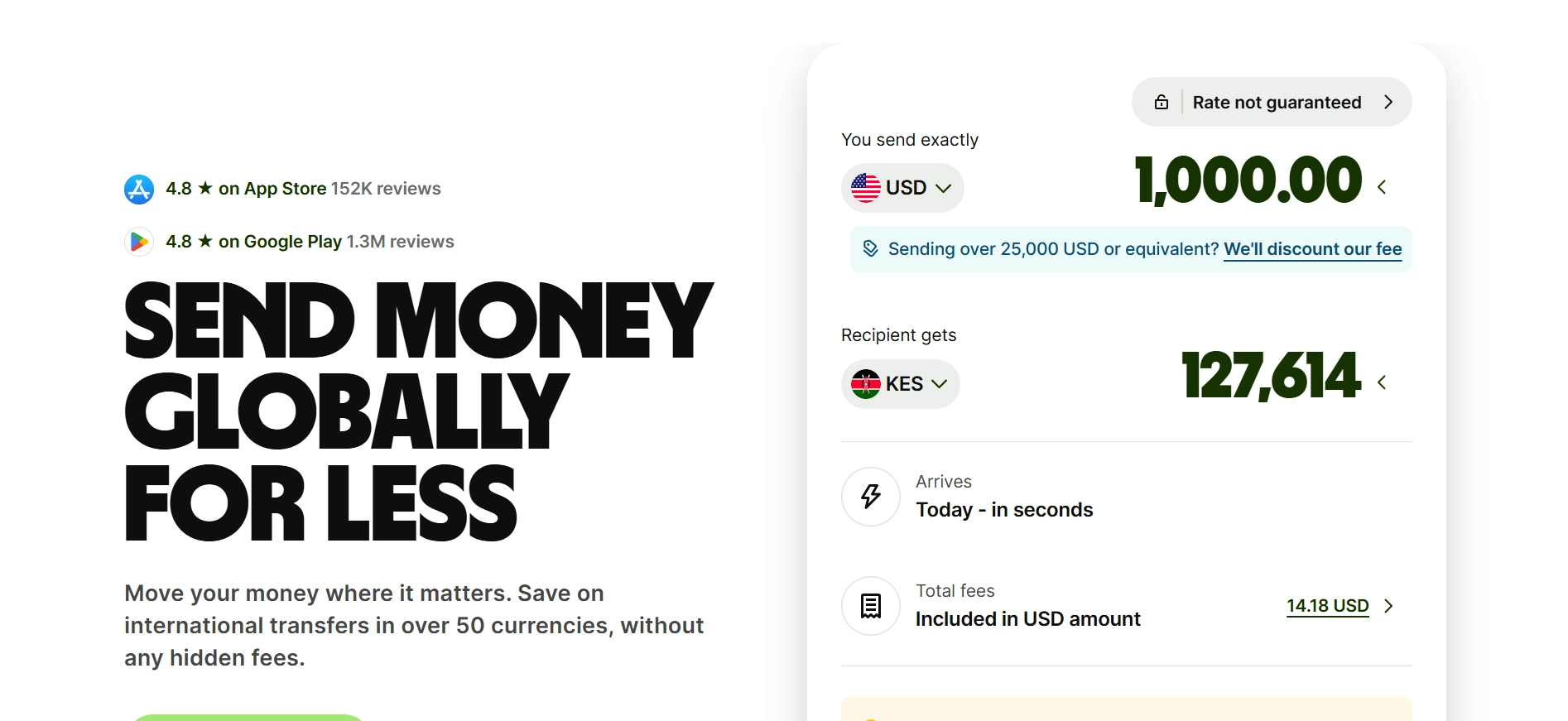
Wise, formerly known as TransferWise, is a financial technology company that offers international money transfers, multi-currency accounts, and a debit card to individuals and businesses in most countries.
For freelancers specifically, Wise is most useful as the tool that sits between your international clients and your local bank account. Instead of your clients sending an expensive SWIFT wire transfer or a PayPal payment that gets hit with currency conversion fees on both ends, they send to your Wise account using local payment methods in their own currency.
Wise then holds the money in its multi-currency account and lets you convert and withdraw to your local bank at the mid-market exchange rate plus a small transparent fee. That fee is typically between 0.3% and 2% depending on the currency pair, which is significantly lower than what most banks or PayPal charge for the same service.
The mid-market rate is the rate you see on Google when you search a currency conversion. Banks and PayPal typically add a margin of 2% to 5% on top of this rate and don’t disclose it as a fee. Wise uses the actual mid-market rate and charges its fee separately and openly, which means you can calculate exactly what you’ll receive before you confirm any transfer.
Ready to see how Wise handles international payments? Open a free Wise account and check the available currencies and account features.
How Wise Fees Actually Work: No Marketing Spin
This is the section I wish I’d found when I first looked into Wise, because most reviews don’t explain the fee structure very clearly.
When you receive money into your Wise account in the same currency the sender is using, there is typically no fee for the receipt itself. If a US client sends USD to your Wise USD account details, you receive the full amount with no receiving fee. The fee appears when you convert that USD into your local currency for withdrawal.
The conversion fee is a combination of a small fixed fee and a percentage of the transfer amount. For example, converting USD to GBP costs approximately 0.42% plus a fixed fee that varies by currency pair. On a $500 transfer, that means you pay roughly $2 to $3 in conversion fees and receive the converted amount at the actual mid-market rate.
Compare that to PayPal. When PayPal converts USD to another currency, it adds a 3% to 4% spread to the exchange rate without listing it as a visible fee. On the same $500, PayPal’s hidden currency margin costs you $15 to $20 before any additional transaction fees. That difference is significant and compounds every time you receive a payment.
There are also fees for receiving certain currency types. Receiving a wire transfer in USD to your Wise USD account incurs a small receiving fee of around $4.14 per transfer at current rates. This is worth factoring in if you receive many small payments, where the fixed fee represents a larger percentage than it would on a larger transfer.
From my experience, Wise has consistently been cheaper than most alternatives for the majority of currency pairs and transfer amounts. I also like that its fees are transparent. Unlike PayPal, you can clearly see what you’re paying before you send the money, making it much easier to decide whether the transfer is worth the cost.
Want to compare the fees for your own transfer? Sign up for Wise and use its fee calculator before sending money.
How to Set Up a Wise Account as a Freelancer: What the Process Is Like
I was honestly surprised by how quick the Wise signup process was. From creating my account to verifying my identity, everything was clearly explained and easy to follow.
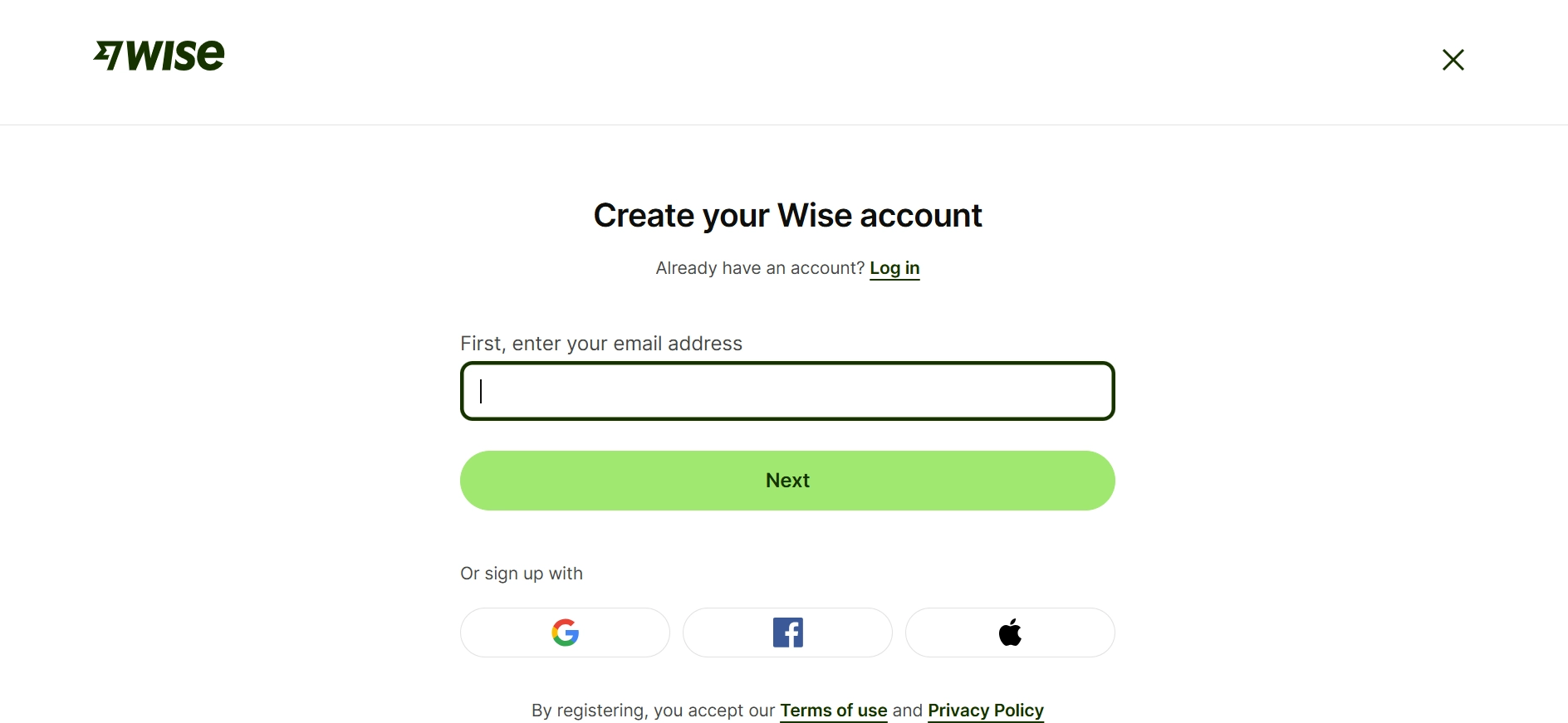
Step 1: Create your account: Sign up using your email address, or continue with your Google, Apple, or Facebook account.
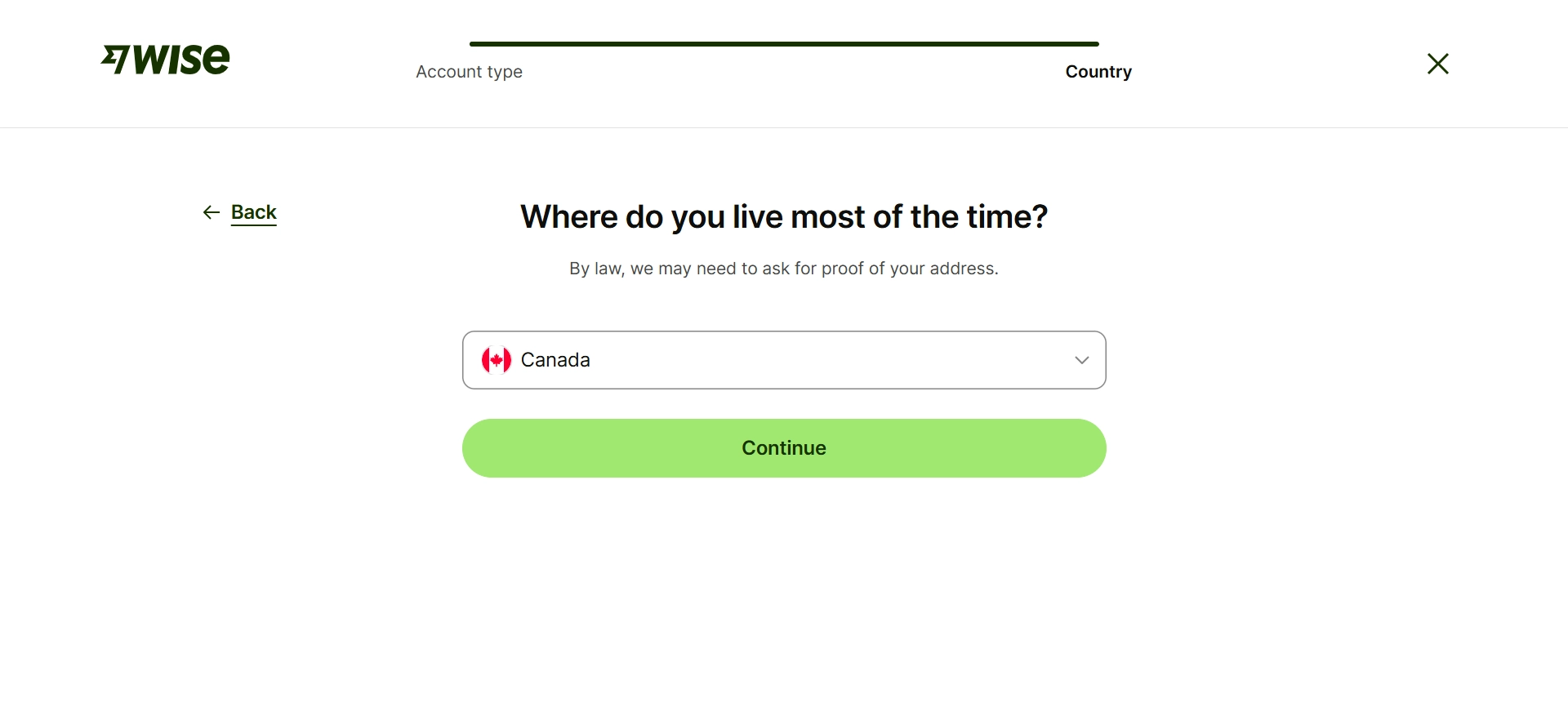
Select your location.
Step 2: Verify your identity: Upload a government-issued ID, such as your passport or driver’s license. In some cases, you’ll also be asked to take a selfie to confirm your identity.
Step 3: Wait for approval: Verification is usually completed within a few hours, although it can sometimes take up to one business day.
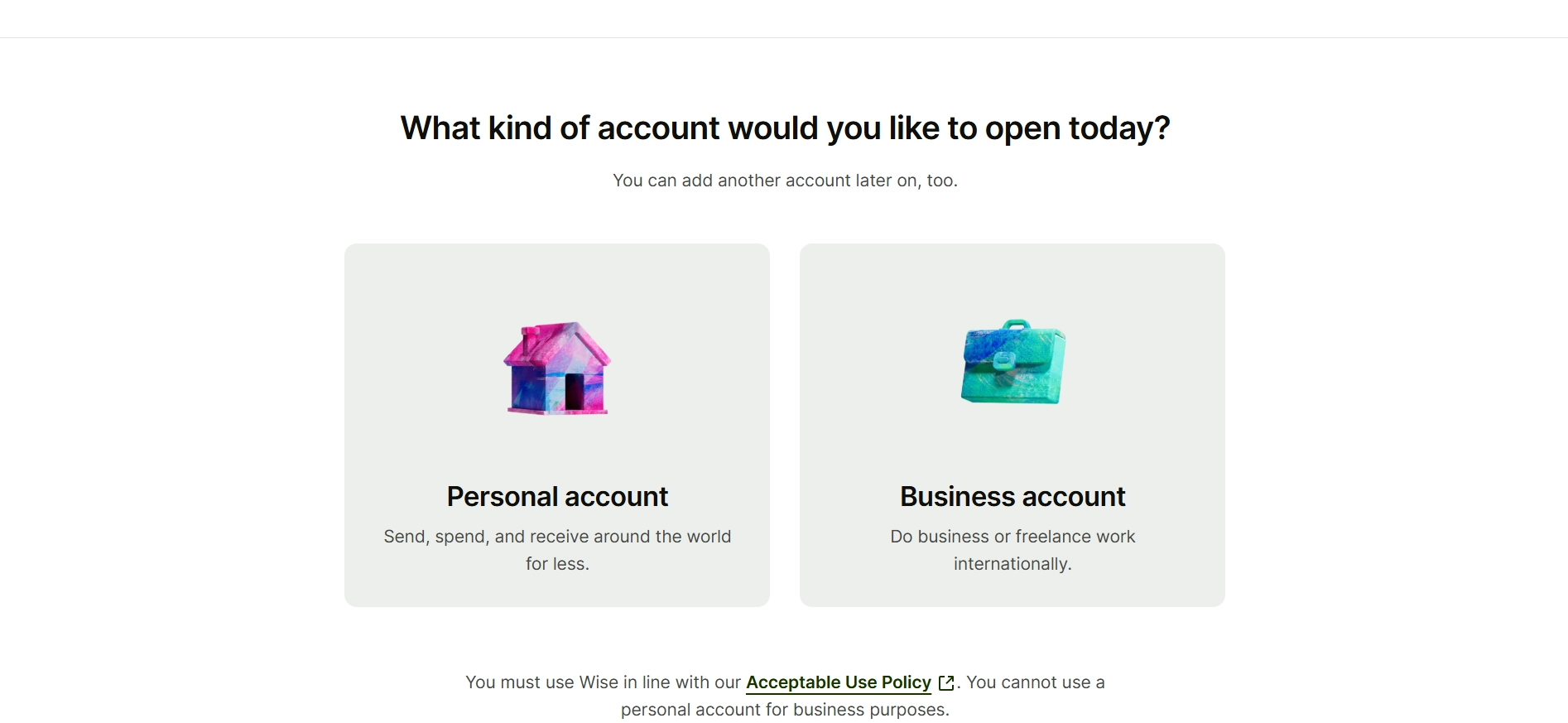
Step 4: Choose the right account type: A personal account is suitable for most freelancers and individuals receiving payments. If you run a registered business, invoice clients through your business, or need features like accounting integrations and multi-user access, choose a business account instead.
Step 5: Start using Wise: Once your account is verified, you can receive payments, send money internationally, convert currencies, and use the other features available with your account.
Before you sign up: Wise is a regulated financial service, so identity verification is required for every account. Occasionally, Wise may ask for additional documents if it needs to verify certain transactions or account activity. This is a normal security measure and not unique to Wise.
Receiving Client Payments Through Wise
This is the specific Wise feature that makes the most meaningful difference for freelancers, and it is the one most worth understanding in detail before you decide whether to sign up.
A Wise multi-currency account gives you local bank account details in multiple currencies. These includes USD, GBP, EUR, AUD, CAD, SGD, NZD, RON, HUF, and TRY. Having local bank details in these currencies means that a client in the United States can pay you by domestic bank transfer in USD without incurring an international wire fee, because from their perspective they are simply sending money to a US bank account.
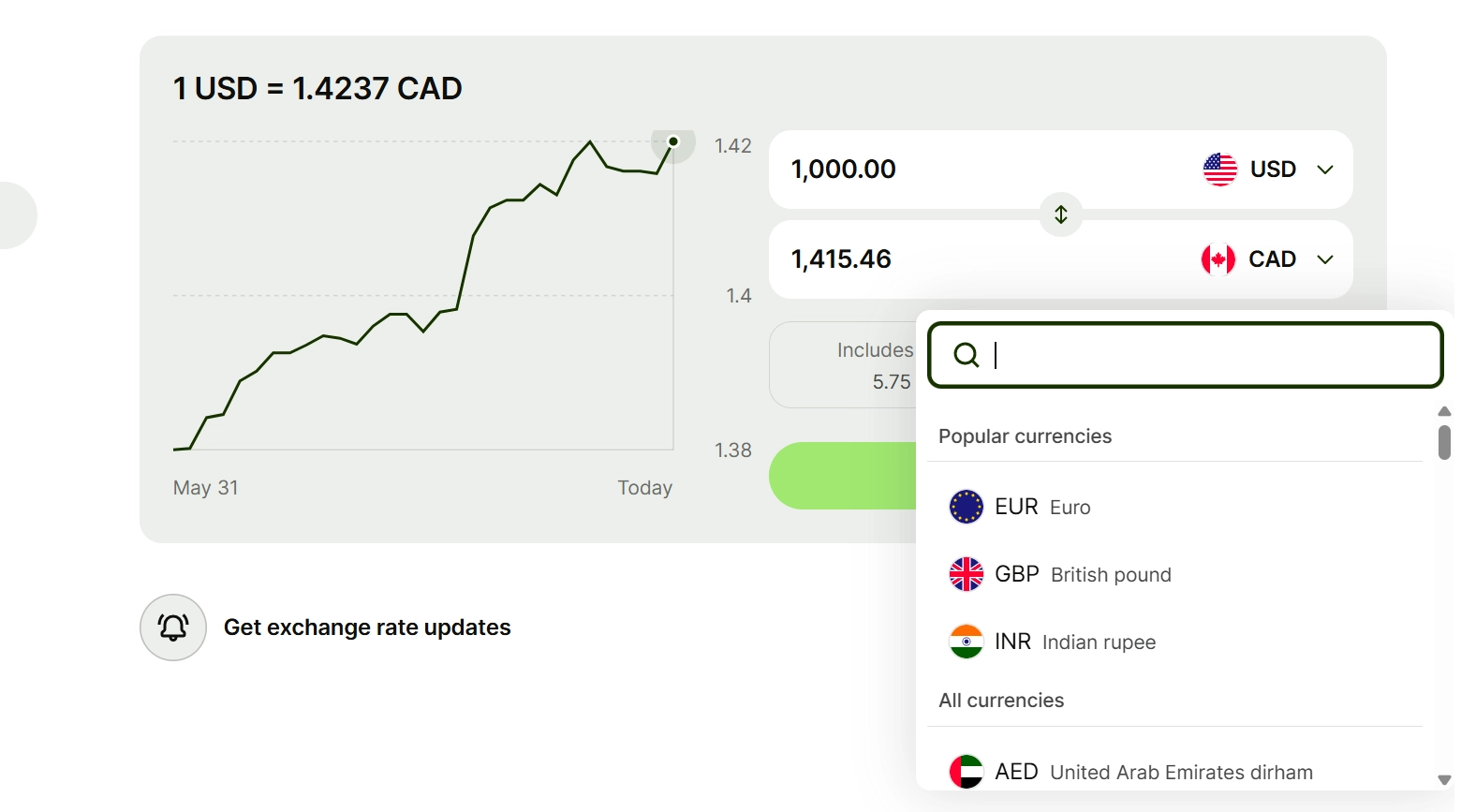
Here is what that looks like in practice. You send your US client an invoice and include your Wise USD account number and routing number. They initiate a standard ACH transfer or domestic wire from their US bank account to your Wise USD details. They pay domestic transfer fees only, which are minimal or zero for ACH. You receive the full USD amount in your Wise account with no receiving fee for ACH payments.
You then either hold the USD and spend from it using your Wise debit card, convert it to your local currency when the exchange rate is favourable, or withdraw it to your local bank at the current mid-market rate plus the applicable conversion fee.
This setup makes receiving international client payments feel like receiving a domestic payment, which removes friction on both sides of the transaction. Clients are often more willing to pay quickly when they don’t face international wire fees on their end.
The multi-currency account feature is not available in all countries. Wise’s coverage has expanded significantly in recent years, but if you are based in a country where Wise does not offer local account details, the product still works for transfers but loses this specific advantage.
Recommended: How to Get Your First Freelance Client Fast
Sending Money and Withdrawing to Your Local Bank
Withdrawing money from Wise to your local bank account is the step that most freelancers are ultimately trying to reach, and the experience here is one of Wise’s genuine strengths.
Once you’ve converted your foreign currency earnings into your local currency within Wise, initiating a withdrawal to your local bank account is simple. You select your bank account, enter the amount, and confirm. For most major currency corridors, the transfer arrives within one business day. Some corridors complete within hours.
I have found the transfer times to be consistently accurate to what Wise shows in its estimate at the time of initiating the transfer. The platform is specific about expected arrival times rather than providing a vague range, which makes cash flow planning more reliable than it is with bank wire transfers that can take three to five business days without a clear explanation for the delay.
The fee for withdrawing your local currency to your local bank is typically free for one or two withdrawals per month on a personal account, with a small fee for additional withdrawals. This is worth knowing if you receive frequent small payments and want to withdraw often rather than batching.
Wise vs PayPal for Freelancers: The Honest Comparison

This is the comparison most freelancers actually need, because PayPal is the default option many start with and Wise is the upgrade they eventually discover.
Let me put real numbers on this because the abstract comparison is less useful than a specific example.
A client sends you $500 USD and you need it in GBP.
Using PayPal: PayPal applies its own exchange rate with a 3.5% currency conversion fee on top of the mid-market rate. On $500, that’s approximately £17 to £18 in hidden currency costs, plus any applicable PayPal transaction fee. You might receive approximately £380 when the mid-market rate equivalent would be closer to £395.
Using Wise: Wise uses the mid-market rate and charges approximately 0.42% for USD to GBP conversion, plus a small fixed fee. On $500, the total fee is approximately £2 to £3. You receive approximately £393.
That is a £13 difference on a single $500 payment. Over a year of regular international client payments, this adds up to hundreds of pounds, dollars, or euros depending on your home currency.
PayPal does have genuine advantages for some freelancers. PayPal is more universally accepted by clients, particularly smaller businesses and individual clients who are comfortable with PayPal and hesitant to make a bank transfer to an account they are not familiar with. PayPal also offers buyer and seller protection features for certain transaction types that Wise does not replicate.
In my opinion, for established freelancers with regular international clients who can be asked to pay via bank transfer, Wise is almost always the better choice financially. For freelancers just starting out who need to accept payment from any client through any method immediately, PayPal’s universal acceptance makes it worth having alongside Wise rather than instead of it.
Wise vs Bank Wire Transfers: Is It Actually Cheaper?
The comparison that surprises most people who haven’t looked at it specifically.
Traditional bank international wire transfers, often called SWIFT transfers, typically involve three costs that are not always clearly disclosed upfront. The sending bank charges an outgoing wire fee, often $15 to $35 from a US bank.
Correspondent banks involved in routing the transfer may deduct fees from the principal amount in transit. Your receiving bank may charge an incoming wire fee of $10 to $20. And the exchange rate applied at some point in the chain includes a spread that you don’t negotiate and often can’t see until the money arrives.
On a $500 transfer, these combined costs can range from $30 to $80 in visible and invisible fees depending on the specific banks involved and the currency pair.
Wise eliminates the SWIFT correspondent banking chain by using its own network of local bank accounts in different countries. Instead of routing money internationally through multiple banks, Wise essentially moves money locally on both ends, which is why it is faster and cheaper than traditional wire transfers for most currency pairs.
The specific scenario where traditional bank wires can be competitive with Wise is for very large transfers, typically above $10,000 to $20,000, where Wise’s percentage fee becomes a larger absolute number than the flat fee of a bank wire. For the transfer amounts typical of most freelancers and remote workers, Wise is cheaper in almost every case.
The Wise Debit Card: Is It Useful for Freelancers?
The Wise debit card is a Mastercard that draws from your Wise multi-currency account and automatically uses whichever currency balance is most appropriate for a given transaction.
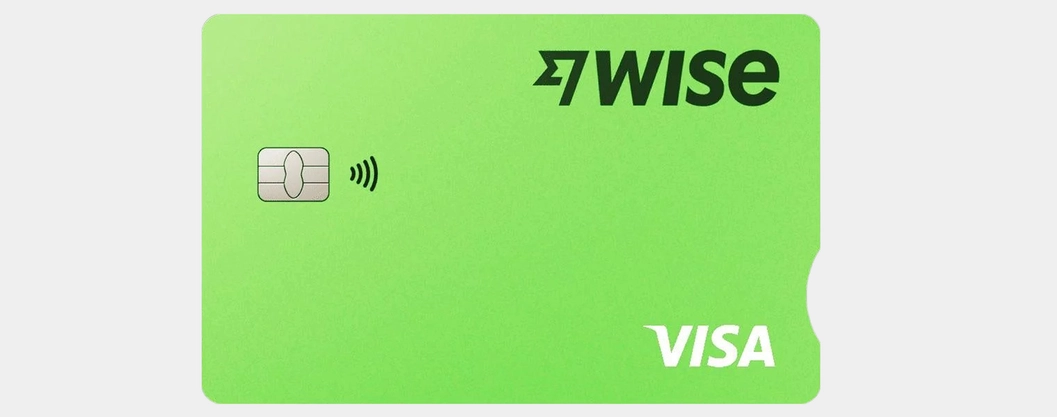
For freelancers who spend money in multiple currencies, whether because they travel, purchase tools and software priced in foreign currencies, or run ads on platforms that charge in USD, the Wise card provides a meaningful advantage.
When you pay for something in a currency you hold a balance in, there is no conversion fee. When you pay in a currency you don’t hold, Wise converts at the mid-market rate with its small conversion fee rather than the bank card rate your local debit card would apply.
A good example is paying for software, web hosting, or other online tools that charge in USD while your local currency is different. Most bank cards add foreign transaction fees on top of a weaker exchange rate. If you’re already receiving client payments in USD, using your Wise balance and card can help you avoid those extra costs.
There are fees for ATM withdrawals beyond a free monthly limit, which is worth knowing if you plan to use the Wise card as a general travel card rather than strictly for online business spending.
From my experience, the Wise card is most valuable if you regularly earn and spend in different currencies. If all your income and spending happen in the same currency, you probably won’t get as much value from it.
What Wise Does Not Do Well: The Honest Limitations
Wise is one of the best international payment platforms I’ve used, but it isn’t perfect. There are a few limitations worth knowing before you open an account, especially if you’re comparing it with a traditional bank or another payment service.
Wise is not a bank. This sounds obvious but has practical implications that matter. Your money in Wise is not covered by deposit protection schemes like the FDIC in the US or the FSCS in the UK in the same way that a licensed bank account would be. Wise safeguards customer funds by holding them in segregated accounts at established financial institutions, which provides meaningful protection but is not identical to government-backed deposit insurance.
Wise does not offer credit or loans. If you need an overdraft, a business credit card, or any form of borrowing, Wise cannot help. It is a payment and money management tool, not a lending institution. Freelancers who occasionally need credit to cover gaps between invoicing and payment will need a traditional bank account or credit card alongside Wise.
Account holds happen. Wise occasionally places holds on accounts or transfers when its automated systems flag unusual activity. This is standard for regulated financial services and is not unique to Wise, but it has caused real problems for some users who relied on Wise as their only payment receiving method. Diversifying your payment options reduces the risk that a temporary hold creates a cash flow crisis.
Business account features are limited compared to full business banking. Wise’s business account lacks features like business credit, direct debit setup for regular billing, and the kind of relationship banking that larger freelance businesses or agencies sometimes need.
Country and currency coverage is not universal. Wise does not serve every country and does not support every currency. If you are based in a country with limited Wise coverage or if your clients are in countries outside Wise’s supported sender network, the product’s advantages are reduced.
Is Wise Safe? What You Need to Know Before Trusting It With Your Money
Before I used Wise for the first time, this was my biggest concern. Sending money through an online platform is very different from using your local bank, so it’s worth understanding how Wise protects your money and how it’s regulated.
Wise is a regulated financial company in multiple jurisdictions. In the United States, it is registered as a Money Services Business with FinCEN and is licensed as a money transmitter in states that require it.
In the United Kingdom, it is authorised and regulated by the Financial Conduct Authority. In Europe, it is regulated as an electronic money institution by the National Bank of Belgium, with its licence passported across EU member states.
Regulatory oversight means Wise is subject to requirements around how it handles customer funds, its anti-money laundering and fraud prevention processes, and its reporting obligations. These are meaningful protections that distinguish Wise from unregulated alternatives.
The specific protection mechanism Wise uses is called safeguarding. Rather than lending out customer deposits as banks do, Wise holds customer funds in separate accounts at established, regulated financial institutions. If Wise were to fail as a company, the safeguarded funds would be protected and returned to customers rather than being absorbed into Wise’s assets.
Wise has been operating since 2011, has processed hundreds of billions of dollars in transfers, and has never had a significant security incident that resulted in customer fund losses. That track record is meaningful context for evaluating its safety.
From my experience, I’ve never had concerns about using Wise to receive client payments, convert currencies, or transfer money to my local bank account. That’s exactly what I use it for.
That said, I personally wouldn’t treat it like a long-term savings account. I see it as a payment platform rather than a place to keep large amounts of money indefinitely, even though it’s well regulated and has safeguards in place.
Think Wise matches your needs? You can create your account here and start exploring the platform.
Who Should Use Wise and Who Probably Doesn’t Need It
Being specific about who Wise is actually for saves time for the people who don’t need it.
Wise is genuinely worth setting up if you:
Receive payments from international clients regularly, especially from countries where Wise offers local account details in their currency. Work as a remote employee for a company in another country that pays your salary in a foreign currency.
Purchase business tools, software, or advertising regularly in a currency other than your local one. Travel and want to spend internationally without heavy currency conversion fees. Are tired of losing money on PayPal’s hidden currency spread and want a transparent alternative.
Wise is probably not your priority if you:
Receive all your income from clients in your own country in your own currency. Work exclusively with a platform like Fiverr or Upwork that handles payments and only pays out in your local currency. Are just starting out and have not yet received a single client payment. Are based in a country with limited Wise coverage where the multi-currency account feature is not available.
Here’s how I look at it: Wise isn’t an income tool. It’s a money management tool. It helps you keep more of what you earn by making international payments cheaper. If you haven’t started earning from overseas clients yet, don’t worry about opening a Wise account. Build the income first, then add Wise when you actually need it.
Recommended: Best Freelance Niches for Beginners: Which One Should You Actually Choose?
My Honest Verdict on Wise for Freelancers and Remote Workers
I’ve been using Wise as part of my international payment setup for long enough to have a genuine opinion rather than a theoretical one.
The short version: it works, the fees are what they claim, and the multi-currency account feature is one of the most practically useful things I’ve used as someone who earns in multiple currencies.
The longer version is more nuanced. Wise is not a replacement for a proper business bank account if your freelancing income is significant and your financial needs have grown beyond simply receiving and converting payments. It is an excellent complement to a business bank account, handling the international payment receiving and currency conversion that traditional banks do expensively and slowly.
For a beginner freelancer or remote worker just starting to earn internationally, Wise is one of the first tools worth setting up alongside a basic invoicing system and a local bank account. The cost of not having it is immediate and measurable every time you receive a foreign currency payment through a more expensive alternative.
For an established freelancer earning consistently in multiple currencies, the conversation shifts toward whether Wise Business is sufficient for your accounting and business banking needs, which depends on how complex your financial operations have become.
The answer to whether Wise is worth it for freelancers and remote workers is yes for most people in that category, with the honest caveat that it works best as one part of a payment infrastructure rather than the whole of it.
Recommended: Freelance Skills That Pay Well Online (Even If You’re Starting From Zero)
If you are still building toward consistent international client income and the payment tool question feels premature, The First Dollar Blueprint covers the specific income-building steps that come before you need to worry about which international payment tool to use. Getting to the point where Wise is relevant is the more immediate challenge for most beginners, and that is exactly what the blueprint addresses.
Key Takeaways
Wise uses the real mid-market exchange rate and charges a small, transparent fee, which is significantly cheaper than PayPal’s hidden currency spread or bank SWIFT fees in most cases. On a $500 payment, the difference can be $15 to $20 or more compared to PayPal, which compounds meaningfully over a year of regular payments.
The multi-currency account feature is the most valuable thing Wise offers freelancers. Having local bank details in USD, GBP, EUR, and other currencies means international clients can pay you by domestic transfer without incurring international wire fees, which reduces friction and often speeds up payment.
Wise is not a bank and should not be used as a primary savings account. It is a payment tool that works best as part of a broader financial setup that includes a local business bank account for your primary financial operations.
Wise is genuinely safe and well-regulated, but the protection mechanism is safeguarding rather than government-backed deposit insurance. For receiving and transferring client payments, this is not a meaningful concern. For holding large reserves long-term, it is worth knowing.
If you’re a freelancer looking for a simple way to receive international payments, Wise is worth considering. You can open an account here and decide whether it meets your needs.
Conclusion
The international payment problem that Wise solves is real, specific, and costs freelancers and remote workers meaningful money every year.
The $32 I lost on that first $200 international payment was not a disaster. But multiplied across a year of regular client payments, that kind of unnecessary fee loss adds up to money that should have been mine and wasn’t because the default payment infrastructure is expensive in ways that aren’t clearly disclosed.
Wise is the most practical solution to that specific problem for most freelancers and remote workers. The fees are real, the transparency is real, and the multi-currency account feature makes receiving international payments feel like the frictionless experience it should be.
It is not perfect. It is not a bank. And it is not what you need first if you are still working on building your freelance client base.
But when the international payments start arriving, Wise is almost certainly where you want them to go.
Frequently Asked Questions
Is Wise worth it for freelancers who receive international payments?
Yes, for most freelancers receiving regular international client payments, Wise is worth setting up because its fees are significantly lower than PayPal or traditional bank wire transfers. Using the real mid-market exchange rate and charging a transparent small percentage fee rather than hiding the cost in an exchange rate margin means you keep more of every payment you receive. On a $500 payment converted to GBP, Wise typically costs £2 to £3 in fees compared to £17 to £18 in effective fees through PayPal. That difference is meaningful and compounds over a year of regular payments.
How does Wise work for receiving client payments as a freelancer?
Wise provides local bank account details in up to ten currencies including USD, GBP, and EUR through its multi-currency account feature. You share these details with your international clients on your invoice, and they make a domestic transfer in their own currency to your Wise account. You receive the payment without international wire fees on either end, then convert and withdraw to your local bank at the mid-market rate plus Wise’s small conversion fee. The process makes receiving international payments feel like receiving a domestic one, which reduces friction for both you and your client.
How do Wise fees compare to PayPal fees for freelancers?
PayPal adds a currency conversion margin of approximately 3% to 4% on top of the mid-market exchange rate when converting foreign currency payments, which it does not display as a separate fee. Wise charges approximately 0.3% to 2% depending on the currency pair, displayed transparently before you confirm. On a $500 payment converted to a typical European currency, PayPal’s effective currency fee might cost $15 to $20, while Wise’s explicit fee would be $2 to $5. Wise is almost always cheaper for currency conversion, though PayPal’s wider acceptance among individual clients means many freelancers use both tools for different situations.
Is Wise safe for holding and transferring money as a freelancer?
Wise is regulated as a money services business or electronic money institution in the major jurisdictions where it operates, including the United States, United Kingdom, and European Union. It safeguards customer funds by holding them in segregated accounts at established financial institutions, meaning customer money is protected from Wise’s own creditors if the company were to fail. This safeguarding mechanism is not identical to government-backed deposit insurance like FDIC coverage in the US, but it provides meaningful protection for the purpose of receiving and transferring client payments. Wise has operated since 2011 without a significant security incident resulting in customer fund losses.
What is the difference between a Wise personal and business account for freelancers?
A Wise personal account works for most freelancers receiving payments for their own work under their own name. It covers multi-currency account details, the Wise debit card, and transfers between personal accounts with full feature access. A Wise business account is better suited for freelancers operating under a registered business name, invoicing clients from a business entity, or needing features like multi-user access, accounting software integration, or the ability to receive payments specifically addressed to a business. Business accounts require more documentation to set up and have slightly different fee structures in some categories.
Can I use Wise as my only business bank account as a freelancer?
Wise is a payment and money management tool, not a full bank, and using it as your only business financial account has meaningful limitations. It does not offer credit, overdraft facilities, or loans of any kind. It does not provide the kind of deposit protection that traditional licensed banks offer through government-backed schemes. It cannot set up direct debits for recurring billing. For freelancers with simple, early-stage financial needs who primarily need to receive and convert international payments, it functions adequately as a standalone tool. For freelancers with growing businesses and more complex financial needs, Wise works best alongside a traditional business bank account that handles credit, formal business banking services, and government-backed deposit protection.