Hostinger Review 2026: Is It Worth It for Beginner Bloggers?

Hostinger review for beginner bloggers. See pricing, features, performance, support, pros and cons, and whether it is worth using for your blog.
Start Building Your Online Income
Ready to Start Earning Online? Our Beginner’s Starter Kits give you practical guidance on specific ways to earn online, helping you understand how they work, what you need to get started, and the steps to take along the way. Each kit is focused on a specific method, so you can spend less time searching for scattered information and more time putting what you learn into practice.
I currently use Hostinger for my web hosting after moving my website from Namecheap, so this review is based partly on my own experience using the platform. I also want to look beyond the promotional price and look at what Hostinger actually offers to someone starting a blog in 2026.
Hostinger is hard to miss if you have been looking into blogging or starting a website. It appears in most beginner blogging guides, YouTube videos, and plenty of hosting recommendations. The advertised price, sometimes as low as $2.99 per month, also makes it easy to see why so many new bloggers consider it.
But the introductory price is only part of the story. What matters is what you actually get for that price, what you will pay when the first term ends, and whether Hostinger gives a beginner blogger the tools and performance needed to build a site that can eventually earn money.
In this Hostinger review, I’ll look at the features, pricing, performance, ease of use, customer support, and other factors that matter when you are starting a blog. I’ll also share my experience using Hostinger and explain where I think it makes sense for beginner bloggers and where you may want to consider other options.
Quick Verdict: Hostinger is one of the strongest value hosting options available for beginner bloggers in 2026. The introductory pricing is genuinely competitive, the WordPress setup is fast and guided, and the performance is solid for a blog in its early growth phase. The main thing to know upfront is that renewal pricing is significantly higher than the introductory rate. If you go in with clear expectations about the long-term cost, Hostinger delivers real value for someone starting and growing their first blog.
TL;DR
- Hostinger’s introductory rate starts at $2.99 per month on a 48-month plan, with renewal pricing around $10.99 to $11.99 per month.
- The Premium plan supports up to 100 websites, includes 100 GB of SSD storage, and comes with a free domain for the first year.
- WordPress setup is beginner-friendly, with guided installation and Hostinger’s custom AI-assisted control panel.
- Customer support is available 24/7 through live chat. There is no phone support.
- For a beginner blogger planning to build an affiliate website, Hostinger offers a relatively low-cost way to get started with the features needed to grow a site.
Hostinger Review: Quick Summary
| Factor | Quick Summary |
|---|---|
| Best For | Beginner bloggers, affiliate marketers, and small content websites |
| Starting Price | $2.99/month on the 48 month Premium term |
| Renewal Price | Higher after the introductory term |
| WordPress | Easy guided setup with beginner friendly tools |
| Performance | Solid performance with LiteSpeed servers and caching |
| Free Domain | Yes, for the first year on eligible plans |
| Free SSL | Yes |
| Backups | Weekly on Premium; daily on higher plans |
| Support | 24/7 online support with AI first line assistance |
| Phone Support | No |
| Billing | Longer terms required for the lowest promotional rates |
| Overall | A practical hosting option for beginners who understand the pricing and billing terms |
What Is Hostinger?
Hostinger is a web hosting company founded in Lithuania in 2004. It now serves more than 3 million customers across over 150 countries.
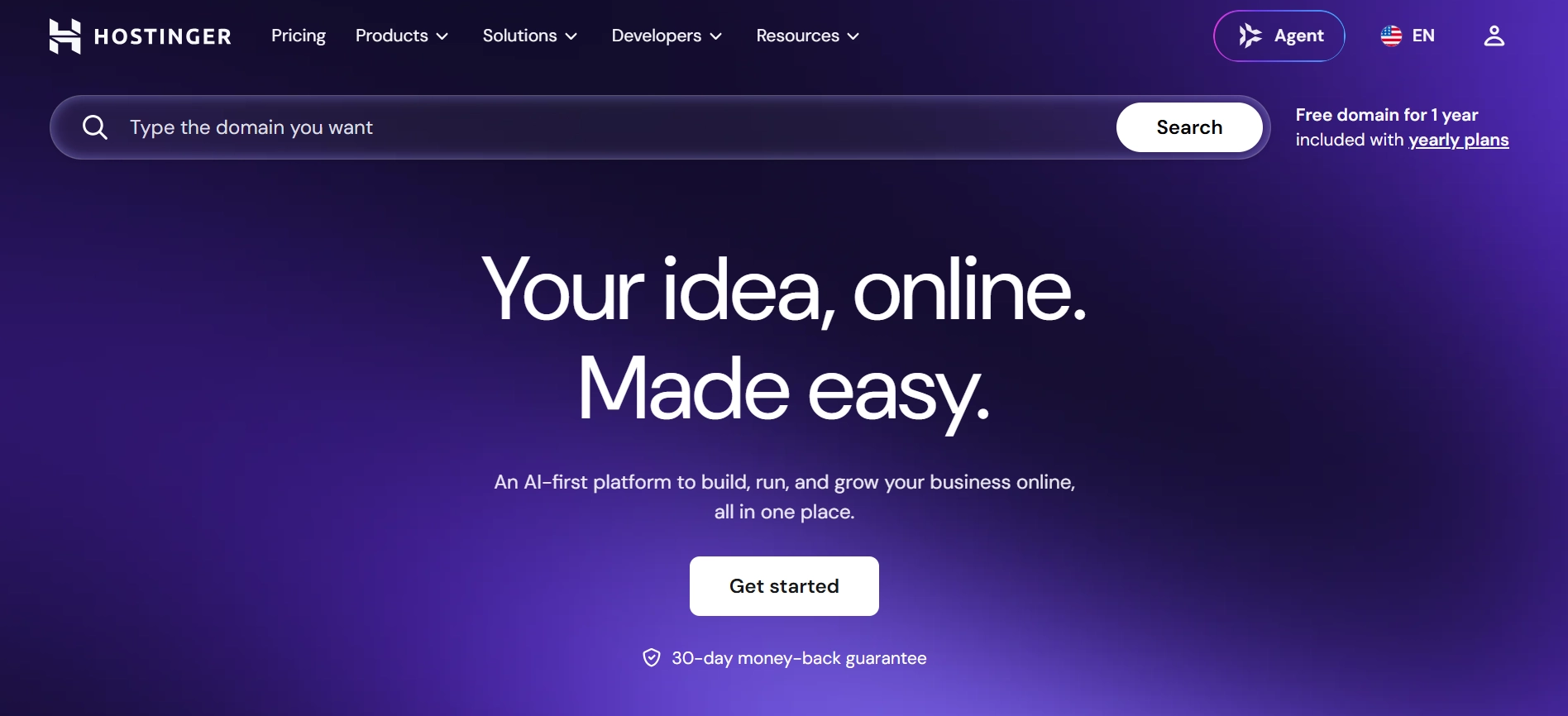
The company offers several types of hosting, including shared hosting, WordPress hosting, VPS hosting, and cloud hosting. For a beginner blogger, shared hosting and WordPress hosting are the main options to consider. They provide the infrastructure your blog needs without requiring you to manage a server yourself.
One thing that stands out about Hostinger is its combination of relatively low pricing and the number of features included in its plans. It also uses its own control panel, called hPanel, which is clean and fairly easy to navigate for beginners.
Hostinger also operates data centers in several countries, including the United States, United Kingdom, France, the Netherlands, Singapore, India, Indonesia, Lithuania, and Brazil. Having servers in different regions can help serve visitors in different parts of the world, although your website’s actual loading speed will also depend on factors such as your server location, website setup, images, plugins, and overall page size.
Recommended Reading: Best Blogging Platforms for Beginners: Which One Should You Actually Use?
Hostinger Plans and Pricing: What You Actually Pay
Hostinger’s pricing looks very attractive when you first see the $2.99 per month offer. But after using Hostinger myself, I think it is important to look at the full cost and what you actually get at each level.
Premium
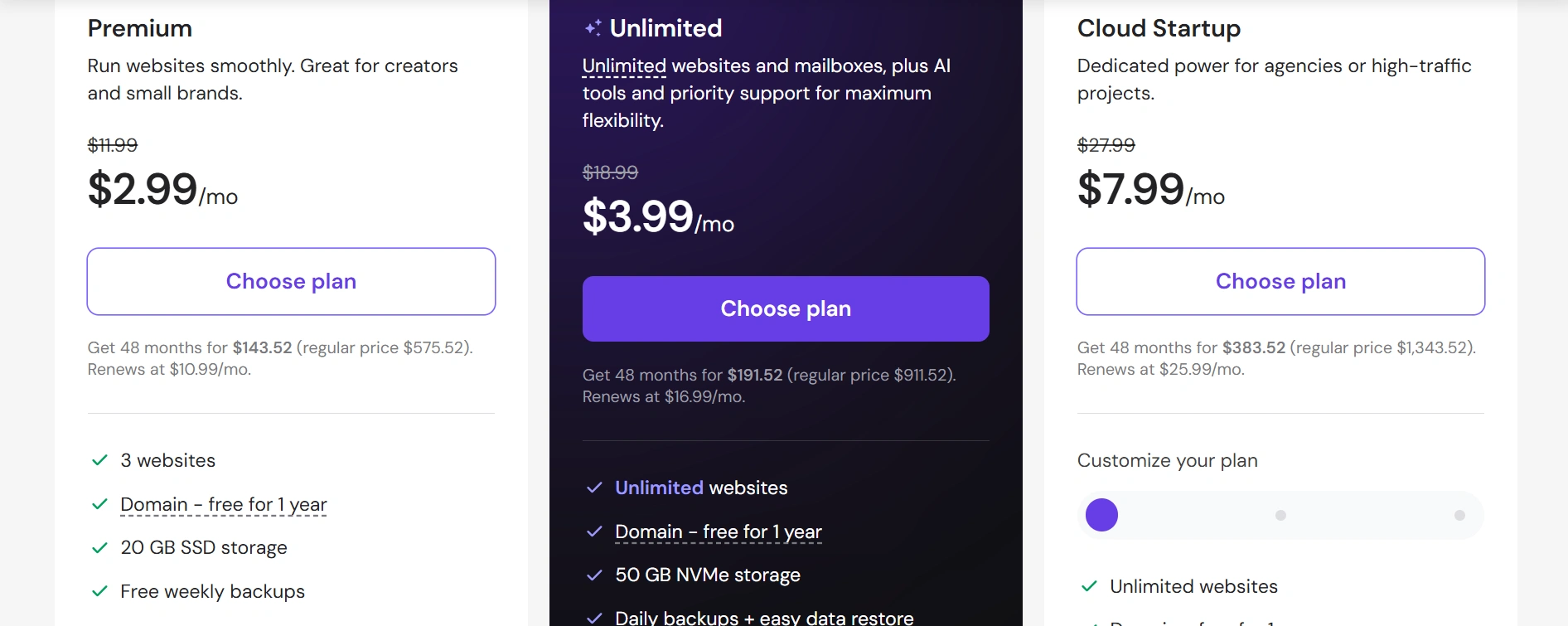
Premium is the entry-level plan and starts at $2.99 per month when you pay for 48 months upfront. It includes up to 3 websites, 20 GB SSD storage, a free domain for the first year, weekly backups, CDN, AI tools, and priority 24/7 support. The regular price shown is $11.99 per month, with renewal currently listed at $10.99 per month.
For a beginner starting one blog, Premium is the plan that makes the most sense to look at first. It gives you enough room to build a new website without paying for resources you are unlikely to need at the beginning.
Unlimited
Unlimited starts at $3.99 per month on the 48-month term and currently renews at $16.99 per month. It increases the allowance to unlimited websites and mailboxes, along with 50 GB NVMe storage, daily backups, CDN, ecommerce features, and additional AI tools.
Cloud Startup
Cloud Startup starts at $7.99 per month and currently renews at $25.99 per month. It comes with 100 GB NVMe storage, daily and on-demand backups, CDN, and dedicated cloud resources designed for websites that need more performance and room to grow.
The big thing I noticed when looking at Hostinger’s pricing is the difference between the promotional rate and the renewal price. The $2.99 figure is based on paying for four years upfront, so it should not be treated as the normal monthly cost forever. The renewal price matters if you plan to keep your blog for several years.
Hostinger also offers Agency plans for people managing websites for clients. These are much more than a typical beginner blogger needs, so I would leave them out of your decision unless you are running an agency or managing multiple client websites.
All of these hosting plans are paid upfront for the selected term, and Hostinger currently provides a 30-day money-back guarantee.
Check Hostinger’s Current Plans & Pricing
Hostinger Features: What Do You Actually Get?
1. WordPress Installation
Hostinger makes WordPress setup straightforward. Its guided setup takes you through the basic steps, including naming your site, choosing a theme, and getting WordPress ready. From my experience, this is one of the easier parts of Hostinger for someone setting up their first blog.
2. hPanel Control Panel
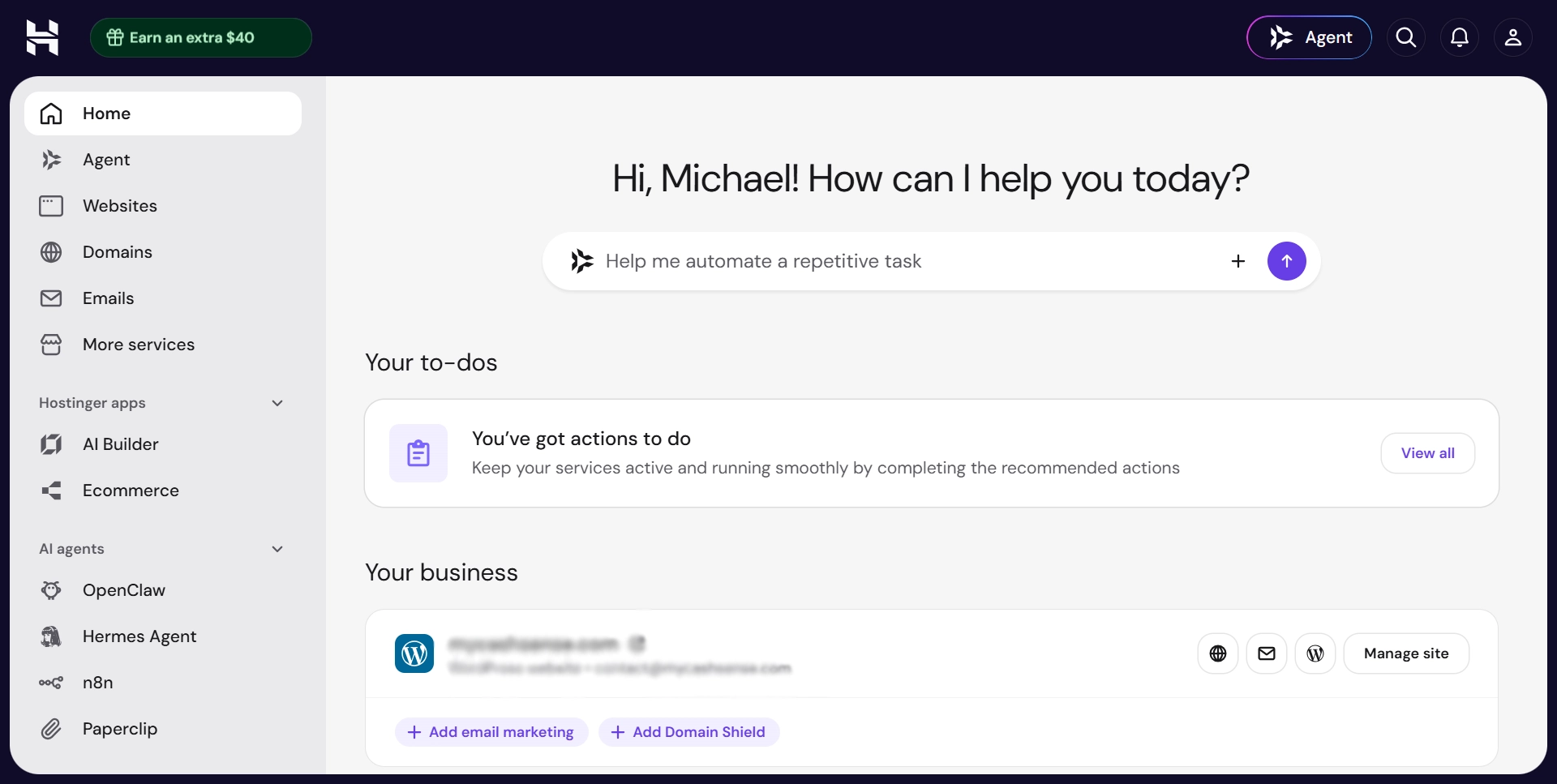
Hostinger uses its own hPanel instead of cPanel. The interface is clean, and common tasks such as managing domains, email, files, and WordPress are easy to find. After using it myself, I find hPanel less cluttered than some of the traditional hosting dashboards I have used.
3. Free Domain for the First Year
Eligible hosting plans include a free domain for the first year. This removes one of the initial costs of starting a blog and keeps your domain and hosting together in the same account.
4. Free SSL Certificate
SSL is included with Hostinger plans and renews automatically at no extra cost. Your website can run on HTTPS without buying a separate certificate, which is important for website security and visitor trust.
5. Weekly and Daily Backups
Backup frequency depends on the plan you choose. Premium includes weekly backups, while higher plans such as Unlimited and Cloud Startup include daily backups. This gives you a way to restore your website if a plugin update or other change causes problems.
6. AI Website Builder and Tools
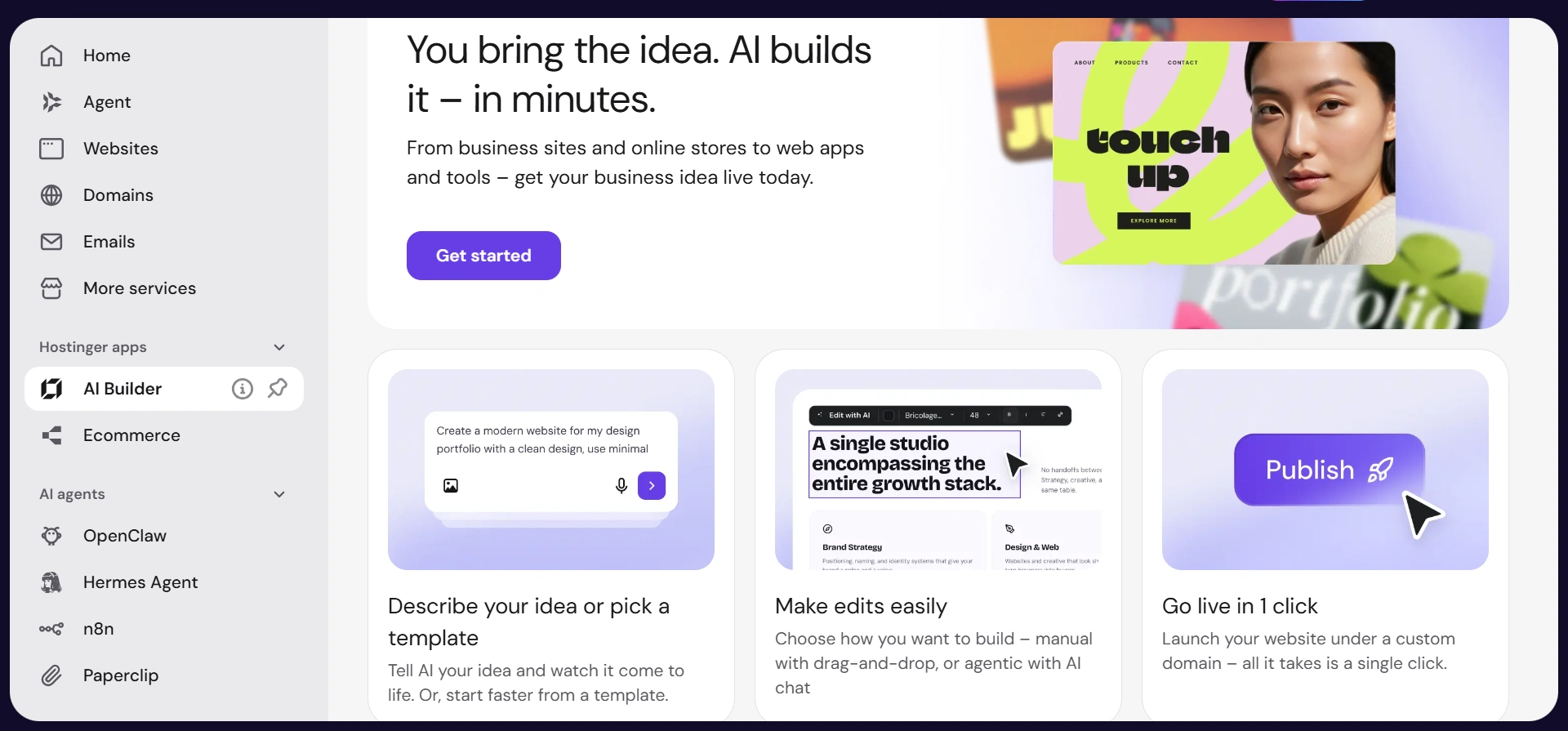
Hostinger has added several AI tools to its platform, including an AI website builder, AI content tools, and an AI assistant. These can be useful when you are setting up a website and need help with basic tasks or content ideas.
LiteSpeed Servers and Caching
Hostinger uses LiteSpeed technology and caching to improve website performance. This is useful for WordPress bloggers because page speed affects the visitor experience and can contribute to SEO performance. Your actual speed will still depend on your theme, images, plugins, and how your site is configured.
Uptime
Hostinger provides a 99.9% uptime guarantee. That means the company commits to keeping your website available for the vast majority of the time, although no hosting provider can guarantee that a website will never experience downtime.
Data Centers in 9 Countries
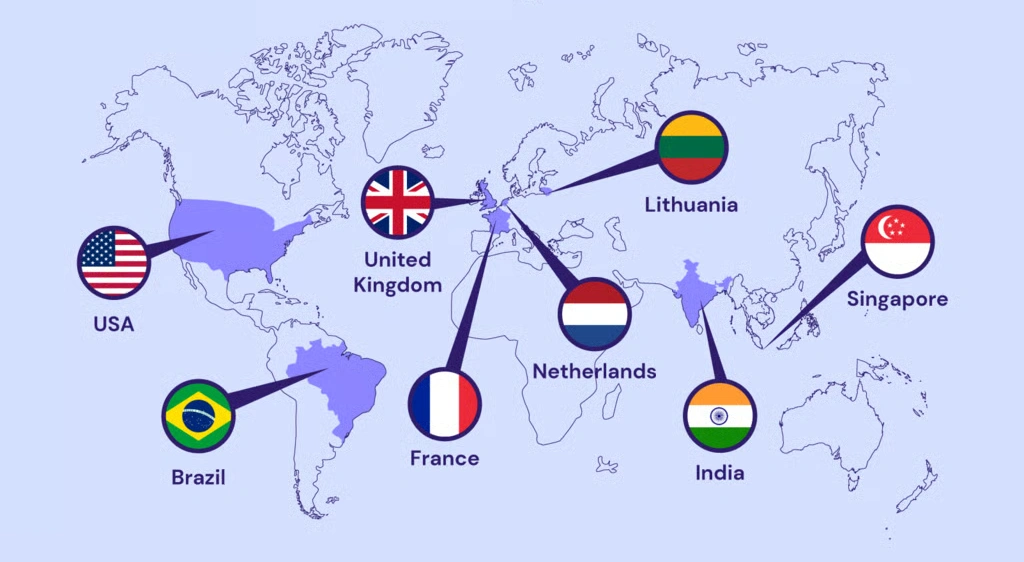
Hostinger has data centers in several countries, including the United States, United Kingdom, France, the Netherlands, Singapore, India, Indonesia, Lithuania, and Brazil. During setup, you can select a location closer to your main audience, which can help reduce server response times.
How Easy Is Hostinger to Use for a Beginner?
This is one area where I think Hostinger does a good job for beginners, especially at its current price point.
The onboarding process from payment to having a WordPress site ready is straightforward. The setup wizard takes you through each step in order, including choosing your domain, setting up WordPress, and getting your site ready. Having used Hostinger myself, I found the process simple enough without needing much technical knowledge.
The hPanel dashboard is also easy to navigate once the initial setup is complete. Email, file management, WordPress tools, databases, and domain settings are separated into clear sections, so you can usually find what you need without spending too much time looking around.
The WordPress management area also includes tools for handling updates and other basic tasks. Higher plans provide features such as staging, which lets you test changes before applying them to your live website.
The main area where beginners may need to pay attention is the checkout process. Hostinger presents several optional extras during signup, so it is worth checking what is already included in your plan before paying for additional features you may not need.
Hostinger Support: What to Expect
Hostinger provides 24/7 support through its online chat system, but there is something important to know before you rely on it. The first point of contact is now Hostinger Agent, an AI support assistant.
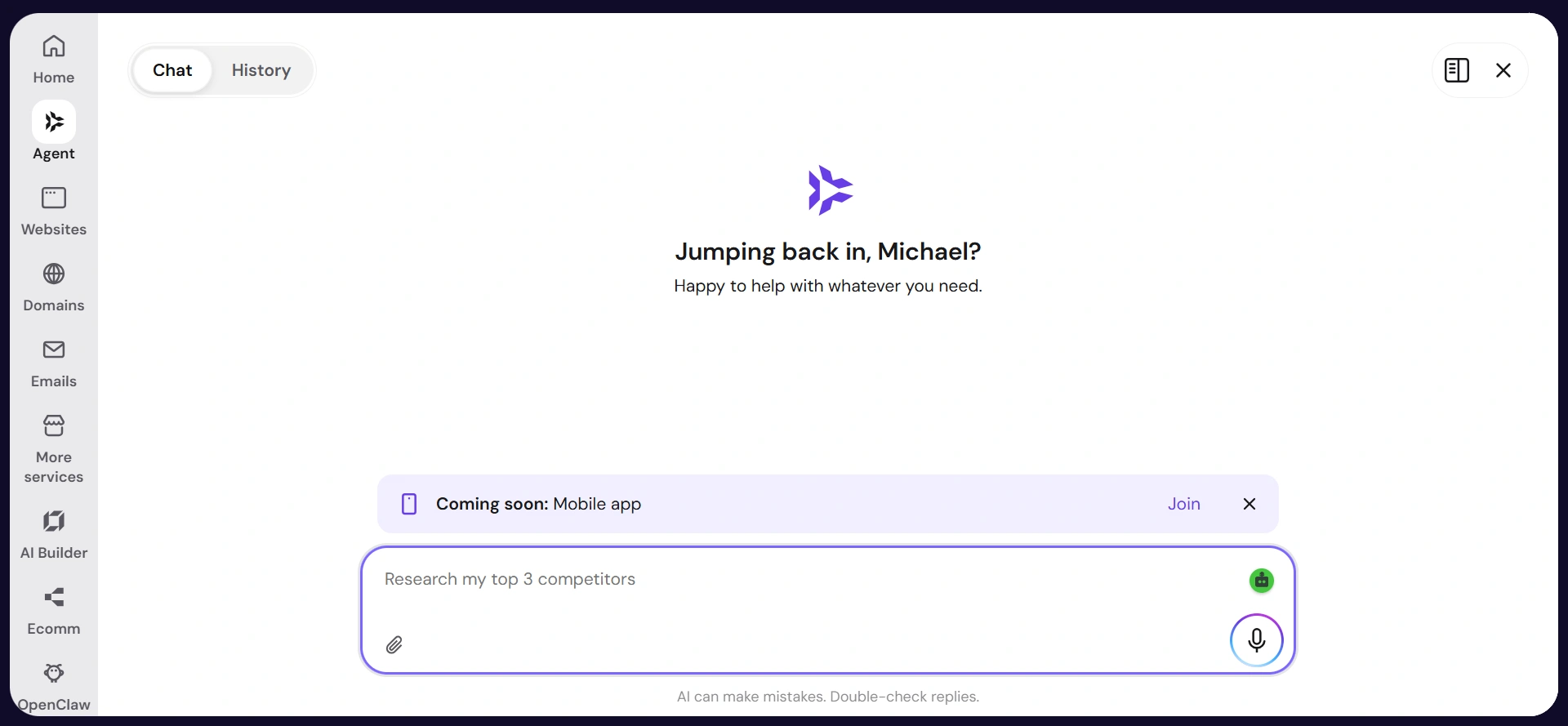
From my own experience, it can handle simple questions and point you in the right direction, but things become more difficult when the problem is specific or requires someone to understand the full situation.
I have had times when the AI did not fully understand the problem I was explaining or kept sending me through similar troubleshooting steps. For simple hosting questions, this is not a major issue. But when something is wrong with a website, and you need a clear answer, going back and forth with an AI can become frustrating.
Hostinger says human specialists are available when Hostinger Agent cannot resolve an issue. However, this has also become a common complaint in the Hostinger Reddit community, with customers reporting difficulty reaching a human and spending a long time going back and forth with the AI before getting the help they need.
There is also no phone support, so everything is handled through digital channels. Hostinger does have a large knowledge base with guides covering WordPress, domains, email, hPanel, and other common issues. Those resources are useful for straightforward problems, but the support experience can be frustrating when you need someone to properly understand a more complicated issue.
Check Hostinger’s Latest Hosting Deals →
Hostinger Pros and Cons
Pros
Hostinger’s introductory pricing is competitive for an established hosting provider. At $2.99 per month on the 48-month premium plan, the initial cost of starting a blog is relatively low.
WordPress setup is simple and guided, and hPanel is easy to navigate. After using Hostinger myself, I find it much easier to work with than some of the more traditional hosting dashboards.
Free domain, free SSL, and the other features included with Premium reduce the number of extra services you need to purchase when launching a blog.
LiteSpeed servers and built-in caching give WordPress sites a solid performance foundation. Your actual speed will still depend on how your website is built and maintained.
You can choose from different data center locations, which gives you some control over where your website is hosted relative to your main audience.
Hostinger also includes several AI tools that can be useful when you are setting up a website or trying to understand a technical issue.
Cons
The renewal price is much higher than the introductory rate. The difference between $2.99 and the regular renewal price is something you need to factor into your long-term hosting budget.
There is no phone support. If you need help, you have to use the online support system.
The cheapest pricing requires a longer billing commitment and payment upfront. You cannot get the $2.99 rate by paying month to month.
Premium includes weekly backups, while daily backups are available on higher plans. For an active blog, having daily backups can provide more flexibility when something goes wrong.
Hostinger vs Competitors: Who Should Pay More?
Hostinger sits in the budget hosting category, while providers such as WPX Hosting target website owners who want more managed services. Having used Hostinger after moving from Namecheap, I have found that the lower cost does not mean you are getting a bare-bones hosting setup.
With Hostinger, you get the tools to manage WordPress, backups, security, caching, domains, and other parts of your website. You still have more responsibility for managing your WordPress site and dealing with technical problems when they come up.
Managed WordPress hosting such as WPX takes more of that work off your hands. You are paying for managed services, more specialized support, and additional performance and security features. WPX plans are also considerably more expensive, starting at around $25 per month.
For a new blog with little traffic and no consistent income yet, Hostinger provides a lower-cost way to get the website running while you work on building traffic and revenue.
As a blog grows, the calculation can change. Once technical problems, performance, or the time spent managing your hosting start affecting your work or income, paying more for managed hosting can become easier to justify.
Who Should Use Hostinger?
Hostinger is a good fit if you are starting your first blog from scratch with a sensible budget. The combination of guided WordPress setup, solid performance, free domain and SSL, and low introductory pricing makes it a practical option for new bloggers.
It suits affiliate marketers building a content site, personal finance bloggers, side hustle and income education bloggers, and anyone building a WordPress website who wants reliable hosting without paying for features they do not need yet.
It also works well for bloggers managing multiple websites. The Premium plan currently supports unlimited websites, which makes Hostinger practical for someone building a portfolio of content sites rather than a single blog.
Recommended Reading: How to Start a Blog and Make Money for Beginners.
Who Should Skip Hostinger?
Very high-traffic websites that need dedicated server resources may eventually need a different hosting setup. Most beginner blogs are unlikely to reach that point when they first start.
Bloggers who need phone support should look elsewhere. If you prefer speaking directly with support instead of using online support channels, this is an important limitation.
Bloggers who want the shortest possible billing term without a larger upfront payment may also find Hostinger less flexible. The lowest introductory prices require longer billing commitments and upfront payment.
See If Hostinger is Right for Your Website
Key Takeaways
- Hostinger can be a practical choice for beginner bloggers when you understand the pricing before buying. The introductory rate is low, but the renewal price is higher, so look at both costs when planning your hosting budget.
- The WordPress setup experience is one of Hostinger’s stronger features. The guided onboarding, hPanel interface, and built-in AI tools make it relatively easy for beginners to get a website up and running.
- LiteSpeed servers and built-in caching provide a solid performance foundation. Your actual website speed will still depend on your theme, images, plugins, and overall site setup.
- Choose the billing term based on how committed you are to blogging. A longer term gives you access to the lowest introductory rate, while a shorter term requires less upfront commitment but costs more per month.
Final Verdict
Hostinger makes a strong case for beginner bloggers in 2026. The performance is solid, the WordPress setup is easy to work with, and the pricing gives new bloggers a relatively affordable way to get started.
The main thing to understand before signing up is the billing structure. Look at both the introductory price and the renewal price before making your decision. Also consider how much you are comfortable paying upfront and what your hosting budget will look like when the first term ends.
For a beginner building a first blog, especially one focused on affiliate marketing or other forms of online income, Hostinger provides the core hosting features needed to get started and grow over time.
Frequently Asked Questions
Is Hostinger good for beginner bloggers with no technical experience?
Yes. The guided WordPress setup, clear hPanel interface, and built-in AI assistance tools make Hostinger one of the more accessible hosting options for someone who has never set up a website before. The onboarding process from payment to live WordPress site takes most beginners under 30 minutes and each step is clearly explained without assuming prior technical knowledge.
What is the true long-term cost of Hostinger hosting?
The introductory rate on the 48-month Premium plan starts at around $2.99 per month. After the initial term, the plan renews at approximately $10.99 to $11.99 per month. Always verify the current renewal rate on Hostinger’s checkout page before committing because pricing changes with promotions. The renewal rate at around $11 per month is still competitive compared to entry-level plans at many established competitors, but it is a genuine step up from the introductory price and should be factored into long-term budget planning.
Does Hostinger include everything needed to start a WordPress blog?
Most of what a beginner blogger needs is included. The Premium plan provides WordPress one-click installation, a free domain for the first year, a free SSL certificate, unlimited bandwidth, 100 GB SSD storage, and weekly automatic backups. The main addition most bloggers need beyond the plan itself is a WordPress theme, which can be chosen from free options within the WordPress dashboard without any additional cost.
How does Hostinger support compare to other budget hosts?
Hostinger provides 24/7 live chat support with generally fast response times. The support team handles both hosting technical questions and WordPress setup help. There is no phone support, which is a limitation for users who prefer voice contact. The knowledge base is comprehensive and covers most beginner questions in step-by-step format. Among budget hosts at a comparable price point, Hostinger’s support is generally rated above average for response time and helpfulness.
What is the difference between Hostinger shared hosting and WordPress hosting?
Hostinger’s WordPress-specific plans are optimized for WordPress performance with LiteSpeed caching preconfigured, WordPress pre-installed in some cases, and WordPress-specific management tools in hPanel. Standard shared hosting plans support WordPress but without the same level of out-of-the-box WordPress optimization. For a blogger specifically running a WordPress site, the WordPress hosting plans are worth the modest additional cost for the performance and management tools they include.