RightBlogger Review 2026: Is It Worth It for Bloggers and Affiliate Marketers?

RightBlogger Review: See how RightBlogger works, what it costs, its key features, and who it’s best for before deciding if this blogging tool is right for you.
Start Building Your Online Income
Ready to Start Earning Online? Our Beginner’s Starter Kits give you practical guidance on specific ways to earn online, helping you understand how they work, what you need to get started, and the steps to take along the way. Each kit is focused on a specific method, so you can spend less time searching for scattered information and more time putting what you learn into practice.
I have been in the content game for quite a long time, and over the years, I have tested several blogging tools. There is a specific type of content tool that I find more credible than most: the ones built by people who actually use them on their own sites.
RightBlogger was founded by Ryan Robinson, the blogger behind ryrob.com, and Andy Feliciotti. Both run active content sites and built RightBlogger as the tool they wanted for their own workflow rather than as a generic AI writing product designed for a broad audience.
That origin matters because it shapes what the platform is good at. RightBlogger is not trying to serve enterprise marketing departments or sales teams. It is specifically built for bloggers, affiliate marketers, content creators, and freelancers who need to produce consistent, SEO-aware content without a large team behind them.
In this RightBlogger review, I’ll look at what RightBlogger actually offers, its key features, what it costs now, where it performs well, where it falls short, and who I think will get the most value from it.
Quick Verdict: RightBlogger is a comprehensive AI content toolkit that covers the full blogging workflow from keyword research to article writing, social repurposing, and SEO optimisation. The unlimited words model on paid plans is genuinely valuable for active publishers. At $49 per month on the Solo annual plan, it sits at a higher price point than some single-purpose AI writing tools but covers significantly more ground. Worth it for bloggers and affiliate marketers publishing consistently. Less justified for someone just starting out or publishing infrequently.
TL;DR
- RightBlogger offers 80 or more AI tools covering keyword research, article writing, SEO, social content, and unique features like Tool Studio and autoblogging.
- The current Solo plan costs $49 per month on annual billing or $59 monthly, with unlimited AI words included.
- A free plan with 2,000 AI words per month lets you test the core tools without a credit card.
- All paid plans come with a 7-day free trial and a 30-day money-back guarantee.
- Best suited to bloggers and affiliate marketers who publish weekly and want one platform covering multiple content tasks.
RightBlogger Review: A Quick Summary
| Feature | RightBlogger at a Glance |
|---|---|
| Best For | Bloggers, affiliate marketers, content creators, and freelancers |
| Main Strength | AI content creation and blogging tools in one platform |
| AI Article Writer | Yes |
| Keyword Research | Yes |
| SEO Reports | Yes |
| Tool Studio | Yes, for creating interactive website tools |
| Social Media Tools | Yes |
| YouTube to Blog Post | Yes |
| Autoblogging | Yes |
| AI Brand Monitor | Yes |
| Voice Training | MyTone |
| Free Plan | Yes, 2,000 AI words per month |
| Paid Plans | From $49/month when billed annually |
| AI Words on Paid Plans | Unlimited |
| Free Trial | 7 days on eligible paid subscriptions |
| Money-Back Guarantee | 30 days |
| Connected Sites | 1 on Solo, 3 on Pro, 10 on Agency |
| Best Use | Creating, optimizing, and promoting blog content |
| Main Limitation | Keyword research is less detailed than dedicated SEO platforms |
What Is RightBlogger?
RightBlogger is an AI-powered content platform built specifically for bloggers and content creators.
The platform describes itself as “by bloggers, for bloggers,” and that positioning holds up when you look at what the tool actually prioritizes. The feature set maps directly to what someone running a blog or affiliate site needs: content ideation, keyword research, long-form article writing, SEO optimization, and content repurposing for social platforms.
As of now, RightBlogger is used by more than 47,200 creators. The platform runs on a mix of AI models including OpenAI’s GPT-5, Anthropic’s Claude, xAI’s Grok, and Google’s Gemini, selecting the most appropriate model for each specific task rather than routing everything through a single engine.
That multi-model approach is worth noting because it affects output quality across different task types. The model that performs best on long-form SEO articles is not necessarily the same one that performs best on social captions or email subject lines.
Recommended Reading: How to Start a Blog and Make Money for Beginners.
RightBlogger Key Features
These are the RightBlogger features I think are worth paying attention to if you run a content site.
1. AI Article Writer
This is the core feature, and probably the one bloggers will spend the most time using.
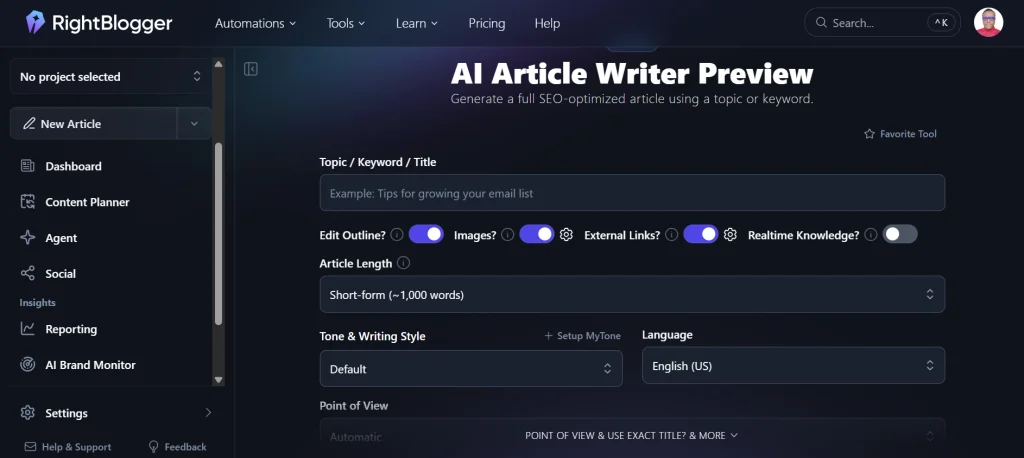
The Article Writer takes a keyword or topic and turns it into a structured long-form draft. You can set the tone, target audience, content angle, article length, and other details to guide the output.
It can also help with the article structure, including the main headings and sections, before generating the full draft. This gives you more control over how the article is organized instead of starting with a generic block of AI text.
The finished article still needs editing before publication. You should check the facts, add your own insights, and improve sections that feel too generic.
What I find useful is that RightBlogger puts these blog-focused controls into the writing process. You get more control over the structure, headings, keywords, and flow than you would from a basic ChatGPT prompt.
2. Keyword Research Tool
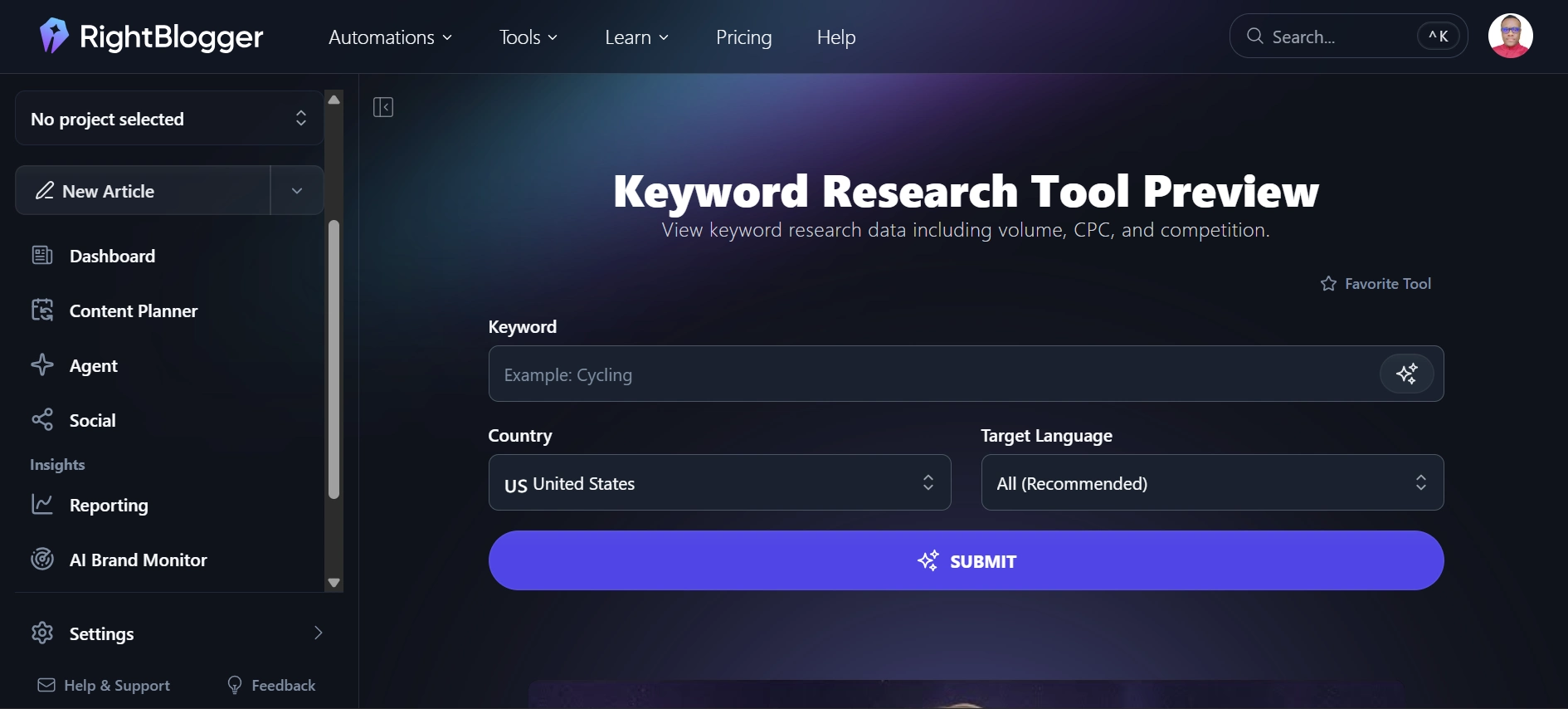
RightBlogger includes a built-in keyword research tool with search volume, competition data, and topic clustering.
For affiliate marketers and bloggers, I love this feature because keyword research and content creation happen in the same place. You can find a keyword, check its potential, and move straight into creating the article without switching between different tools.
The keyword data is not as deep as what you get from a dedicated SEO platform like Semrush. Semrush is still the better fit for detailed keyword research and deeper SEO analysis. But for bloggers who need quick keyword ideas and enough data to guide their content choices, RightBlogger’s built-in tool covers the basics well.
3. SEO Reports
The SEO Reports feature analyzes your existing content or drafts and shows you specific areas that could be improved for search.
It can help you spot issues with things like keyword use, headings, content structure, and other on-page SEO factors. This gives you a second check before publishing instead of relying on your own review.
Each plan tier includes a different monthly allocation of SEO reports. The Solo plan includes 30 per month, the Pro plan 90, and the Agency plan 300. For most solo bloggers publishing two to four times per week, 30 reports per month should be enough.
4. Tool Studio
Tool Studio is one of the RightBlogger features I find most interesting, especially for affiliate marketers.
It lets you create simple AI-powered tools that you can embed directly on your website. You can build things like calculators, name generators, cost estimators, quizzes, and other interactive tools without creating them from scratch.
I find this useful for affiliate sites because an interactive tool can give readers a reason to spend more time on a page and can also be used as part of an email signup strategy.
For example, a personal finance blog could add a savings calculator to an article about saving money. An affiliate site about hosting could create a website cost calculator. The tool becomes part of the content instead of relying entirely on a standard lead magnet.
This is also one of the features that makes RightBlogger different from a basic AI writing tool.
Recommended Reading: How to Earn Extra Income Online with Affiliate Marketing.
5. YouTube to Blog Post
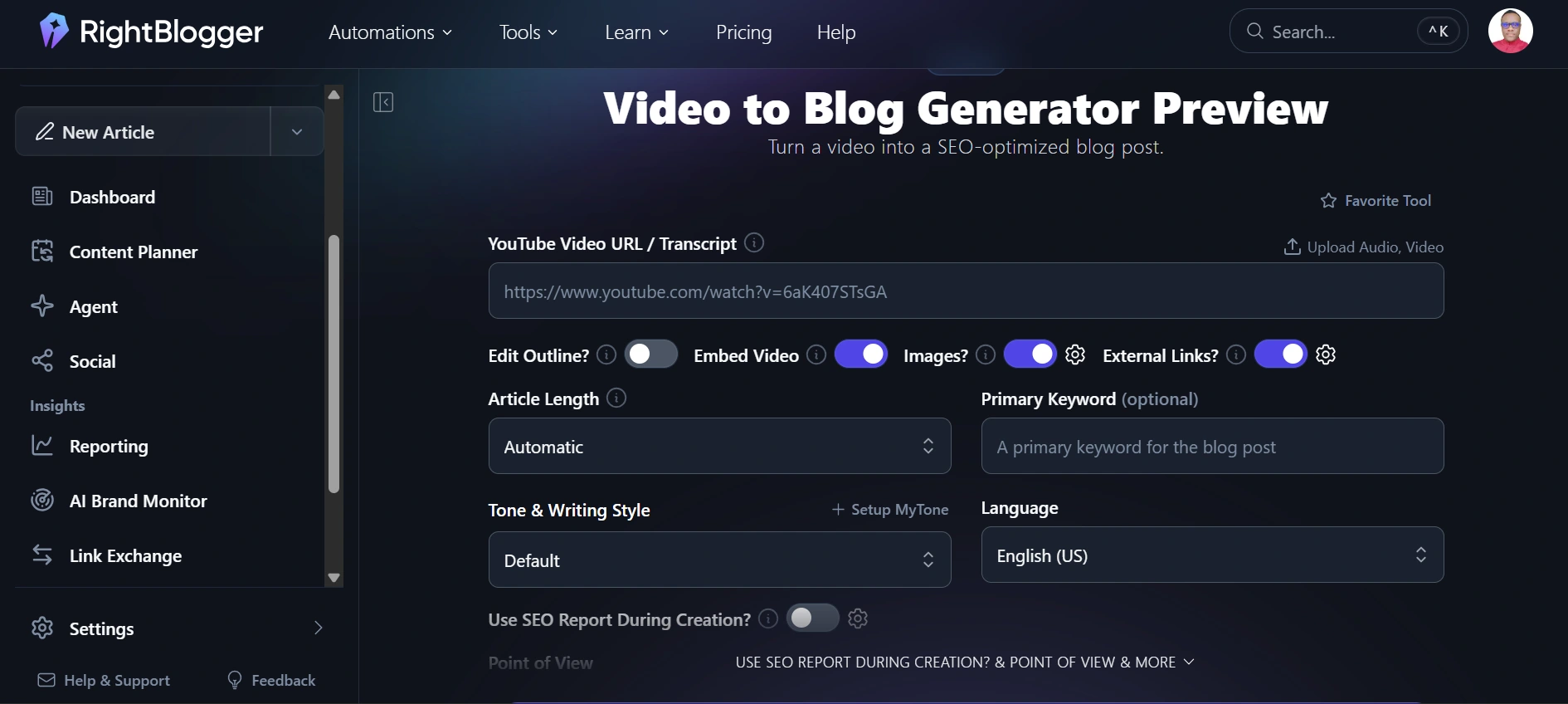
YouTube to Blog Post is another RightBlogger feature I like, especially if you already create video content.
It lets you turn a YouTube video into an editable blog post draft. This can be useful for affiliate marketers and bloggers who have existing video reviews or tutorials and want to repurpose that content into written articles without starting from scratch.
The tool captures the main points and structure of the video and turns them into a draft that you can edit and improve before publishing. This gives you a simple way to get more written content from videos you have already created.
6. Autoblogging
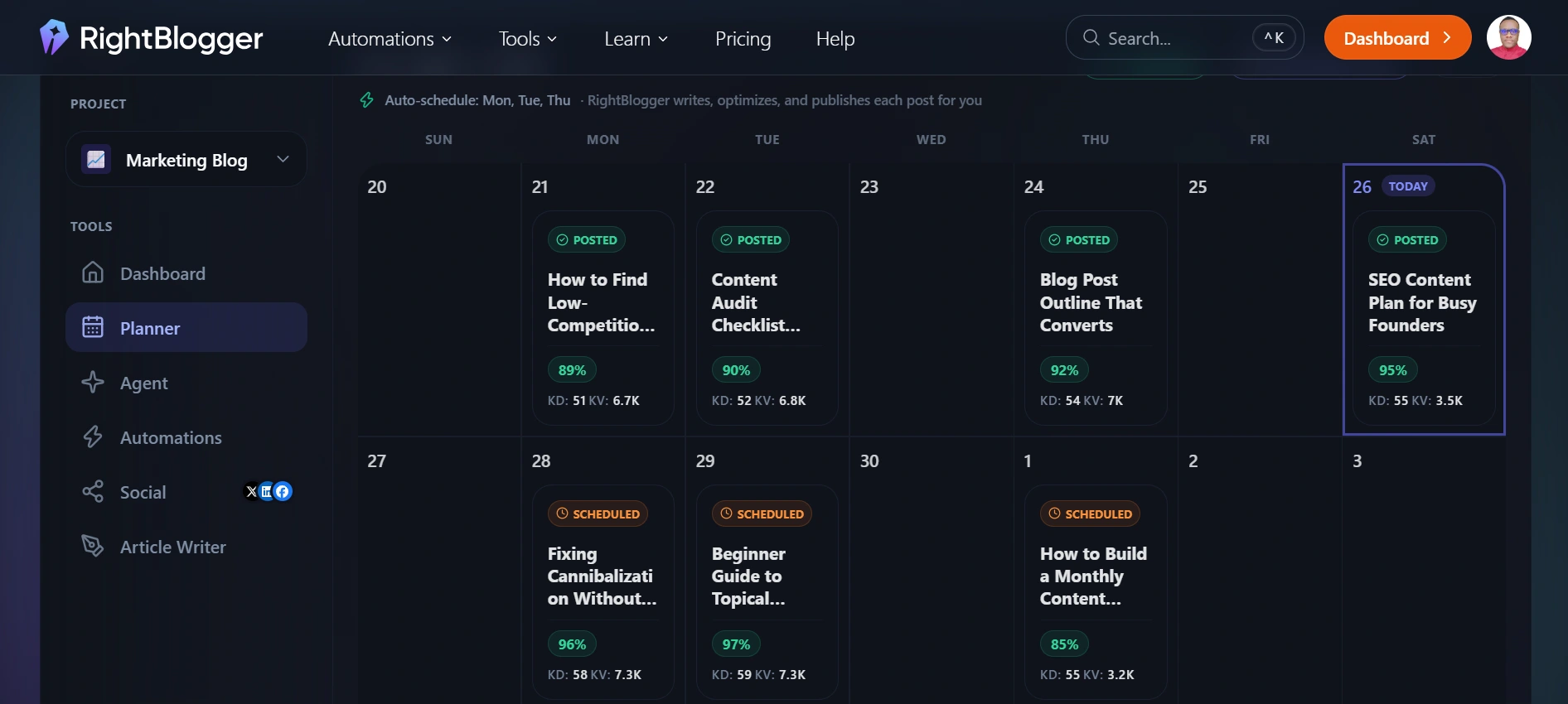
I can see the value of Autoblogging for bloggers who publish content on a regular schedule.
This feature lets you connect RightBlogger to your website and schedule AI-generated articles for publication. This can save time when you have a content plan and want to prepare several articles in advance.
But still, avoid treating this as a completely hands-off publishing system. AI-generated content can contain errors, weak sections, or information that needs more context and editing. Reviewing each article before publication gives you a chance to check the facts, add your own insights, and make sure the content actually provides value.
For me, the better use of Autoblogging is as a content scheduling tool rather than a way to publish large amounts of unreviewed AI content.
7. MyTone and Voice Presets
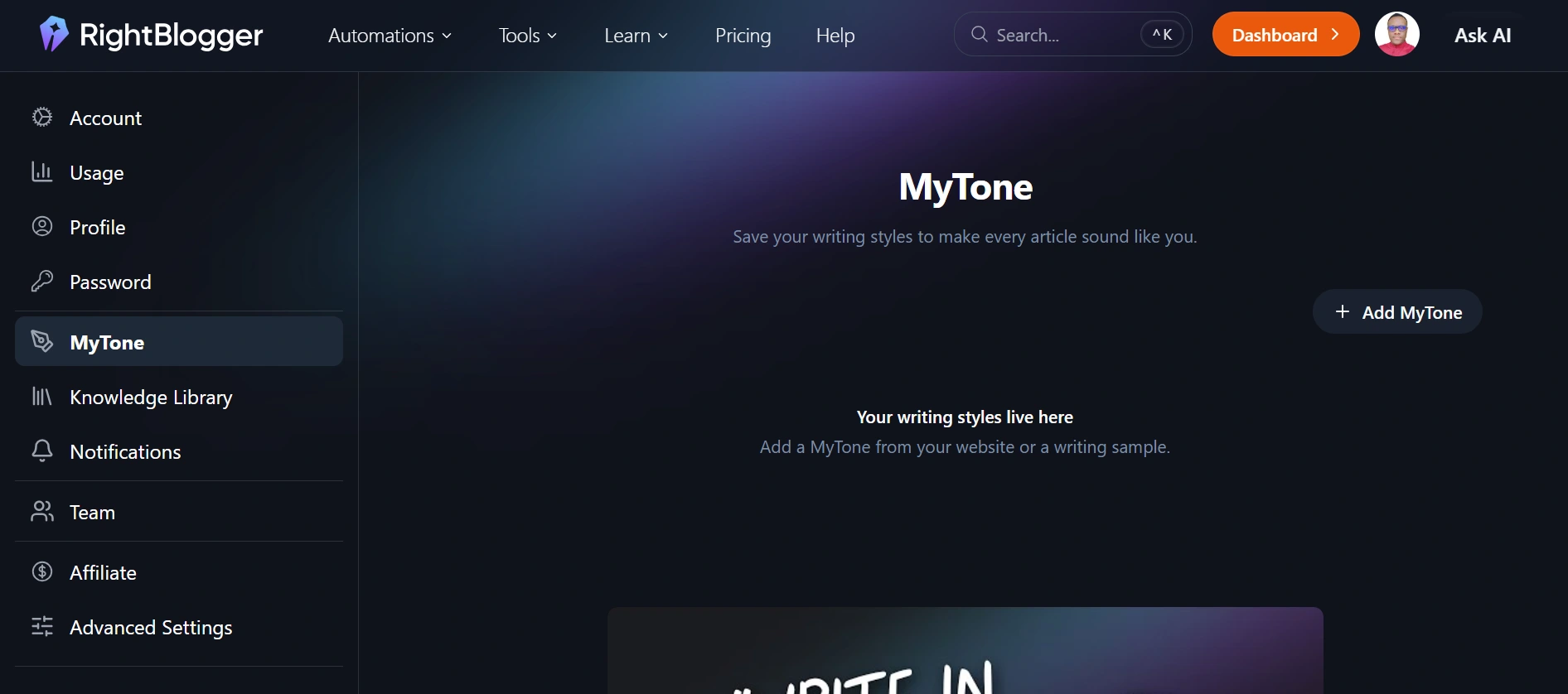
MyTone is RightBlogger’s voice training feature. You provide examples of your writing, and it learns your tone, style, and phrasing patterns.
I think this is particularly useful for bloggers who have developed a consistent writing style and want to maintain it when using AI. Instead of every article sounding like generic AI content, MyTone gives RightBlogger a reference point for how you normally write.
For affiliate marketers who have built trust with their audience, keeping that familiar voice across AI-assisted content can be important.
7. Social Media Content Tools
RightBlogger also goes beyond blog content with tools for creating social media posts for LinkedIn, Twitter/X, Pinterest, and other platforms.
For bloggers who promote their articles across social channels, I find this useful because the social content can be created from the same article instead of starting from scratch. It saves the extra step of copying your article into another AI tool and explaining what you want it to create.
8. AI Brand Monitor
AI Brand Monitor is one of the more interesting additions to RightBlogger because it focuses on how your brand appears in AI search and recommendation tools.
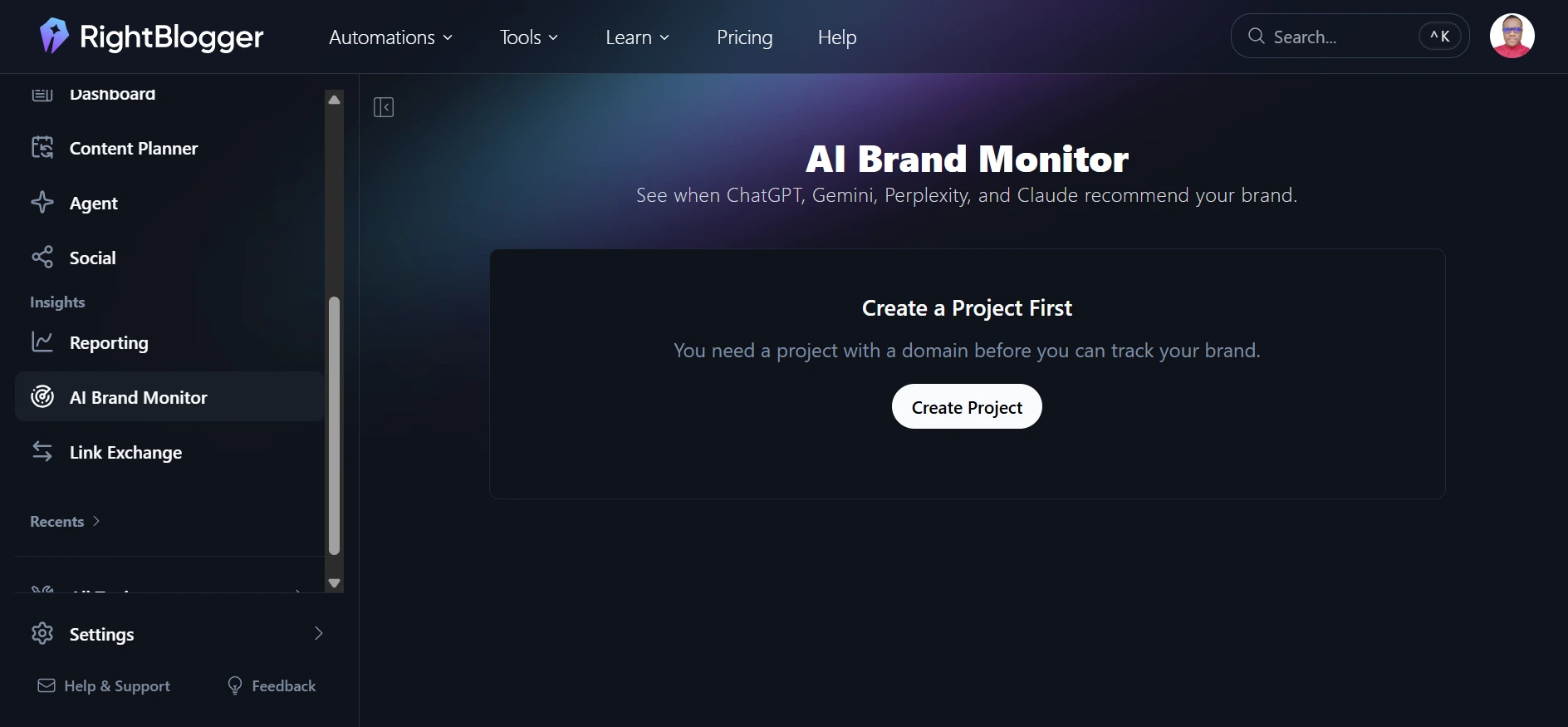
The feature tracks how platforms such as ChatGPT, Gemini, Perplexity, and Claude respond to questions related to your brand. It can show you when these AI platforms mention or recommend your business, giving you a way to monitor your visibility beyond traditional Google search results.
For bloggers and affiliate marketers, this can be useful because people are increasingly using AI tools to find products, services, websites, and recommendations. If your site or brand is being mentioned in those answers, that can become another source of visibility and potential traffic.
The important thing is that the tool monitors what these AI platforms are saying about your brand. It does not mean you can directly control or guarantee what ChatGPT, Gemini, Perplexity, or Claude will recommend.
I see this as more of a monitoring and research feature than a content creation tool. It can help you understand how your brand is showing up in AI-generated answers and identify areas where you may want to improve your online presence.
9. Specialist Writing Tools
RightBlogger also includes a range of smaller writing tools for specific content tasks. These cover things like post introductions, listicle sections, conclusions, product descriptions, email subject lines, and ad copy.
I find these useful when you only need help with one part of an article instead of generating the entire piece. A dedicated tool can also give you more focused output than asking a general article writer to handle a single section in isolation.
Other RightBlogger Features
I have covered some of the RightBlogger key features that stand out most for bloggers and affiliate marketers. There are also several smaller tools available across the platform worth mentioning. They include:
- Content Refresh: Helps update and improve existing articles so you can keep older content useful and relevant.
- Content Idea Generator: Provides topic ideas based on a keyword, niche, or content angle.
- Meta Description Generator: Creates SEO-focused meta descriptions for your blog posts.
- Title Generator: Helps you come up with potential titles for blog posts and other content.
- FAQ Generator: Creates relevant frequently asked questions that can be added to your articles.
- Call to Action Generator: Helps create calls to action for different types of content and audiences.
- Grammar Fixer: Checks your writing and helps correct grammar and wording issues.
- Paraphraser: Rewrites existing text while keeping the original meaning.
- Content Expander: Expands shorter sections when you need more detail or explanation.
- Content Shortener: Condenses longer sections while keeping the main points intact.
- YouTube Title and Description Tools: Helps create titles and descriptions for YouTube videos.
- Email Tools: Includes tools for creating email content such as subject lines and marketing copy.
How Easy Is RightBlogger to Use?
RightBlogger is designed with bloggers in mind, and the platform layout reflects that.
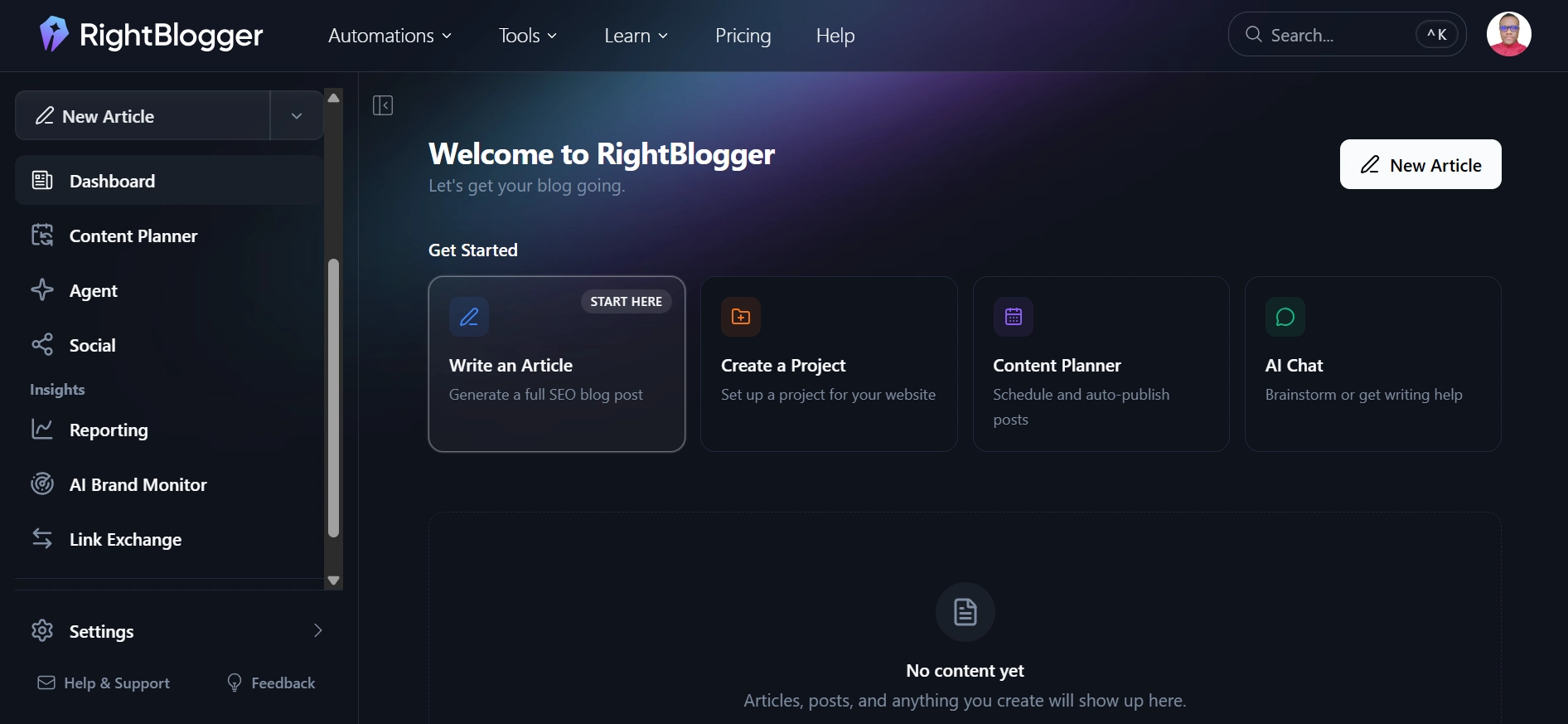
The dashboard is clean and easy to navigate. The tools are organized by function, so content, SEO, social media, and specialist tools are separated into their own sections. You can find what you need without working through a complicated menu.
The article writer is also straightforward to use. You enter a keyword, choose options for tone and structure, and generate your draft. The built-in editor then lets you make changes while tools like grammar fixes, paraphrasing, and rewriting are available in the same workspace.
The learning curve is low if you are already comfortable with basic writing software. You can get to a usable first draft within minutes without spending a long time figuring out how everything works.
RightBlogger Pricing: What You Actually Pay in 2026
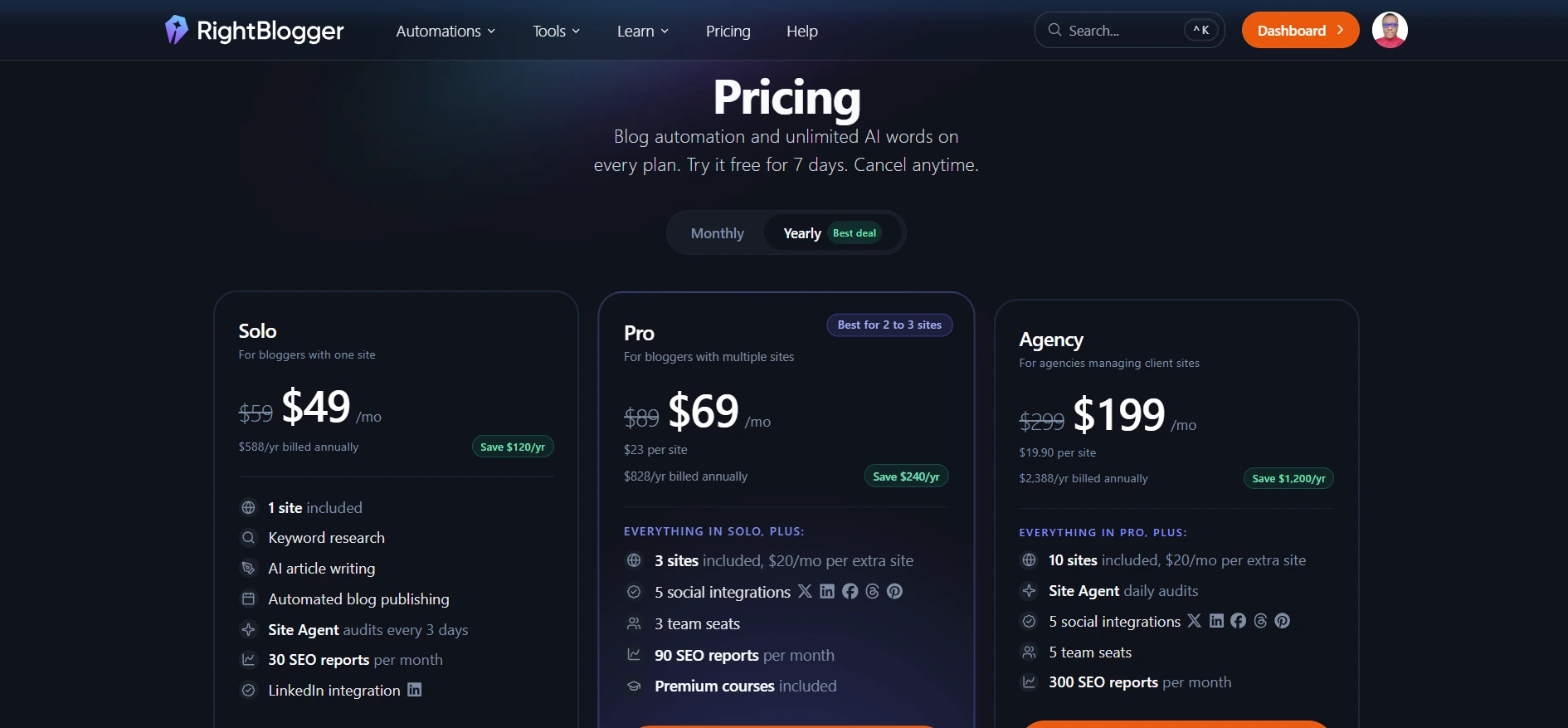
This section is worth reading carefully because RightBlogger’s pricing has changed, and some older reviews still mention plans that are no longer available to new subscribers.
Free Plan
The Free plan gives you 2,000 AI words per month with limited access to the platform’s tools. You do not need a credit card to sign up, making it a useful way to test the platform before paying for a subscription.
Solo Plan
The Solo plan costs $49 per month when billed annually or $59 per month when billed monthly. It includes one connected site, unlimited AI words, Site Agent, AI Brand Monitor, Backlink Exchange, LinkedIn integration, custom tool embeds, and 30 SEO reports per month. This is the plan aimed at individual bloggers running one site.
Pro Plan
The Pro plan costs $69 per month when billed annually or $89 per month when billed monthly. It covers three connected sites, three team seats, five social integrations, 90 SEO reports per month, and premium courses. This makes it more suitable if you manage multiple sites or work with a small team.
Agency Plan
The Agency plan costs $199 per month when billed annually or $299 per month when billed monthly. It includes 10 sites, five team seats, 300 SEO reports per month, and daily Site Agent audits. This tier is aimed more at agencies and larger content operations than individual bloggers.
All paid plans include unlimited AI words, a 7-day free trial for eligible new subscribers, and a 30-day money-back guarantee.
The jump from the older $29.99 plan mentioned in many older reviews to the current $49 annual-billing price for Solo is worth pointing out. The current plans include considerably more than the older plans, but the higher starting price is still important for a solo blogger working with a limited budget.
RightBlogger’s pricing and plan features can change, so I recommend checking the official pricing page before purchasing.
Who Should Use RightBlogger?
RightBlogger makes the most sense for a specific type of content creator.
If you are publishing one or two articles per week with the goal of building SEO traffic and affiliate income, the unlimited AI words and range of tools can make the subscription worthwhile. The platform covers enough of the content workflow to reduce the need for several separate tools.
If you are an affiliate marketer with an established site and want to increase your content output without spending proportionally more time writing, the Article Writer, SEO Reports, and social tools can help you handle more of the production and promotion process in one place.
If you run a small content team, the Pro plan’s three seats and multiple site connections can make collaborative content work easier without moving to enterprise-level software.
See What RightBlogger Can Do →
Recommended Reading: Best Blogging Platforms for Beginners: Which One Should You Actually Use?
Who Should Skip RightBlogger?
If you are starting your first blog and have not yet built a consistent publishing routine, the $49 monthly starting price may be difficult to justify. The free plan gives you a way to test the platform first, and you can consider upgrading once you are publishing regularly.
If your main need is detailed keyword research and competitive SEO analysis, a dedicated SEO platform will give you more depth. RightBlogger’s keyword tool is useful for content planning, but it does not replace a full SEO research platform.
If you run a large enterprise content operation that requires advanced editorial workflows, extensive team controls, or formal brand governance, RightBlogger may not cover all of those requirements.
RightBlogger Alternatives
GravityWrite is a strong alternative for bloggers who mainly need help with content production. It focuses on formats online businesses use, including blog posts, email sequences, and product descriptions. It can fit well into a workflow where producing content quickly is the main priority. SEOWriting.ai is also worth comparing if article writing is your main concern.
Semrush is a better fit if your main focus is keyword research, competitive analysis, and deeper content strategy. Its writing tools are part of a much broader SEO platform, so its main strength is SEO intelligence rather than AI content creation. You can also use Semrush alongside RightBlogger if you want deeper keyword research while keeping RightBlogger for content production.
Jasper is more focused on larger content teams and businesses that need brand voice controls, collaboration features, and structured content workflows. RightBlogger is more focused on individual bloggers, affiliate marketers, and smaller content operations.
Recommended Reading: Best Tools to Start Earning Online for Beginners.
Key Takeaways
- RightBlogger was built by bloggers who run active sites. That background is reflected in the platform’s focus on blogging, SEO, content creation, and promotion.
- Unlimited AI words on paid plans is a useful advantage. For bloggers and affiliate marketers who publish frequently, it means you can create and revise content without worrying about a monthly word limit.
- Tool Studio is a useful feature for affiliate marketers. Creating interactive tools such as calculators and quizzes can give readers more value and create another opportunity to encourage email signups.
- The free plan is a practical starting point. You get 2,000 AI words per month and do not need a credit card to sign up. It gives you a chance to explore the platform before deciding if a paid plan is worth it.
My Final Verdict
RightBlogger earns its place as a blogging-focused AI toolkit…and YES! it’s one of the best all-in-one blogging tools I would recommend to anyone who wants to start an online business.
The range of tools, unlimited AI words on paid plans, and the fact that its founders actively use the platform on their own sites give it a clear focus for bloggers, affiliate marketers, and content creators.
For me, the main question is how often you will actually use it. At $49 per month on annual billing, the cost makes more sense when you are publishing regularly and can use several of the tools as part of your workflow.
If you are blogging once a week or more, building affiliate income through content, and spending a significant amount of time on content production, RightBlogger has enough features to make the subscription worth considering.
If you are still finding your footing as a blogger, I would start with the free plan. Build your publishing habit first, then consider the paid plan once you have a workflow that allows you to use what it provides.
Frequently Asked Questions
What is RightBlogger and what does it do?
RightBlogger is an AI content platform built specifically for bloggers, affiliate marketers, and content creators. It offers over 80 tools covering the full content workflow, including keyword research, long-form article writing, SEO optimization reports, social media content generation, and a feature called Tool Studio that lets you build embeddable AI tools for your website. The platform was founded by Ryan Robinson and Andy Feliciotti, both active bloggers who use the platform on their own content sites.
How much does RightBlogger cost in 2026?
RightBlogger currently offers a free plan with 2,000 AI words per month and three paid plans. The Solo plan costs $49 per month on annual billing or $59 monthly, covering one site with unlimited words and 30 SEO reports. The Pro plan costs $69 per month on annual billing or $89 monthly, covering three sites with three team seats and 90 SEO reports. The Agency plan costs $199 per month on annual billing or $299 monthly for ten or more sites. All paid plans include a 7-day free trial and a 30-day money-back guarantee. Verify current pricing on RightBlogger’s website before purchasing.
Is RightBlogger good for affiliate marketers specifically?
Yes, with some specifics worth knowing. The keyword research tool helps identify content opportunities with buying intent. The article writer produces affiliate review and comparison content from structured prompts. The Tool Studio is particularly useful for affiliate sites because embedded interactive tools on high-traffic pages convert visitors into email subscribers more effectively than standard lead magnet forms. The SEO reports help optimize existing content for better ranking. The combination of these features addresses the core content needs of an affiliate marketing content site.
Does RightBlogger replace the need for a separate keyword research tool?
For directional keyword guidance and basic topic research, RightBlogger’s built-in keyword tool is adequate for most solo bloggers. For serious competitive analysis, search intent mapping at depth, and comprehensive content gap work, a dedicated SEO platform provides more data and analytical capability than the keyword features within RightBlogger. Many active bloggers use both in combination, relying on RightBlogger for content production and a dedicated SEO tool for strategic keyword planning.
Is the RightBlogger free plan worth using?
The free plan gives you genuine access to the platform with 2,000 AI words per month and limited versions of the core tools. It is useful for evaluating whether the interface and output quality fit your workflow before committing financially. Two thousand words is not enough to seriously test the article writer for production use, but combined with the 7-day free trial on paid plans, it gives you enough exposure to make an informed purchasing decision. No credit card is required for the free plan, which removes the friction of testing it.