9 Best Online Income Ideas for People With No Laptop (Your Phone Is Enough to Start)

No laptop? Your smartphone is enough to start earning online. This guide covers specific online income ideas for people with no laptop, with exact apps, honest earnings, and real workflows for every method.
Here’s something most online income guides get wrong.
They assume you’re sitting at a desk with a laptop, a stable internet connection, and time to spare. They’re written from that starting point, and everything else flows from there.
But a lot of people searching for ways to earn online are doing it from a smartphone. Maybe a laptop feels out of budget right now. Maybe you’re a student who only has their phone. Maybe you’re in a situation where a laptop just isn’t part of your current reality.
None of that disqualifies you.
The honest truth is that a smartphone in this era is a more capable business device than the laptops most successful online entrepreneurs started with fifteen years ago. The tools are there. The platforms are there. The income is there.
This guide covers specific online income ideas for people with no laptop, with exact apps, real workflows, and honest income expectations for every method listed.
Let’s get into it.
TL;DR
- Most meaningful online income methods work entirely or primarily from a smartphone. A laptop helps. It is not required to start.
- Short-form video creation, affiliate marketing through social media, freelancing via mobile apps, tutoring, and selling items are all genuinely phone-friendly income paths.
- The biggest limitation of phone-only work is typing speed and multitasking. Both have workarounds.
- Your phone is your starting point. Your first income goal is to fund whatever comes next.
Recommended: Side Hustles That Require No Investment (What Actually Works for Beginners)

Want a Clear Starting Point?
If you’re sitting there with just a phone, limited time, and no clue which online income idea to start with, I created The First Dollar Blueprint for you. It’s a simple 7-day action plan that helps complete beginners stop overthinking and start taking the right actions. By the end, you’ll have a clear path toward earning your first dollar online instead of jumping between endless opportunities.
Phone-Only Income Methods: A Complete Comparison Table
| Income Method | Best For | Time to First Income | Phone-Native Apps | Typing Needed? | Realistic Monthly Earnings (Beginner) |
|---|---|---|---|---|---|
| Short-form video (TikTok, Reels, Shorts) | Creators comfortable on camera or voiceover | 1–3 months | CapCut, TikTok, Instagram, YouTube | Low | $100–$500+ (affiliate + sponsorships) |
| Affiliate marketing via social media | Pinterest, TikTok, or Facebook users with a niche | 1–4 months | Canva, Pinterest, Linktree, TikTok | Low to Medium | $50–$300 |
| Freelancing (social media management, short writing, transcription) | Organized people with a marketable skill | 2–6 weeks | Buffer, Rev, GravityWrite, Google Docs | Medium to High | $200–$800 |
| Selling physical items | Anyone with clutter at home | Same day (local) to 1 week (shipping) | Facebook Marketplace, Poshmark, eBay | Low | $100–$500 |
| Survey and GPT apps | People with spare time and patience | Same day to 1 week | Freecash, Prolific, Survey Junkie, Swagbucks | Low | $30–$150 |
| Teaching and tutoring | Fluent English speakers who enjoy conversation | Same week | Cambly, Preply | Low | $300–$500 (10 hours/week) |
| Selling phone photos | Hobbyist photographers with a good eye | 1–6 months | Foap, Shutterstock Contributor | None | $20–$100 (grows with library size) |
| Newsletter (Beehiiv) | Writers who want to own their audience | 2–6 months | Beehiiv, Google Docs | Medium to High | $50–$300 (grows with list size) |
| Delivery and task apps | People with a vehicle and flexible hours | Same day (instant pay available) | DoorDash, Uber Eats, Instacart, TaskRabbit | Low | $600–$1,500 |
First, Rethink What Your Phone Can Actually Do
Most people dramatically underestimate what a modern smartphone handles.
Your phone has a camera that produces better video quality than the cameras most successful YouTubers started with a decade ago. It runs Canva, Google Docs, email clients, video editors, social media platforms, and dozens of professional-grade apps. It can take a payment, send a contract, record a tutorial, and publish a newsletter, all from a device that fits in your pocket.
The mental block around “I only have a phone” is partly a habit of thinking built around the old way of doing things. In practice, for most of the income methods on this list, a phone is not a compromise. It’s the primary device.
A couple of things that help before you start. A reliable internet connection matters more than the device itself. If you have good Wi-Fi at home or a solid mobile data plan, you have the infrastructure you need. And a cheap Bluetooth keyboard, around $15 to $25 on Amazon, solves the typing speed limitation immediately. Your phone becomes a portable workstation when it’s propped up on a stand with a keyboard in front of it.
Those two things combined, good internet and a keyboard, change the phone-only experience significantly.
Online Income Ideas for People With No Laptop
Below are some realistic online income ideas you can start without a laptop.
1. Short-Form Video: The Most Phone-Native Income Idea Available
Here’s a thought that doesn’t get said often enough.
Short-form video content was designed for phones. TikTok was built on phones. Instagram Reels is shot on phones. YouTube Shorts is edited on phones. The vertical video format that dominates these platforms is literally the orientation your phone shoots in naturally.
In this specific income category, not having a laptop is not a limitation. It’s the default.
How the income works:
You build an audience on TikTok, Instagram, or YouTube Shorts around a specific niche. Affiliate links go in your bio or are mentioned in your content. When viewers click and buy, you earn commissions. As the audience grows, brand sponsorship income follows. YouTube’s Partner Program adds ad revenue once you hit the monetization threshold.
What niches work well for phone-only creators:
Personal finance tips. Practical advice broken into 60-second clips. “Here’s how I saved $200 this month” or “The three expenses beginners should cut first.” This niche has high engagement and strong alignment with affiliate products in budgeting tools and online income platforms.
Product reviews and comparisons. Unboxing something, comparing two options, or giving an honest verdict on something your audience is considering. Affiliate links for whatever you review go straight into your bio.
Day-in-the-life content around a skill you have. Teaching something you know in a short, repeatable video format. Language learning, cooking, fitness, and digital skills. These build loyal audiences that convert on recommendations.
The editing workflow entirely on your phone:
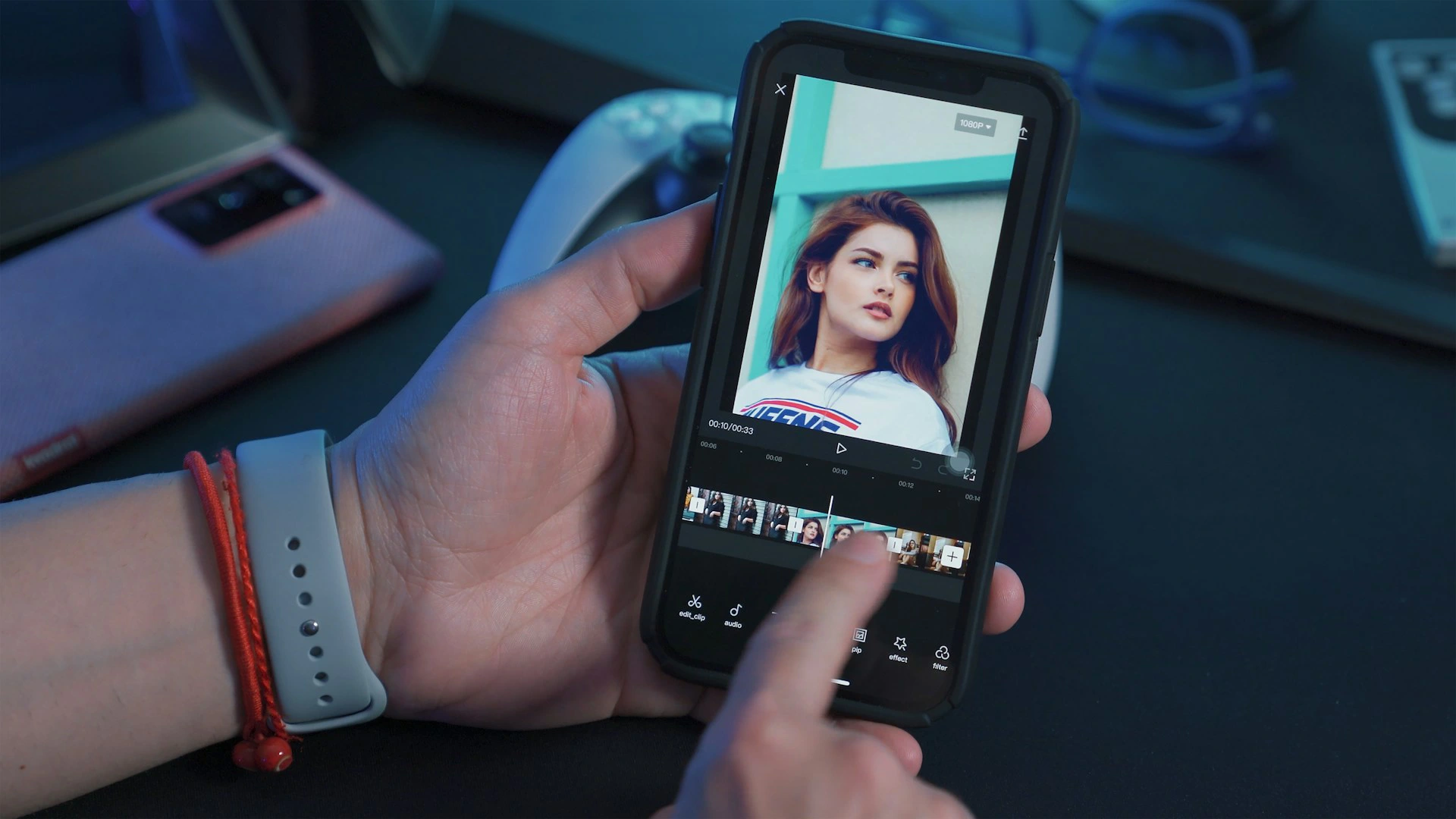
CapCut handles everything you need as a beginner creator. Trim clips, add captions automatically, adjust audio levels, apply transitions, overlay text, and export in the right format for each platform. The mobile version is genuinely full-featured and most creators producing quality short-form content use it as their primary editor.
Spend your first week making five videos without worrying about views. You’re learning the workflow. By video five, you’ll be producing something meaningfully better than video one, and the process will feel natural.
2. Affiliate Marketing Without a Blog or Laptop
Most people associate affiliate marketing with blogging, and blogging typically implies a laptop. That association exists because it’s the traditional route. But affiliate marketing just means sharing a link that earns you a commission when someone buys through it. The platform you use to share that link is separate from the mechanism itself.
Your phone has access to every platform where affiliate links convert.
Pinterest: This is the most underrated affiliate channel for phone-only creators. Pinterest functions like a visual search engine. People go there with buying intent. You create pins using the Canva mobile app, write helpful descriptions, and embed your affiliate link directly in the pin. Someone searches for “best budget laptop for students,” finds your pin comparing two options with your affiliate links, clicks through to Amazon Associates, and buys. You earn the commission.
The Canva mobile app creates Pinterest-sized graphics quickly. The Pinterest mobile app publishes them. Tailwind schedules them for consistent posting without you logging in every day. All of it runs from your phone.
TikTok and Instagram: These work through your bio link. Use a free tool like Linktree to put multiple affiliate links behind one URL in your bio. Your content creates curiosity or gives value around a topic. Your bio link satisfies the purchase intent your content generates.
Facebook Groups: Join groups where your target audience hangs out. Answer questions genuinely and helpfully. When a relevant product naturally fits the conversation, mention it with your affiliate link. This works best when you’ve built a reputation as a helpful contributor first, not as someone who drops links into every thread.
Recommended Reading:
1. How to Start Affiliate Marketing With No Website (Free Methods That Actually Work)
2. Best Affiliate Programs for Beginners in 2026 (No Big Audience Required)
3. How to Promote Affiliate Links Without Ads (7 Free Methods That Work)

Want a Clear Affiliate Marketing Plan?
Many beginners know where to find traffic but struggle to turn that attention into actual affiliate commissions. That’s why I created The H.E.A.R.T Funnel Formula, a step-by-step framework that shows you how to attract the right audience, build trust, and guide people toward offers naturally. It works whether you have a blog, a website, or just a phone and a social media account.
3. Freelancing From a Smartphone (What Works and What Doesn’t)
I want to be genuinely honest about this category because most guides treat phone-based freelancing as straightforward when it actually has some real nuances worth understanding.
What works well from a phone:
Social media management. Your clients are on the platforms you’re managing their presence on. Scheduling posts, responding to comments, writing captions, and reporting on engagement all happen through the same apps you’re already using. Buffer, Hootsuite, and Metricool all have strong mobile apps. This service is genuinely easier to manage from a phone than most people realise.
Short-form writing. Writing Instagram captions, email subject lines, social media ad copy, product descriptions, and short articles is entirely manageable on a phone, especially with a Bluetooth keyboard. A 300 to 500 word piece that takes 30 minutes on a laptop might take 45 minutes on a phone with a keyboard. That’s not a dealbreaker.
GravityWrite has a mobile-accessible interface that helps you structure and draft content faster. For phone-based writers taking on multiple client pieces in a week, it reduces the time you spend on initial drafting significantly.
Transcription. Rev’s mobile app lets you listen to audio files through earphones and type the transcription directly into your phone. This works well. Your typing speed matters more than your device here.
Virtual assistance for specific tasks. Inbox management, scheduling, research, and data entry can all happen through mobile apps. Google Workspace runs entirely on mobile. Most project management tools including Trello, Asana, and Notion have full-featured apps.
What’s genuinely harder from a phone:
Long-form blog writing. A 1,500-word article is not impossible from a phone, but it’s slower and the experience of editing a long document on a small screen is genuinely less efficient than on a laptop. If a client needs long-form content regularly, this service is better suited to a laptop.
Complex graphic design. Canva mobile handles a lot, but multi-layer design projects, detailed infographic work, and anything requiring precise element positioning is harder without a mouse and a large screen.
Web development and coding. Not the right choice for phone-only work in the beginner phase.
Recommended Reading:
1. Freelance Skills That Pay Well Online (Even If You’re Starting From Zero)
2. How to Get Your First Freelance Client Fast (Even With No Experience or Portfolio)
4. Selling Physical Items Entirely From Your Phone
This income method is phone-native. Every step, from photographing items to listing them to arranging pickup or printing shipping labels, happens on a phone.
Facebook Marketplace for local sales: The Facebook Marketplace app is straightforward. You take photos, write a description, set a price, and post. Interested buyers message you through Facebook Messenger. You arrange a local cash pickup and the money is in your hand the same day.
For phone photography that produces faster sales, take photos near a window in natural light. Prop the item against a plain background. Take one straight-on shot, one from the side, and one of any relevant details. Three clean photos in natural light consistently outperform ten dark, blurry ones taken anywhere.
Poshmark for clothing: The Poshmark app is built entirely for mobile sellers. You photograph the item, fill in the listing details, set your price, and share your listing to your followers. When it sells, Poshmark emails you a prepaid shipping label. You print it at the nearest print shop or library, pack the item in any box or bag, and drop it at USPS. Payment releases three days after delivery.
What sells fastest on Poshmark: Brand-name athletic wear (Nike, Adidas, Lululemon), designer accessories, vintage pieces, and trending styles. Generic, brand-free clothing moves much more slowly.
eBay Mobile: The eBay app has a “scan to list” feature that scans a barcode and auto-populates listing details for books, electronics, games, and other products with barcodes. For phone-only sellers, this is a time-saving feature worth knowing about. You scan the item, review the auto-filled details, add your photos, set the price, and list. The whole process takes under three minutes for most items.
5. Survey and GPT Apps Designed for Mobile
The honest reality about surveys on a phone is that it’s one of the most natural use cases for the format. Surveys were designed for quick, tap-through responses. A phone is the ideal device for them.
Freecash has a polished mobile experience. The app organises available tasks clearly, from surveys to app downloads to offer completions. Notifications alert you to new high-paying opportunities. Cashout through PayPal, crypto, or gift cards happens in the app. For a phone-only user, Freecash is one of the better-designed GPT platforms in terms of mobile usability.
Prolific has a mobile app that sends notifications when new studies open. This matters because studies fill quickly. Having the app on your phone and notifications enabled means you respond to new opportunities faster than someone checking a desktop browser periodically.
Survey Junkie runs cleanly on mobile with a simple interface. Surveys load well on smaller screens and the point redemption process is fully functional from the app.
Swagbucks is perhaps the most phone-friendly GPT platform because several of its earning methods, watching videos, completing app offers, and shopping cashback, work better on a phone than on a laptop.
My suggestion for phone-only survey earners: Use Freecash and Prolific as your primary platforms and Swagbucks for passive earning through its video and shopping features. Running two or three platforms simultaneously across a day produces more consistent income than relying on any single one.
Check out:
1. Best Survey Websites That Pay Cash (And What to Realistically Expect)
2. 23 Best Apps That Pay You Real Money in 2026 (Legit and Beginner-Friendly)
6. Teaching and Tutoring Via Your Phone Camera
This is one of the clearest examples of an income method that works just as well on a phone as on a laptop, sometimes better.
Cambly is the most accessible entry point. The app connects you with students who want to practise conversational English via video call. No teaching certificate required. No lesson preparation. Students initiate the call through the app, you answer, and the conversation flows naturally for fifteen to thirty minutes.
The phone camera for a Cambly session works perfectly. Many tutors use their phone propped on a stand or resting against something stable, with earphones for audio clarity. The student experience is unchanged regardless of whether you’re on a phone or a laptop.
Pay is $0.17 per minute, translating to approximately $10.20 per hour. Weekly PayPal payment. For someone with ten hours of genuine availability per week, that’s $100 in predictable income with no lesson planning, no preparation, and no materials.
Preply uses the same video call format but covers a broader range of subjects and languages. Tutors set their own hourly rate and attract students through a detailed profile. The Preply mobile app manages your schedule, sessions, and messages. Sessions happen via the in-app video feature, which works on mobile.
One practical tip for phone tutors: a phone stand or a ring light with a built-in phone holder changes the session experience dramatically. Your camera stays steady, the lighting is consistent, and you look professional without needing any desk setup. Both cost under $20 and are worth having from your first week.
7. Selling Photos You Take With Your Phone
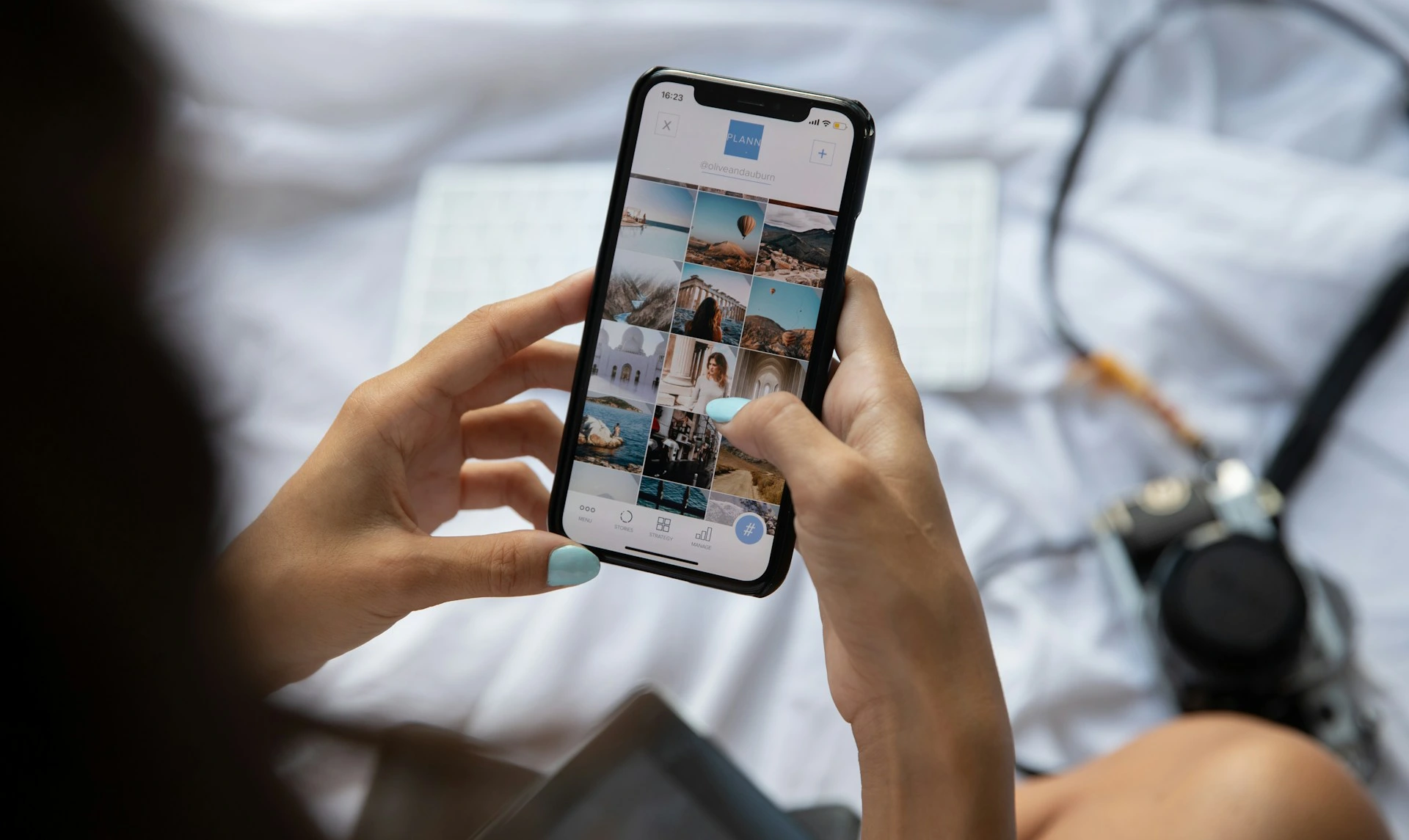
The stock photography industry shifted meaningfully when buyers started needing authentic, natural images that looked like real life rather than staged studio shots.
Phone cameras produce exactly that.
Foap is the platform specifically built for mobile photographers. You upload photos directly from your camera roll through the Foap app. The app is clean, the upload process takes under a minute per photo, and the marketplace is accessible to buyers from brands, agencies, and content teams.
You earn $5 for each photo sold through the standard marketplace. Brand missions, which are paid challenges posted by companies looking for specific types of content, pay $100 to $500 for winning submissions. I’ve seen a single Foap mission win earn more than a month of survey income.
Shutterstock Contributor also has a mobile upload feature. For phone photographers building a larger library of commercial images, Shutterstock’s buyer base is significantly bigger than Foap’s, which means more download opportunities for each image you upload.
What actually sells on these platforms from phone photos: authentic lifestyle images (people doing real things in real environments), food photography (well-lit, natural, not overly styled), nature and landscape shots with good composition, and urban street photography that captures genuine moments. Staged, obviously artificial images are oversupplied. Authentic, specific moments in good light are consistently in demand.
8. Building and Monetizing a Newsletter From Your Phone
Most people assume newsletters require a laptop. They don’t.
Beehiiv has a mobile experience that covers the core workflow of running a newsletter. You can write, edit, and publish issues from your phone. You can view your subscriber growth. You can manage settings and basic automations.
For phone-only newsletter writers, the practical workflow looks like this. Write your newsletter draft in Google Docs on mobile, which handles longer text more comfortably than most native app editors. Copy it into Beehiiv when you’re ready to format and send. The formatting tools in Beehiiv’s mobile interface are simple enough to use on a small screen without frustration.
What makes a newsletter worth subscribing to, and eventually worth money, is consistent helpfulness in a specific niche.
One email per week that teaches readers something genuinely useful around a topic they care about. Over six to twelve months, a newsletter with even a few hundred engaged subscribers can generate meaningful affiliate commission income from relevant product recommendations, and potentially sponsorship income as the list grows.
A Bluetooth keyboard makes this significantly more comfortable. Writing a 500-word newsletter issue in Google Docs on a phone with a keyboard takes about the same time as on a laptop. Without the keyboard, typing that length takes noticeably longer.
9. Delivery and Task Apps Built for Mobile
These are phone-native by design.
DoorDash, Uber Eats, and Instacart all run entirely through mobile apps. You accept orders, navigate to pickup locations, and complete deliveries without ever needing a laptop. DasherDirect, DoorDash’s instant payment feature, loads earnings onto a prepaid debit card immediately after each delivery rather than waiting for the weekly transfer cycle.
For someone with a vehicle and flexible hours, food delivery is one of the fastest paths to same-day income from a phone.
TaskRabbit manages job listings, client communication, scheduling, and payment entirely through its mobile app. Categories like furniture assembly, TV mounting, and moving help pay $50 to $80 per hour in most cities and require no laptop at any point in the process.
The Phone-Only Toolkit: Apps That Make Everything Easier
If you’re earning online from a phone only, these are the specific tools that make the biggest difference.
Canva mobile. The mobile version of Canva is more capable than most people realise. You can design social media graphics, Pinterest pins, presentations, ebook covers, and brand kits. Templates are the shortcut. Start from a relevant template and customise rather than designing from a blank canvas.
CapCut mobile. Your video editor. Free, full-featured, and designed for exactly the format of content that earns on TikTok, Instagram, and YouTube Shorts. The auto-caption feature alone saves significant time.
GravityWrite. Accessible via mobile browser. Helps you draft, outline, and structure written content faster. Useful for writers, social media managers, and anyone producing regular written deliverables from their phone.
Google Docs. The best mobile writing environment for longer content. Syncs across all your devices automatically. If you ever do get a laptop later, your work is already there.
A Bluetooth keyboard. Not an app, but worth repeating. A $15 to $25 Bluetooth keyboard paired with your phone eliminates the biggest limitation of phone-only work. If you’re serious about writing, managing clients, or running a newsletter from your phone, this is the single best investment you can make before anything else.
What Is Genuinely Harder Without a Laptop
I want to be straight with you about this because I think honesty builds more trust than pretending every limitation has a perfect workaround.
Setting up a blog: It’s possible to set up WordPress on a mobile browser, but the experience is genuinely clunky. Navigating dashboards designed for desktop on a small screen is frustrating and slow. Blogging is not the right starting point for a phone-only income builder. Social media, newsletters, and freelancing on mobile apps are better entry points.
Long-form content writing at volume: Writing one 500-word piece per day on a phone with a keyboard is manageable. Writing three to five long-form articles per week is genuinely slower and more tiring than on a laptop. If long-form writing is going to be your primary service, a laptop becomes a practical priority.
Complex design and editing: Canva mobile is good. It’s not as precise or efficient as Canva on a desktop, particularly for multi-element layouts. Detailed video editing beyond short-form clips is more manageable on a laptop.
Managing multiple client accounts simultaneously: Switching between multiple apps, browser tabs, and documents on a phone while managing several clients is more friction than the same workflow on a laptop. A phone handles one or two clients comfortably. Beyond that, the workflow becomes meaningfully less efficient.
Knowing where the friction is helps you choose your starting income method intelligently. Start with what works cleanly on a phone. Build income. Use that income to solve the limitation.
Recommended Reading: How to Reinvest Online Earnings for Growth (Without Wasting a Single Cent)
When and How to Get Your First Laptop on a Budget
There will likely come a point where a laptop unlocks significantly more income potential than you can access on a phone alone.
That point is worth planning for, not dreading.
Where to find an affordable refurbished laptop:
Certified refurbished laptops on Amazon frequently run $150 to $300 for a functional Windows machine that handles all beginner online income work comfortably. Look for models from the last four to five years with at least 8GB RAM and an SSD.
Back Market, a refurbished electronics marketplace, sells tested and graded laptops with warranties at significant discounts from new retail prices.
eBay seller-refurbished listings from sellers with high feedback scores are another reliable source, particularly for specific models you’ve researched.
What specs actually matter for online income work:
8GB RAM minimum. Any less and modern browser-based tools run slowly. SSD storage (not HDD). An SSD makes the machine feel significantly faster. A processor from the last five years. The brand matters far less than these three specifications at the entry level.
When you’re ready to start a proper blog or website, Hostinger is where most beginners start. An affordable domain and hosting plan for under $5 a month is a realistic first investment once your phone-based income is covering the cost of it.
Conclusion
Not having a laptop is a constraint. It is not a disqualification.
Short-form video, affiliate marketing through social media, mobile freelancing, selling items, tutoring through your phone camera, surveys, and newsletters all work from a smartphone. Some of them work better from a phone than from a laptop. The income is real and it’s accessible right now with what you already have.
Start with the method that matches your current skills and available time most closely. Build a habit around it before adding a second. Use the income you generate to remove the constraints you currently have, better equipment, more time, eventually a laptop if that’s what the next stage of your income requires.
The path starts where you are, not where you wish you were.
If you want a structured, day-by-day plan for building your first online income from a phone or any device, The First Dollar Blueprint gives you exactly that. Seven days. One task per day. Built for beginners starting from scratch.
Your phone is enough. Start today.
Recommended: How to Start a Side Hustle With No Money (7-Day Beginner Plan That Actually Works)
Frequently Asked Questions
Can you really make meaningful income online with just a smartphone and no laptop?
Yes, and many people do. Short-form video creators build affiliate income entirely from their phone cameras. Tutors on Cambly run all their sessions through the mobile app. Sellers on Facebook Marketplace and Poshmark list, sell, and ship without ever touching a laptop. Freelancers manage social media clients, complete transcription work, and handle virtual assistant tasks through mobile apps. A Bluetooth keyboard paired with your phone removes the biggest practical limitation for writing-based work. A laptop expands your options but it is not the starting requirement most people assume it is.
Which online income method is the most phone-friendly for a complete beginner?
Short-form video creation is the most naturally phone-suited method because the format, vertical video, is literally what your phone camera produces by default. TikTok, Instagram Reels, and YouTube Shorts are all built around phone content. For beginners who prefer not to be on camera, selling items on Facebook Marketplace and Poshmark is the next most phone-friendly option, with the entire process from photographing to payment handled through mobile apps. Tutoring through Cambly is the best phone-native option for anyone who speaks fluent English and wants reliable hourly income.
What is the single most useful tool for someone earning online from a phone only?
A Bluetooth keyboard. It costs $15 to $25 and solves the most significant practical limitation of phone-only work, which is typing speed and comfort for longer content. With a keyboard paired to your phone and the phone propped on a stand, you have a functional workstation that handles writing, communication, and content management at a pace close to a laptop. Beyond the keyboard, Canva mobile and CapCut are the two apps that unlock the most income methods for phone-only creators.
Can I do affiliate marketing from a phone without a blog or website?
Yes. Affiliate marketing requires a link and an audience, not necessarily a blog. Pinterest pins with affiliate links embedded directly in the pin description convert well for buying-intent searches. TikTok and Instagram content with affiliate links in the bio through a tool like Linktree drives traffic to product pages. Facebook group participation with genuine helpfulness and occasional relevant recommendations produces affiliate clicks. All of these are entirely phone-accessible and some of them, particularly Pinterest and TikTok, perform better on a phone than they would from a desktop workflow.
How much can a phone-only worker realistically earn per month?
It depends significantly on the method. Delivery apps with instant pay features can produce $600 to $1,500 per month for someone driving consistently during peak hours. Tutoring through Cambly at ten hours per week produces approximately $400 per month. Selling physical items on Poshmark and Facebook Marketplace varies from $100 to $500 depending on inventory and consistency. Survey and GPT apps like Freecash and Prolific add $50 to $150 as a supplement. Phone-based freelancing for social media management or transcription can produce $300 to $800 per month for someone pitching consistently and delivering quality work.
When does not having a laptop start to seriously limit online income growth?
Generally, around the point where you want to build a blog, manage multiple freelance clients simultaneously, or produce long-form written content at volume. Blogging setup is genuinely difficult from a phone due to the dashboard and interface design. Managing three or more clients across multiple tabs and apps becomes meaningfully inefficient on a small screen. Long-form writing is possible from a phone with a keyboard but slower and more fatiguing than on a laptop over time. If your income from phone-based methods has reached $200 to $300 per month, that’s often the natural point to start budgeting toward a refurbished laptop that unlocks the next stage of growth.