
ClickUp
Description
ClickUp is a productivity and project management platform that brings several work tools together in one workspace. It helps individuals, freelancers, and businesses organize tasks, manage projects, plan schedules, and keep track of their work.
Instead of switching between separate apps for task management, documents, team communication, and time tracking, users can manage many of these activities through ClickUp.
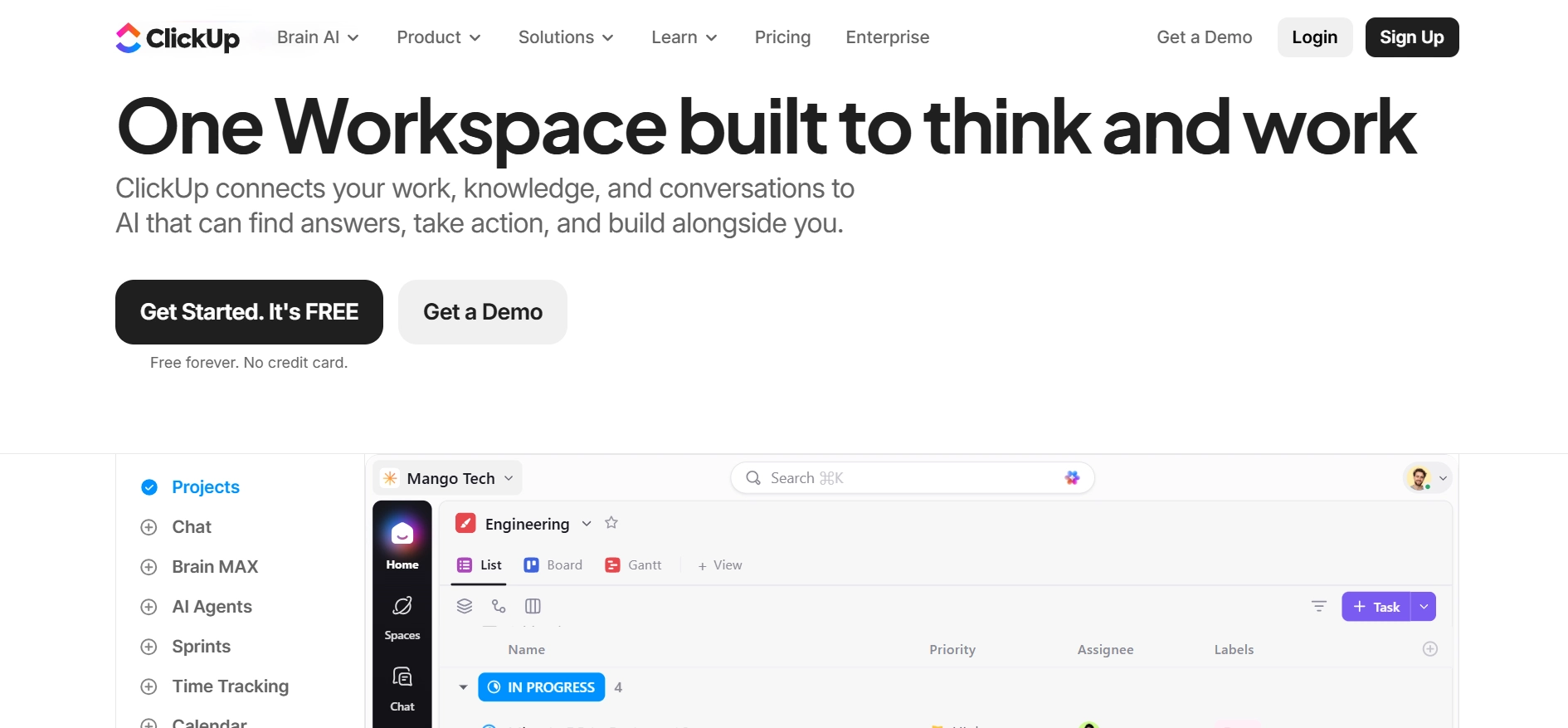
One of its main features is task management. You can create tasks, assign responsibilities, set deadlines, add comments, and break larger projects into smaller steps.
Different views let you organize work using lists, Kanban boards, calendars, Gantt charts, and timelines. This makes it useful for managing anything from a personal to-do list to a large team project.
Want to earn your first dollar online, but don’t know where to begin? Download the Free First Dollar Checklist to help you decide where to start.
ClickUp also includes collaborative Docs, whiteboards, forms, goals, dashboards, and team chat. Bloggers can use it to plan their content calendars, organize article ideas, and track publishing schedules.
Freelancers can manage client projects, deadlines, and billable hours, while online business owners can use it to coordinate marketing campaigns, track business goals, and manage daily operations.
Automation is another useful part of the platform. You can create rules that trigger actions when certain conditions are met.
For example, a task can automatically move to another status when its progress changes. ClickUp also offers integrations with other business tools, helping teams connect their existing workflows.
ClickUp Brain adds AI features that can help users write content, summarize work, find information, and manage tasks. More advanced AI features are available through separate paid AI plans.
Want to earn your first dollar online, but don’t know where to begin? Download the Free First Dollar Checklist to help you decide where to start.
ClickUp offers a permanent free plan with unlimited tasks and members, making it accessible to beginners. However, the free plan has storage and feature limits. Its large feature set can also take time to learn, especially for people who only need simple task management.
Overall, ClickUp is worth considering for anyone who wants one central place to plan, organize, and manage their work.
- Project Management: Organize projects using Spaces, Folders, and Lists. Track responsibilities, deadlines, progress, and dependencies from one workspace.
- Multiple Project Views: View tasks through List, Board, Calendar, Gantt, Timeline, and Table layouts to manage work in different ways.
- ClickUp Docs: Create documents, meeting notes, project guides, and internal knowledge pages. Team members can work together on shared documents.
- ClickUp Whiteboards: Brainstorm ideas, build visual plans, and map out workflows using a shared digital workspace.
- Time Tracking: Record time spent on tasks and projects. This is useful for freelancers tracking billable hours and businesses monitoring work time.
- Goals and Dashboards: Set business or team goals, monitor progress, and view project performance through reports and visual dashboards.
- Workflow Automation: Create rules that trigger actions automatically, such as changing task statuses, assigning work, or sending notifications.
- ClickUp Brain AI: Use AI to write content, summarize tasks, search workspace information, and generate useful answers based on your work. Paid AI plans unlock additional features.
- Team Collaboration: Communicate through task comments, chat, assigned feedback, and shared documents without keeping every discussion in separate apps.
- Forms: Collect information through online forms and turn submissions into tasks. This can help manage client requests, project briefs, and internal work requests.
- Third Party Integrations: Connect ClickUp with tools such as Google Drive, Slack, Zoom, GitHub, and other services to keep work connected.
Combines task management, documents, communication, and project planning.
Multiple project views make it easier to organize different types of work.
Automation reduces repetitive tasks and manual updates.
Built-in time tracking is useful for freelancers and service businesses.
Integrations connect ClickUp with many commonly used business tools.
AI features provide additional support for writing, research, and project management.
The free plan has limited file storage and restricted access to some advanced features.
Paid plans can become expensive as teams add more users.
Some advanced AI features require separate paid subscriptions.
Setting up complex workflows and dashboards can take considerable time.
FAQs About the Tool
Is ClickUp free to use?
Yes. ClickUp offers a permanent Free Forever plan with unlimited tasks and members. However, it has a 60MB storage limit and restrictions on certain advanced features.
What is ClickUp mainly used for?
ClickUp is used for task management, project planning, team collaboration, time tracking, and workflow automation. It helps individuals and businesses organize their work in one place.
Is ClickUp good for beginners?
Yes. Beginners can use its free plan to organize tasks, create projects, and manage deadlines. However, its many features may take time to learn, so starting with simple task lists is a good approach.
Can freelancers use ClickUp to manage clients and projects?
Yes. Freelancers can create separate projects for each client, assign tasks, set deadlines, track working hours, and organize client information. Its time tracking tools are also useful for monitoring billable work.
Does ClickUp have AI features?
Yes. ClickUp Brain offers AI writing, workspace search, task summaries, and other work assistance features. More advanced AI access requires a separate paid subscription.
MyCashSense Team
This is MyCashSense’s editorial assessment, based on ClickUp’s generous free plan, wide range of project management features, and useful automation tools. It offers good value for freelancers, bloggers, and small businesses looking to organize their work. However, its many features can take time to learn, and some advanced tools require paid subscriptions. Overall, ClickUp is a strong productivity tool for managing projects and everyday business tasks. This is our assessment, not an official ClickUp score.